EasyManua.ls Logo

Doro 6060 - User Manual

Doro 6060
62 pages
Print Icon
To Next Page IconTo Next Page
Loading...
English
Doro 6060

Table of Contents

Other manuals for Doro 6060

Questions and Answers

  • K
    Kevin KiddSep 9, 2025
    Why does my Doro 6060 Cell Phone have echo or noise during calls?
    • O
      onealashleySep 9, 2025
      If you're experiencing echo or noise on your Doro Cell Phone during calls, it might be a regional problem caused by a bad network relay. Hang up and redial; this may switch you to another network relay.
  • R
    Rose WardSep 7, 2025
    What to do if my Doro 6060 Cell Phone says 'PIN code not accepted'?
    • J
      Jennifer BrownSep 7, 2025
      If your Doro Cell Phone says 'PIN code not accepted', it means the wrong PIN code has been entered too many times. Enter the PUK code to change the PIN code, or contact your service provider.
  • R
    roberto05Aug 22, 2025
    What to do if my Doro 6060 won't turn on?
    • K
      Kelly BowenAug 22, 2025
      If your Doro Cell Phone won't turn on, it could be due to a low battery charge. Connect the power adapter and charge the battery for 3 hours. Note that full battery capacity is reached after the battery has been charged 3–4 times. Alternatively, the battery might be incorrectly installed, so check its installation.
  • N
    Nicholas GallegosSep 5, 2025
    Why is my Doro 6060 Cell Phone failing to send or download MMS?
    • C
      Carrie CombsSep 5, 2025
      If your Doro Cell Phone fails to send or download MMS, it could be because the phone memory is full. Delete received MMS or select to set the default storage for MMS to be saved on a memory card (not included). Alternatively, the incorrect MMS profile might be selected. For some service providers, the MMS profile has to be selected manually.
  • B
    Brandon PowellSep 4, 2025
    Why can't I send or receive Picture Messages / MMS with my Doro 6060?
    • N
      Nicholas FisherSep 4, 2025
      If your Doro Cell Phone is unable to send or receive Picture Messages / MMS with the SIM card, the MMS profile may not be set automatically. For some operators, the MMS profile has to be selected manually. Activate the correct profile to suit your SIM card or network used.
  • D
    Daniel BarnesSep 2, 2025
    How to fix failure to add a contact on Doro 6060 Cell Phone?
    • F
      fwilliamsSep 3, 2025
      If you are unable to add a contact to your Doro Cell Phone, the phonebook memory might be full. Delete contacts to free up memory.
  • S
    Sheryl JohnsonSep 1, 2025
    Why does the standby time decrease on my Doro Cell Phone?
    • J
      Joshua WalkerSep 1, 2025
      If the standby time of your Doro Cell Phone is decreasing, it could be due to a low battery charge capacity. Install a new battery. It could also be that you are too far from the base station, causing the phone to constantly search for a signal, which consumes battery power. Find a place with a stronger signal, or temporarily turn off the phone.
  • I
    Isaiah DaughertyAug 31, 2025
    What to do if my Doro Cell Phone shows a SIM card error?
    • V
      victoria11Aug 31, 2025
      If your Doro Cell Phone displays a SIM card error, it could be due to several reasons: * The SIM card might be damaged; in this case, check its condition and contact your service provider if needed. * The SIM card might be incorrectly installed; check the installation, remove the card, and reinstall it. * The SIM card might be dirty or damp; wipe the contact surfaces with a clean cloth.
  • T
    Tracy BriggsAug 30, 2025
    Why is my Doro 6060 battery not charging?
    • E
      Eric WhiteAug 30, 2025
      If your Doro Cell Phone fails to charge, there might be several reasons: * The battery or charger could be damaged, so check them. * The charging environment might not be suitable, as the battery should only be charged in temperatures between 0 °C and 40 °C, so improve the charging environment. * The charger might be incorrectly connected to the phone or power socket, so check the charger connections.
  • R
    Robert JacobsAug 28, 2025
    Why can't I place calls on my Doro 6060?
    • L
      lorraine00Aug 28, 2025
      If you're unable to place calls on your Doro Cell Phone, call barring might be activated. Deactivate call barring in your phone's settings. If the problem persists, it's best to contact your service provider for further assistance.

Summary

Getting Started

Install SIM, Memory Card, and Battery

Detailed instructions for inserting SIM cards, memory cards, and the battery into the phone.

Charging the Phone

Guide on connecting the charger, understanding the charging indicator, and initial charging tips.

Phone Overview and Navigation

Powering the Phone On and Off

Steps to turn the mobile phone on and off, including PIN entry and unlock procedures.

Text Input Methods

Predictive Text and Input Modes

Using predictive text, changing case, input modes, and language options.

Phone Settings and Security

PIN Code Management and Security

Managing PIN codes, changing PIN, SIM lock, and password options for security.

Calls and Communication

Making and Receiving Calls

Step-by-step guide on initiating calls, answering, and ending conversations.

Phonebook Management

Adding and Managing Contacts

Detailed steps for adding new contacts, editing, deleting, and managing entries.

ICE (In Case of Emergency)

Assistance Button Features

Making an Assistance Call

How to activate and use the dedicated assistance button for emergency help.

Messaging Services

Sending Text Messages (SMS)

Creating and sending SMS messages, managing recipients, and message centre settings.

Camera and Image Viewing

Connectivity Options

Troubleshooting Common Issues

Diagnosing and Resolving Phone Problems

Solutions for common issues like charging failures, call problems, SIM errors, and network connectivity.

Safety Instructions and Precautions

General Usage Safety Guidelines

Important precautions regarding network usage, environment, medical devices, hearing, data security, and malware.

Doro 6060 Specifications

General IconGeneral
Display diagonal2.8 \
External displayYes
Display resolution320 x 240 pixels
External display diagonal1.7 \
Storage temperature (T-T)-20 - 60 °C
Operating temperature (T-T)0 - 40 °C
WAP-
Data networkGPRS, GSM
SIM card typeMicroSIM
SIM card capabilityDual SIM
2G bands (primary SIM)900, 1800, 1900 MHz
Mobile network generation2G
Talk time (2G)6 h
Battery voltage3.7 V
Battery capacity1000 mAh
Standby time (2G)420 h
RAM capacity8 MB
ROM capacity16 MB
Compatible memory cardsMicroSD (TransFlash)
Flash typeLED
Rear camera resolution (numeric)3 MP
USB connector typeMicro-USB
Headphone connectivity3.5 mm
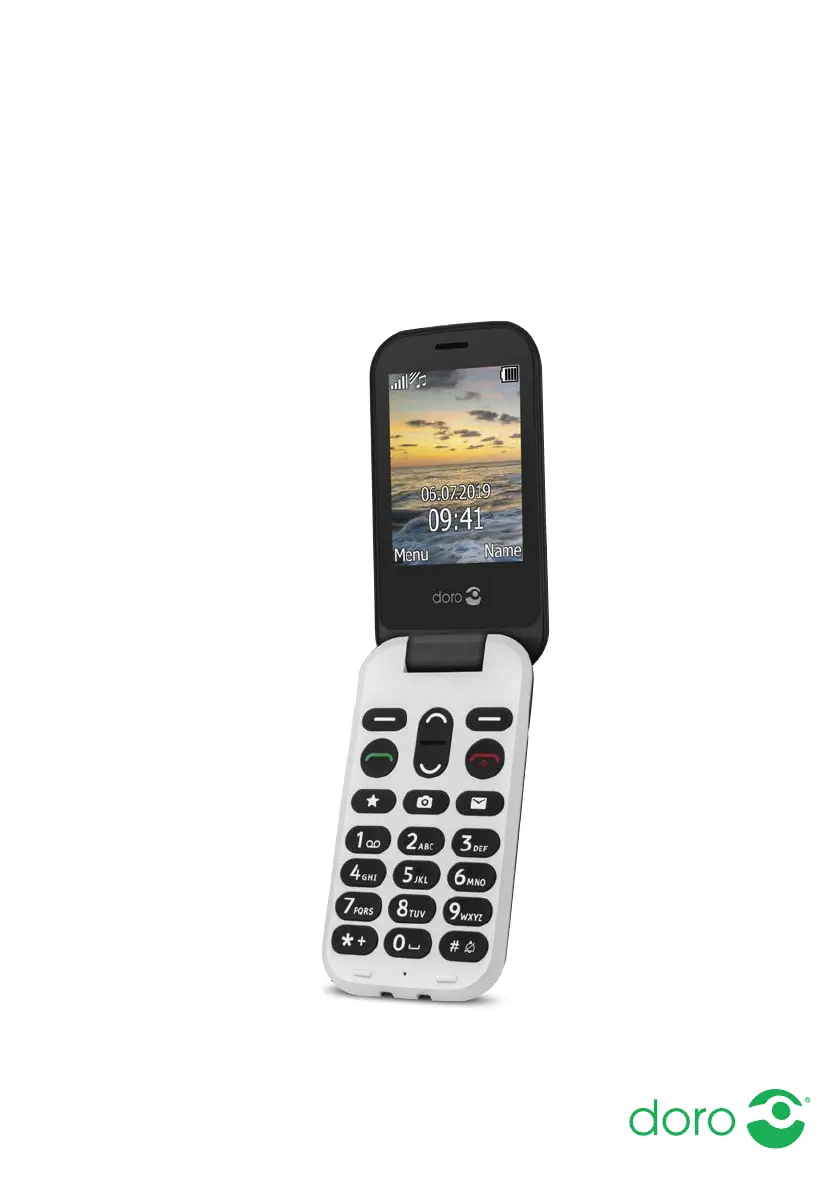
Form factorFlip
Phonebook capacity100 entries
Personal info management (PIM)Alarm clock, Calculator, Calendar, Events reminder
Multimedia Messaging Service (MMS)Multimedia Messaging Service (MMS) is a standard way to send messages that include multimedia content to and from a mobile phone over a cellular network
Ringer typePolyphonic
Polyphonic rings quantity9
Body SAR (EU)1.499 W/kg
Head SAR (EU)0.595 W/kg
TypeFeature phone
Product colorBlack
Weight and Dimensions IconWeight and Dimensions
Depth21 mm
Width57 mm
Height106 mm
Weight124 g

Related product manuals