English
FLASH/Recall
Select the flash time (100/300/600 ms.) and confirm with 0.
The standard setting is 100 for most countries, 300 for France/Portugal,
600 for New Zealand.
N CALL LED
Enable/disable the LED indicator for new calls.
Select ON/OFF and confirm with 0. See Caller ID and call log, p.11
TONE/PULSE
Select either TONE or PULSE dialling mode, and confirm with 0.
Note! If unsure of which mode to use, select TONE as this works in most
locations.
SERVICES
Buttons
1
and
2
can be programmed with service number.
1. Scroll to SERVICES. Press 0.
2. Select
1
or
2
. Press 0.
3. Enter the required number and confirm with 0.
To dial, press and hold
1
or
2
and press
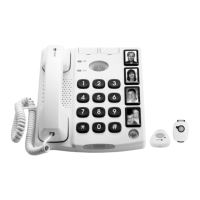
Cordless pendant
The range of the cordless pendant varies depending on the environment
in which it is used. Walls, floors, furniture and other obstacles may limit
contact between the pendant and the phone.
Check that the pendant is always in contact with the phone by activating
the alarm in different places around the premises.
See PENDANT, p.2 on how to register (pair) a pendant.
Changing batteries in the cordless pendant
If the cordless pendant ceases to function, change the batteries. Use on-
ly 12 V (A23, LR23) Alkaline battery of good quality.
1. Use a Phillips screwdriver to loosen the screws on the back and sep-
arate the parts gently.
5



 To Next Page