Doro Secure 480 user guide 0.1 Page 11 of 16
Doro AB - www.doro.com
2.4 Making Help Request calls
One of the most useful features of the DORO SECURE 480 is the ability to make help request calls by a
single push of a button. A help request call can be made by pressing the pressing the crown button. Please
note that Safety alarm profile is only profile supporting crown button alarms
2.4.1 Help requests call in normal mobile network conditions
Press the crown button. The DORO SECURE 480 will vibrate briefly when the button has been actuated.
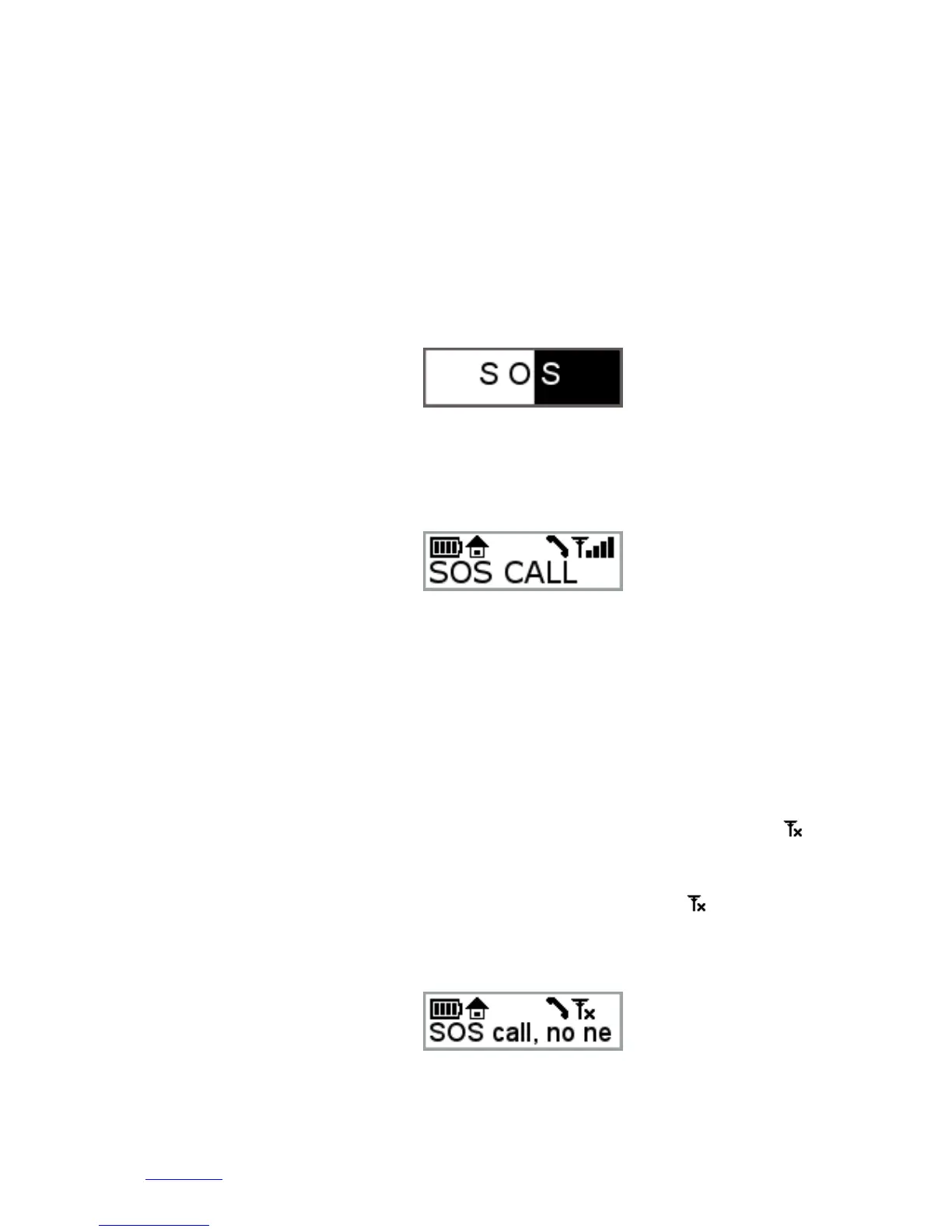
The display will show SOS with an animation turning the background white from left to right. When the
button has been pressed for the required time the animation reaches the right side of the display and the
help request call is initiated. If the button is released prior to the end of the animation the help request
call is not placed. This purpose of the short delay is to avoid accidental help request calls.
When the help request call is initiated the DORO SECURE 480 will vibrate for a second to tell the wearer
that the call is being made. At the same time the display will show that the SOS call initiation is in
progress.
Shortly afterwards the DORO SECURE 480 speaker will play a beeping sound sequence until the dial tone is
available from the mobile network. Depending on the mobile network connection time and number of
caregivers that are being reached the call connection time may vary. Typical call connection time is a few
seconds if the first number in the call sequence is reachable.
2.4.2 Help requests call when DORO SECURE 480 is not connected to a mobile
network
In the event that the DORO SECURE 480 is outside of mobile network coverage help request calls cannot
be successfully connected. The mobile network icon in the DORO SECURE 480 display will show as
shown in the picture below.
If the ALWAYS ON-LINE toggle in the Web service has been turned OFF the DORO SECURE 480 turns off
its mobile network module in order to save power. This is also indicated by the icon. When a call is
initiated the DORO SECURE 480 will attempt to connect to the GSM network. If the network connection
can’t be achieved in 10 minutes an error message will be displayed.


 To Next Page