Doro Secure 480 user guide 0.1 Page 7 of 16
Doro AB - www.doro.com
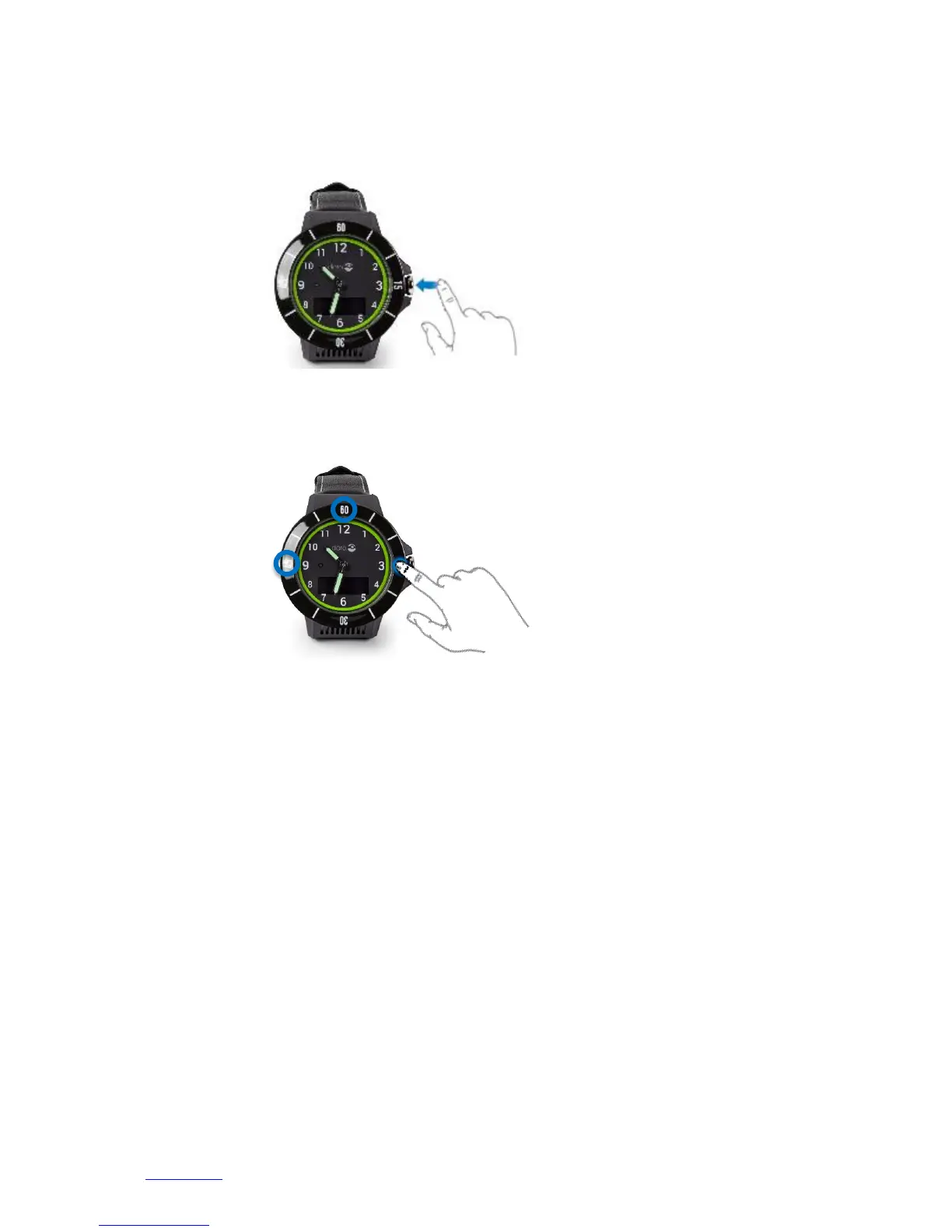
1.3.1 Help request call
Press the Crown button and hold down to initiate a help request call. The DORO SECURE 480 vibrate
shortly and the display will show SOS with background animation. This function is active in Safety alarm
profile.
1.3.2 Function buttons in the watch bezel
Buttons are located at number 15 (CALL/YES), at number 45 (CANCEL/NO) and at number 60(UP).
Please note that button functions are enabled or disabled depending on selected DORO SECURE 480
profile. In safety alarm profile the 15, 45 and 60 buttons show the battery level in the display. In Geofence
and home beacon profiles none of the buttons are operational.
1.4 Speaker and microphone
DORO SECURE 480 has a powerful speaker directed towards the wearer. The microphone is located in the
side of the watch body at 2 o’clock. During a phone call please keep the DORO SECURE 480 approximately
25 cm away from your mouth if possible. This is an optimum position for best sound quality for the DORO
SECURE 480 speaker and microphone. The speaker volume can be easily adjusted using the Web service.
1.5 Analog watch
The DORO SECURE 480 has an analog watch function. The time shown by the DORO SECURE 480 is
synchronized with the Web service. The time zone selection can be easily done with the Web service. The
watch hands will move away from the display area if there is something to be shown in the display. When
the display is turned off the watch hands resume their correct locations. Please note that there is a watch
hand position sensor near the 9 o’clock LED in the watch face. Occasionally the DORO SECURE 480 checks
the position of the watch hands by moving the hands over the sensor. The watch hand calibration may fail
if a bright light impairs the sensor during calibration. The watch will recalibrate the hands later
automatically. It is also possible to initiate the calibration process with the Web service if the time shown
by the watch is incorrect.


 To Next Page