Doro Secure 480 user guide 0.1 Page 12 of 16
Doro AB - www.doro.com
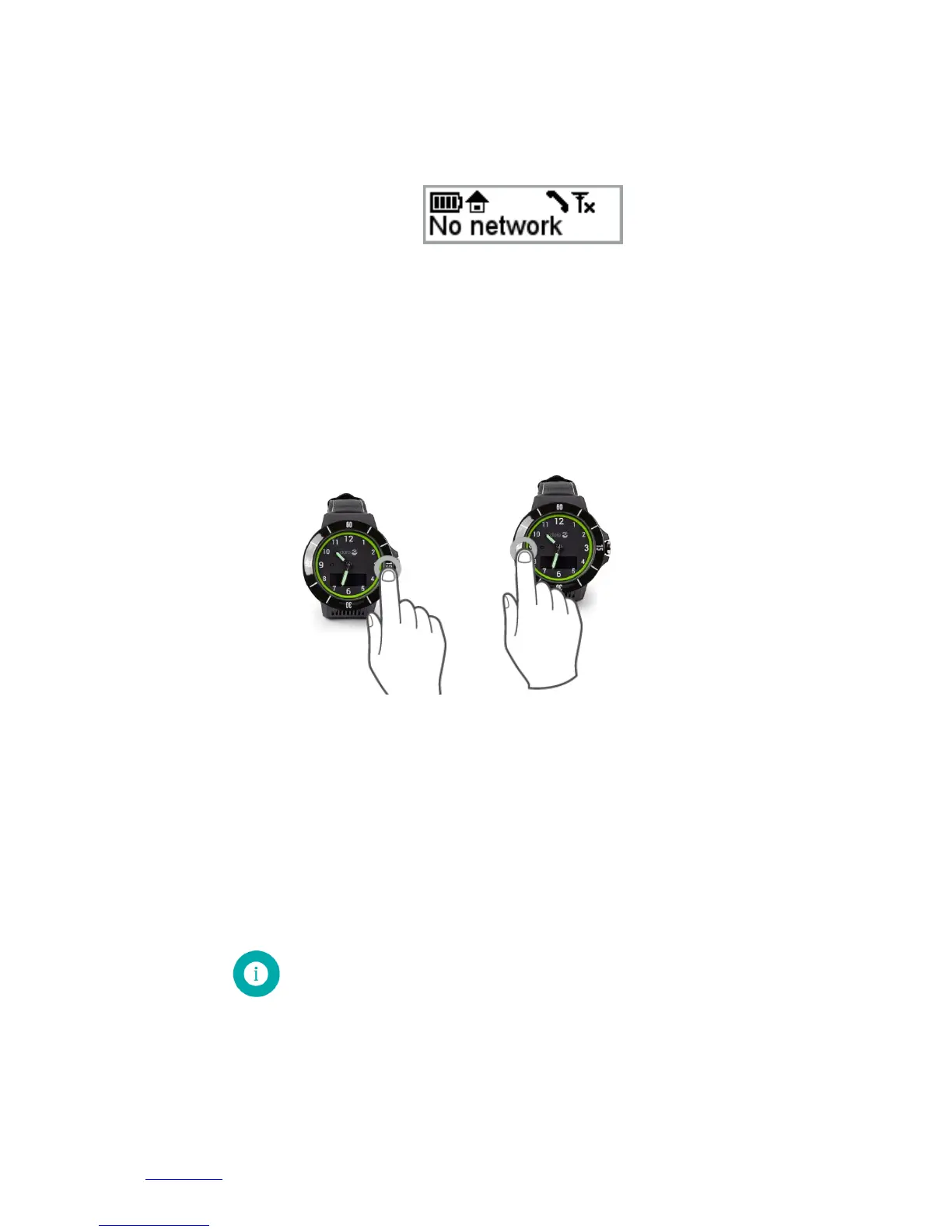
If the call cannot be immediately connected it is advisable that the DORO SECURE 480 user moves to a
location where mobile network coverage is available if at all possible. If the connection cannot be
established during the 10 minutes period the help request call attempt will be given up and NO
NETWORK will be shown in the DORO SECURE 480 display.
2.5 Answering and reject a call
DORO SECURE 480 can also receive calls. The DORO SECURE 480 will automatically accept the calls when
geofence and home beacon profile is selected. In the Safety alarm profile the wearer has the option to
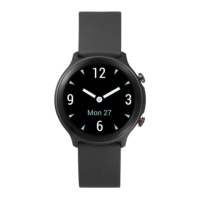
either accept or reject an incoming call. The call is accepted by pressing the YES button at number 15 as
shown in the picture below left. The call can be rejected by pressing NO as shown in the picture below
right.
2.6 Home beacon placement
Placement of home beacon and full coverage in assistee’s home is important when using home beacon
alarm profile. Lack of home beacon coverage when using home beacon alarm profile will generate false
alarms. When DORO SECURE 480 is in range of a home beacon, GSM and GPS is turned off, thus battery
consumption is significantly decreased. The range of the home beacon in open space is up to 10 meters.
Walls and other solid obstructions may significantly shorten the range of the home beacon. Additional
home beacons may be needed to get full coverage of assistee’s home. You can pair up to 10 home
beacons with one DORO SECURE 480 device. One Home beacon can be paired by many DORO SECURE 480
devices.


 To Next Page