Doro Secure 480 user guide 0.1 Page 8 of 16
Doro AB - www.doro.com
1.6 Wearing the DORO SECURE 480
The DORO SECURE 480 has been built so that it can be used in everyday life without too many limitations.
The wristwatch itself is splash water proof but like any wristwatch it may fog up if exposed to extreme
temperature changes or submerged in water. It is not recommended that the DORO SECURE 480 is worn
in sauna or other environments where similar extreme temperatures changes can occur. It is
recommended that the DORO SECURE 480 is kept clean and dry. The mineral glass of the wristwatch may
break if a direct impact hits the glass.
1.7 DORO SECURE 480 display status icons
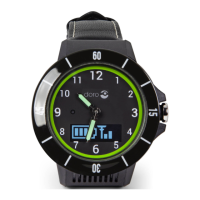
The DORO SECURE 480 has a two row OLED display. The display is operational when a call is being made
and when the crown has been pressed in Safety alarm profile. It is also operational for a short period of
time when the DORO SECURE 480 is placed into the charging dock. The display icons are explained the in
the table below.
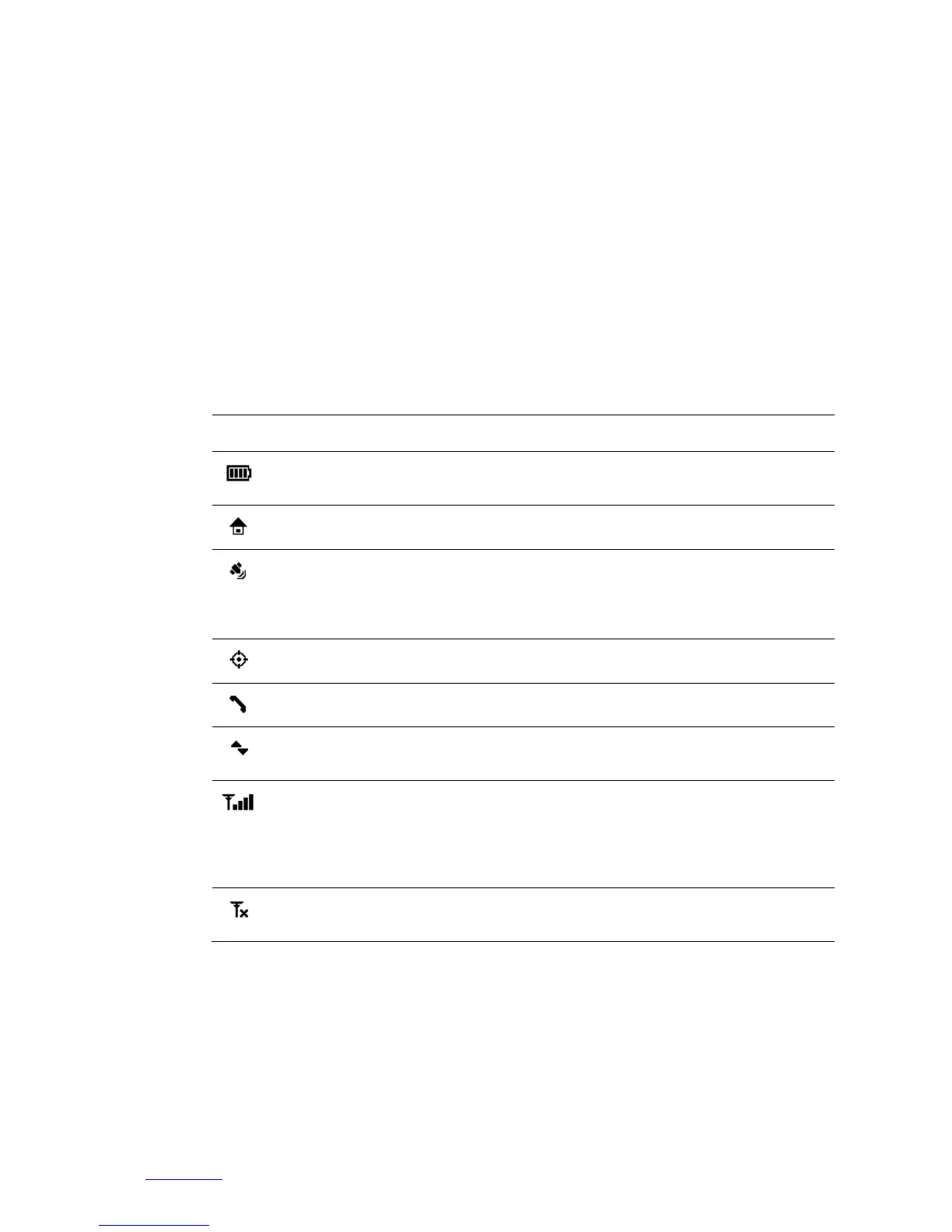
Shows DORO SECURE 480 battery level or charging
status.
Device has a connection to a home beacon.
When the icon is steady the DORO SECURE 480 has
successfully acquired a GPS location. When this icon is
blinking, it means that DORO SECURE 480 is in the
process of acquiring a GPS location.
The icon is shown when tracking is activated.
You have an active voice call ongoing.
When the icon is shown the device is uploading or
downloading data.
You are in range of the mobile network. DORO SECURE
480 can make and receive phone calls and it has
connection to Web service. Number of the coverage
bars indicates the strength of mobile network signal;
more bars indicate better signal strength.
If the DORO SECURE 480 is not connected to a GSM
network you will see a network icon with a cross.


 To Next Page