VariZapper
19
5.6 Starting the Program
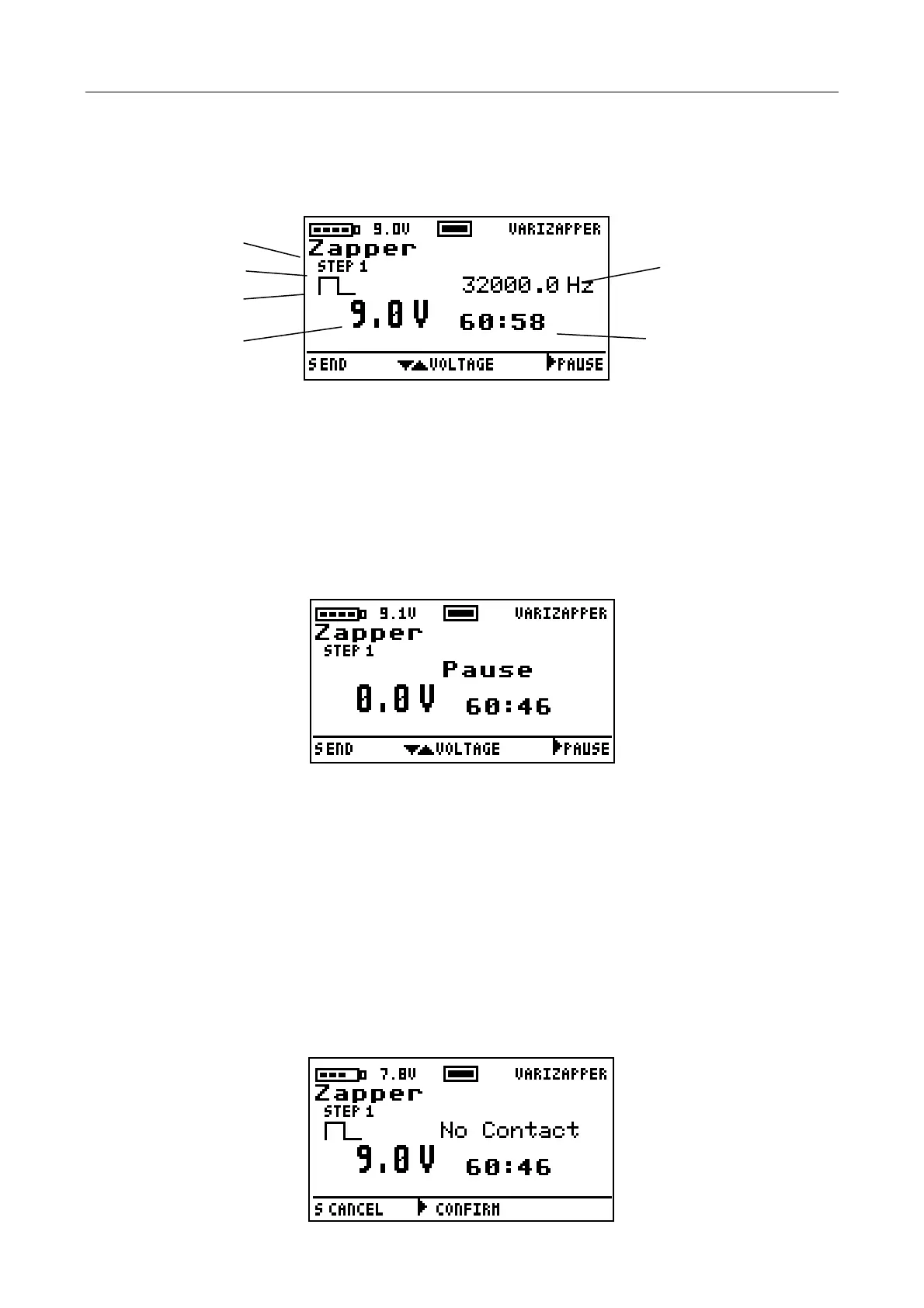
After you have selected the desired standard program or a Program Driver Card program, start the program
with the S button. The screen
display appears as follows:
Name of the
Program
Step Number Frequency
Square Wave Symbol
Voltage Indicator Remaining Time
5.7 Program Phases and Steps
A program has a maximum of 25 steps. A step consists of an active working phase that can optionally be
followed by a passive pause phase before moving to the next step. Each step is defined by parameters such
as frequency, wave shape (sine or square), and voltage, which are displayed during the active phase. If the
upper and lower frequency values in one specific step differ, the unit will modulate the frequency from the
lower frequency to the upper frequency and back over a defined sweep time. We call this “wobble”. The
continuously changing frequency values are then constantly adjusted on the display.
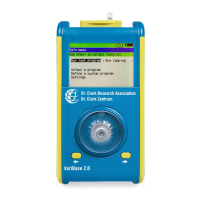
The pause phase is shown when the frequency value is replaced by the text “Pause“ and no symbol is
shown for the wave form. The remaining session time is always displayed.
5.8 Adjusting the Intensity (Voltage)
At the beginning of the session the VariZapper starts at the voltage set by the program. You can change the
voltage to your preferred value with the modification buttons . The voltage can be reduced to a minimum
0.1 V. The maximum value available is 15 V. When you hold the modification button pressed down, the
voltage keeps changing up or down until you let go of the button.
5.9 Contact Check
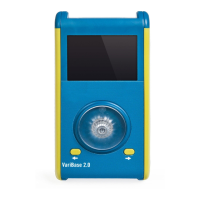
The VariZapper continuously checks whether the electric circuit is complete and current is flowing. If no
current is detected, the warning “No Contact“ appears in the display, and three short signal tones follow
(unless you have permanently deactivated the contact check in the default settings). You then have 60
seconds to confirm this warning with the button to turn off the contact check until the end of the session. If
you do not confirm the warning, the program terminates prematurely after 60 seconds.


 To Next Page