VariZapper
5.10 Pausing and Changing Steps
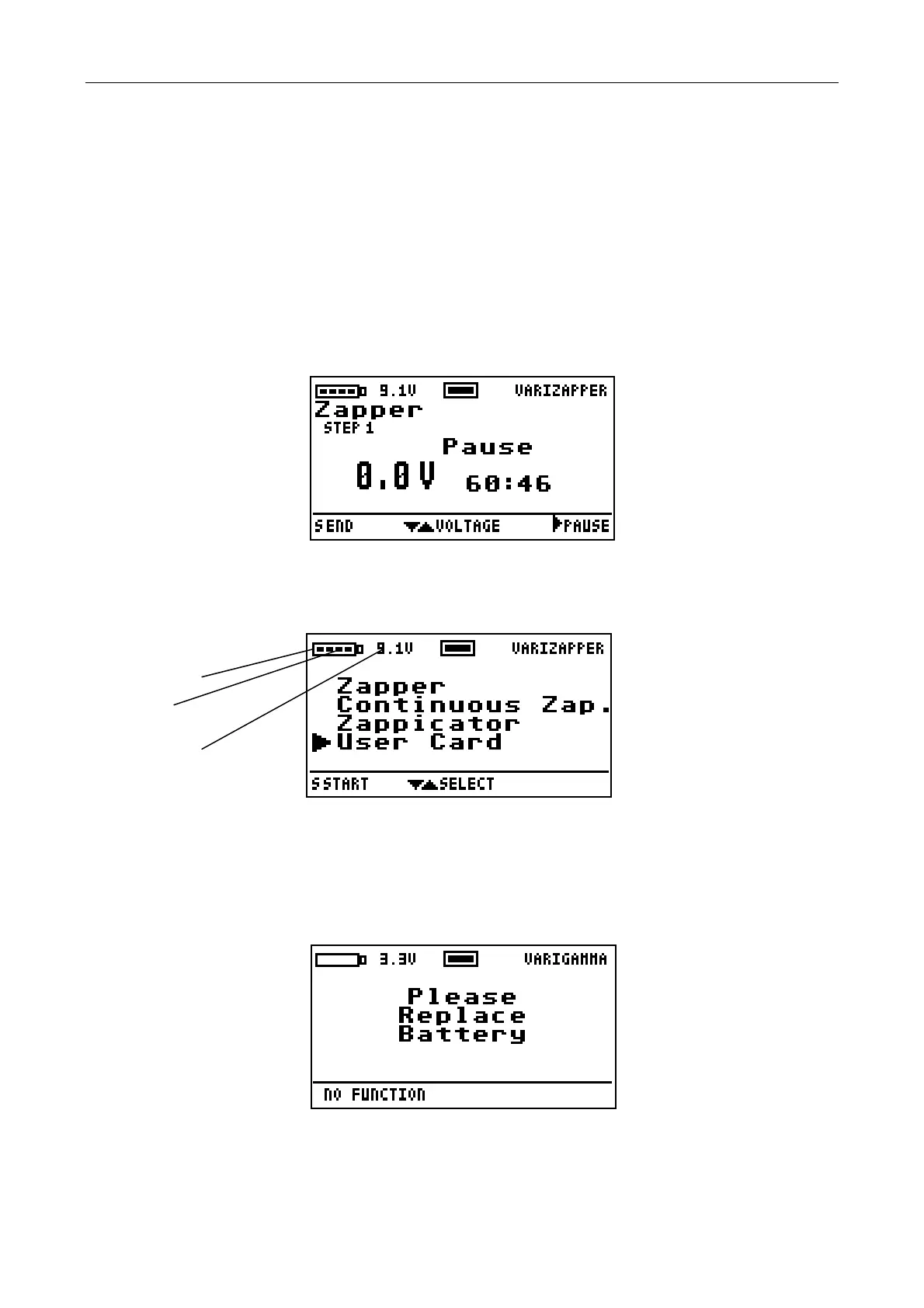
You can interrupt the program manually for a short time by using the button. The session time on the
display is then replaced by the text “Pause“. You may start the program again by pressing the S button. Note
that if the session is not continued within 2 minutes, the device shuts off automatically.
During the pause you can change to another step in the program. With the button you can go one step
forward and with the button one step back. Please note that the voltage cannot be changed during the
pause.
5.11 Battery Voltage Indicator
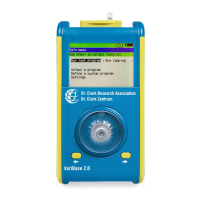
The battery status is indicated by the battery symbol on the top line of the display. The charge is shown in
volts following the symbol. The fewer marks visible in the battery icon, the lower the battery voltage.
Battery symbol
Voltage marks
Voltage in volts
Once the battery voltage h
as decreased to 5.7 V and no more marks are visible, there is usually enough
power left to complete the current program. Replace the battery once the program is finished, as described
in section 6.2.
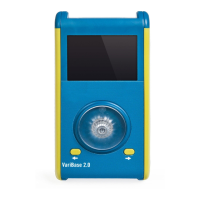
If the battery voltage is 5 V or less, the active program will stop immediately. A notice to change the battery
will appear. Now the VariZapper can only be turned off. After 10 seconds, the device shuts itself off.
20


 To Next Page