VariZapper
6 Default Settings, Warranty, Maintenance and Repair
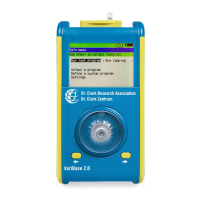
When you turn on the VariZapper, the main menu appears. Press the two modification buttons at the
same time. This will take you to the menu for changing the default settings. Select the parameters you wish
to change with the modification buttons . To change the parameters use the button. When you close
the menu with the S
button, the changes are saved. If you should choose to cancel the changes, turn
the device off with the button.
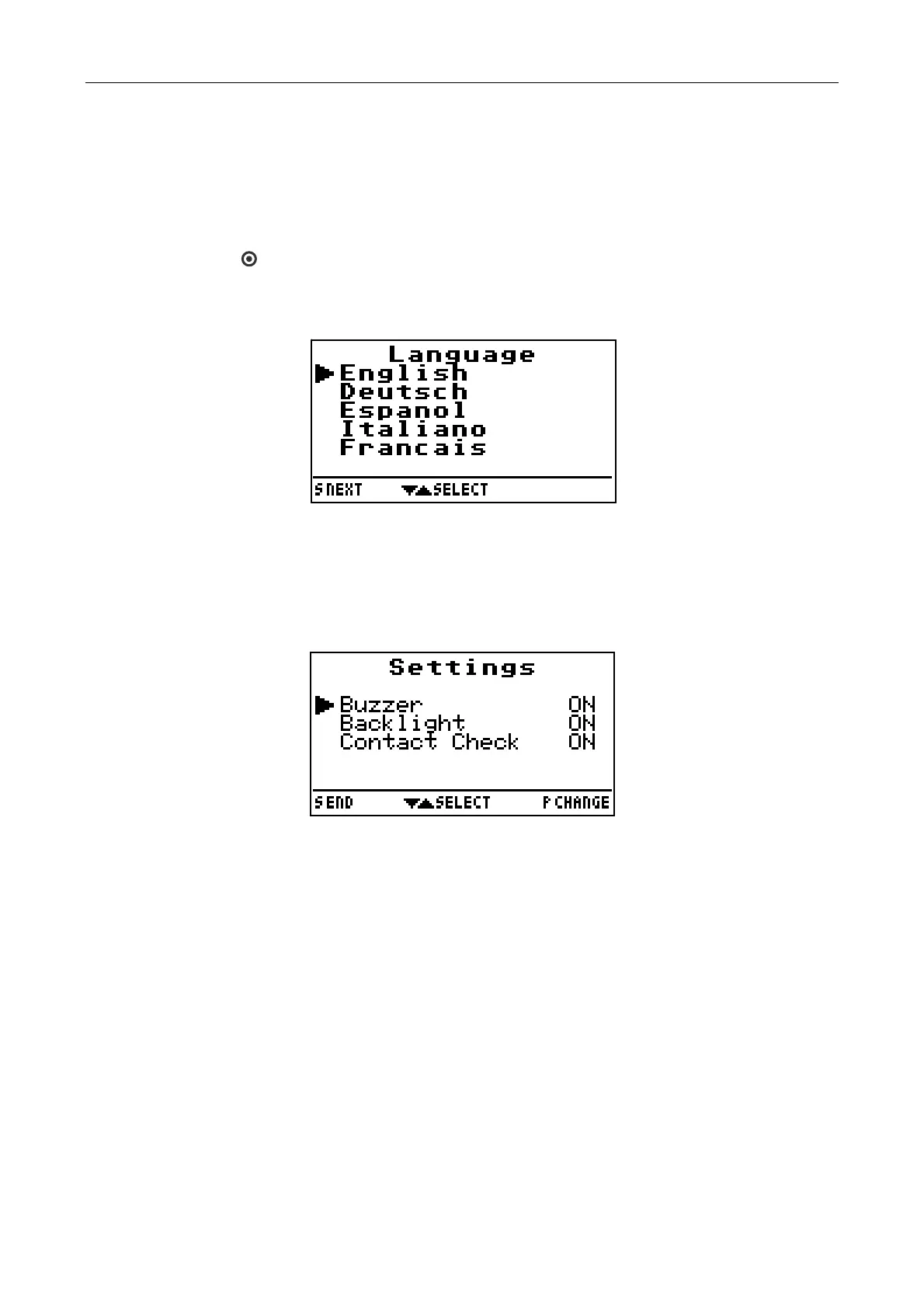
Use the listing “Language“ to change the display text to a different language. Move the cursor to the desired
language with the buttons . Save them with S button.
If you do not want the signal tones to sound, turn them off by setting ”Buzzer” OFF.
Using the listing “Backlight”, you can deactivate the background light. This reduces the power consumption.
When activated, the background light goes off 10 seconds after the last button is pressed.
At the listing “Contact Check“, you con completely turn off the contact check. This will override the settings of
the Standard or Program Driver Card programs.
6.1 New Settings, Changes and Repairs
The manufacturer of the VariZapper is responsible for the safety and effectiveness of the device only when
new settings, changes and repairs are made by persons authorized by the manufacturer and the VariZapper
is operated according to this instruction manual.
6.2 Warranty
We offer a warranty on the VariZapper for 2 years from the purchase date. Excluded are the cable,
electrodes and batteries. We guarantee the device to be free of defects for 2 years from the purchase date,
provided the product is used for its intended purpose.
We offer no warranty for:
not observing the instruction manual
servicing errors
inapproprate use or handling
repair by unauthorized personnel
force majeure, e.g. – lightning.
transportation damages due to poorly packaged returns
failure to carry out maintenance or safety inspections
ordinary wear and tear
22


 To Next Page