Mach LED 2MC/SC
Dr. Mach
Lamps and Engineering
59160001-MCSC Edition 06 08.05.2013 / Bak page 11/34
4.3. Adjusting the light intensity
Select the desired light intensity before surgery. It is
recommended to start with 80% of the maximum
light intensity and to increase the light intensity in
time.
At these models the adjustment is done by the con-
trol panel at the cardanic bow. The intensity can be
adjusted between 5% and 100%.
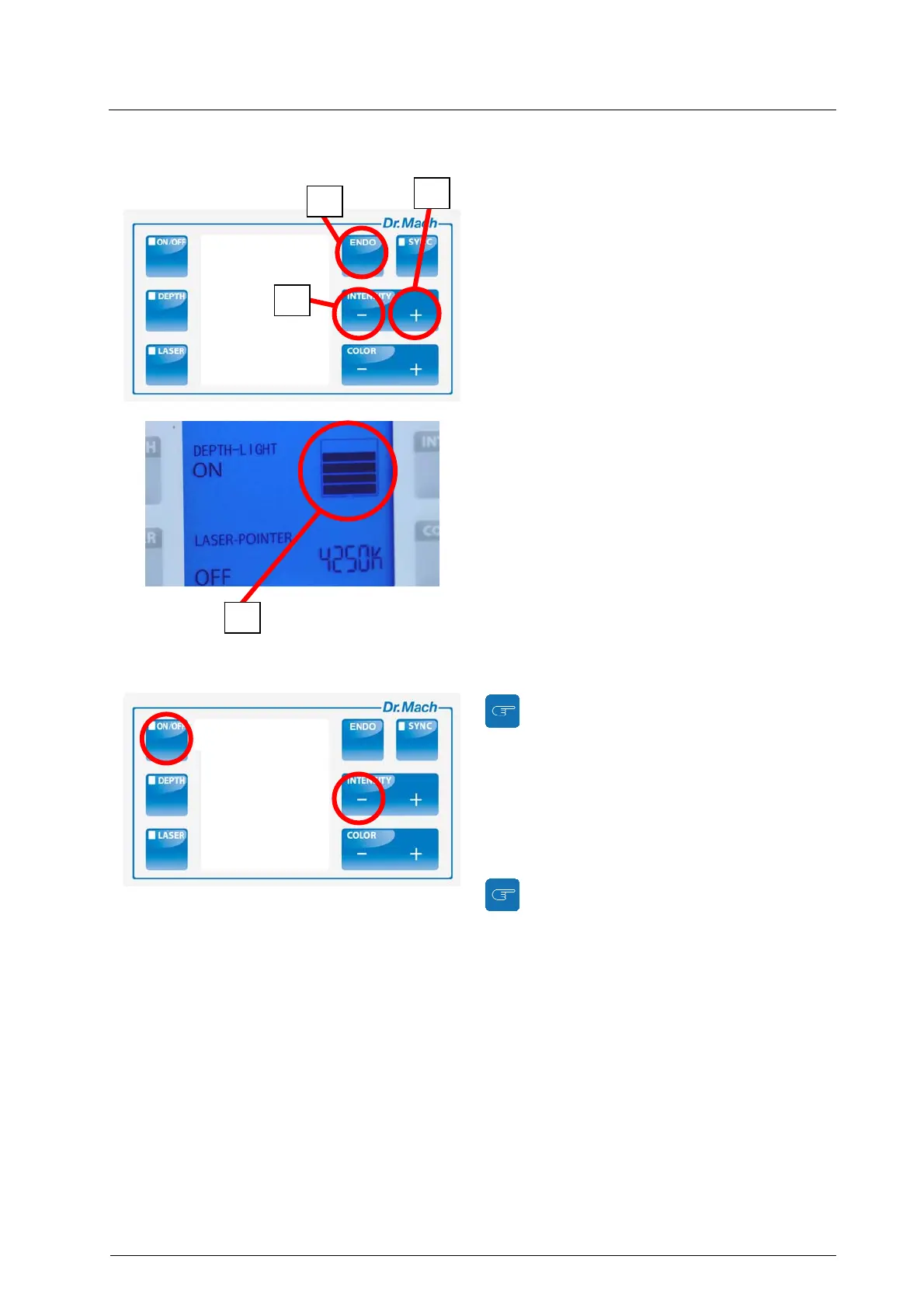
By pressing push button 4 the light intensity de-
creases.
By pressing the push button 5 the light intensity in-
creases.
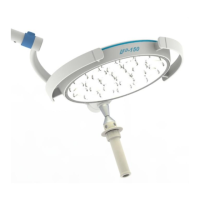
The current light intensity level is shown by the digi-
tal display 7.
ENDO-Light
By pressing the push button 6 the outer LED-units
turn off while the central unit continues to burn.
The ENDO-light function can be deactivated by
pressing the button 6 again.
When the ENDO-light function is activated, the
colour temperature information is faded out on
the display of the light.
Transferring the light intensity adjust-
ment function to the ring of the handle
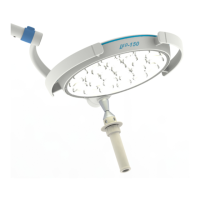
In order to transfer the light intensity adjustment
function to the ring of the sterilisable handle, press
first push button 4 or 5 and then the ON/OFF button
on the key pad.
The frame around the light intensity level display
is blinking.
The previous function on the ring is de-
activated.
A right-turn of the ring at the handle increases the
light intensity by one step; a left-turn of the ring de-
creases it with one step.
5
4
7
6
Step 2
Step 1


 To Next Page