Mach LED 2MC/SC
Dr. Mach
Lamps and Engineering
59160001-MCSC Edition 06 08.05.2013 / Bak page 13/34
4.5. Depth light
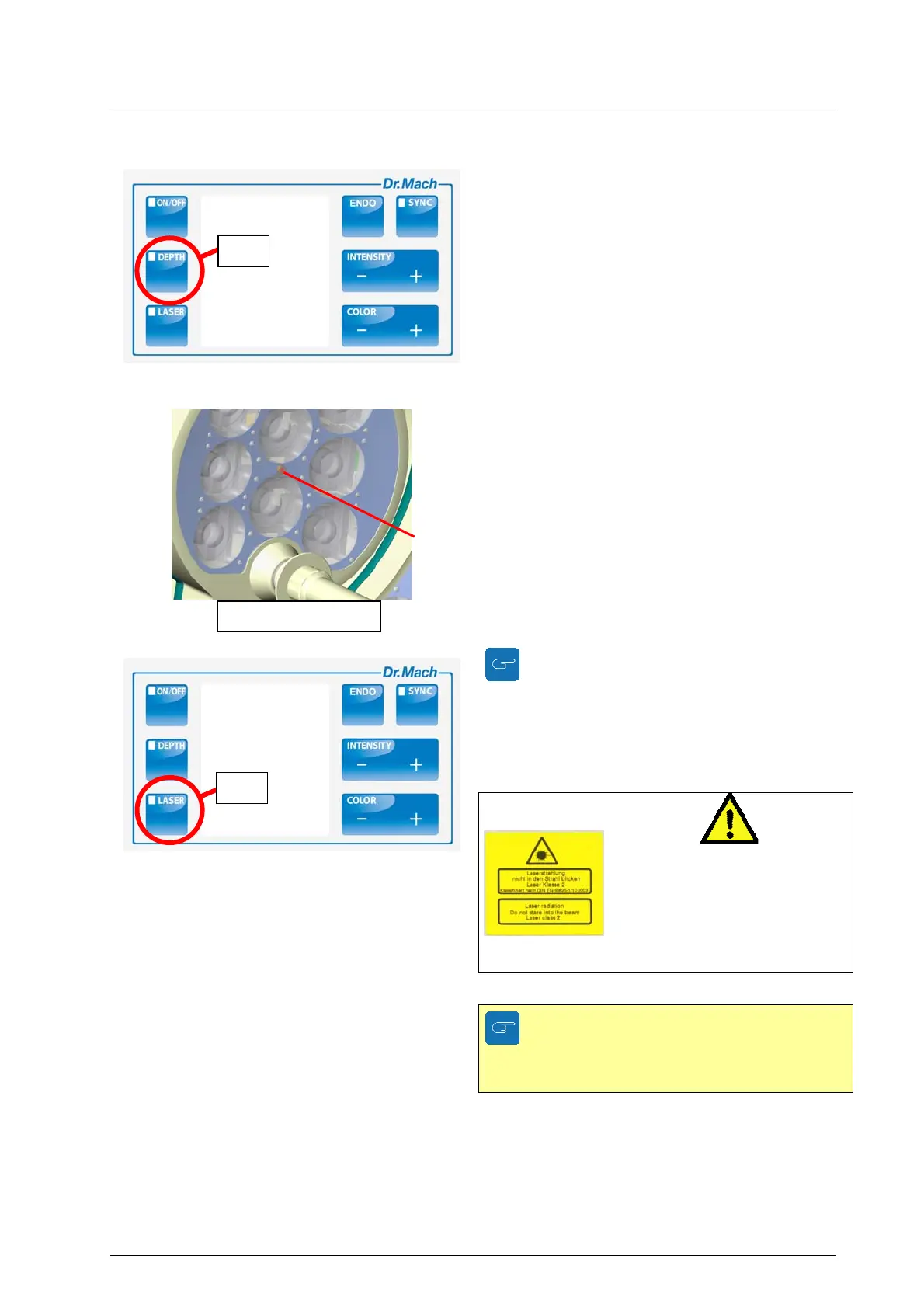
You have the possibility to increase the light intensi-
ty of the central segment of the OT-light. This ena-
bles an optimum illumination of the wound field ac-
cording to its texture and the shadowing effects.
This is very important in case of small and deep
wound channels.
To activate the depth light press push button 11 on
the control panel.
4.6. Integrated OT-laser-pointer (Mach
LED 2MC only)
The built-in laser pointer always indicates the middle
of the light field and helps the surgeon to find the
optimal position of the OT-light to the wound field.
The push button 12 on the control panel turns the
laser pointer ON and OFF.
The integrated laser pointer can be activated by a
left-turn of the ring at the sterilisable handle.
The laser pointer turns off after approx. 30 seconds.
When the laser–pointer is turned on the
light intensity decreases automatically by three
steps. This is shown also by the digital display.
The light intensity can still be adjusted.
After the laser-pointer is turned off the light in-
tensity increases to the initial setting.
LASER CLASS 2
Keep the laser beam away from
the patient’s and employee’s
eyes.
Danger of injury!
The Mach LED 2SC has no integrated
laser-pointer. It is available against sur-
charge.
11
OT-lase
-
ointe
12


 To Next Page