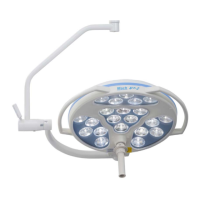
Mach LED 2MC/SC
Dr. Mach
Lamps and Engineering
59160001-MCSC Edition 06 08.05.2013 / Bak page 18/34
After the communication wires have been connected, connect the primary side of the power supplies to
the mains and the check the synchronisation function between the light heads.
If the synchronisation is working, it means that the wiring of the communication wires is correct and the
signal transmission is OK.
In case the synchronisation is not working, a troubleshooting must be performed.
Assuming that the communication is working and a wall panel must be connected, the next step is to
supply the wall panel with 28V DC. The wall panel is connected with four lines. Two of these lines are for
the power supply.
The lights are turned off, the power supply must be disconnected on the primary side from mains. Wait
20-30 seconds, until the capacitances on the power supplies are discharged. In order to speed up this
process, the light can be turned on.
Now the supply line for the wall panel is to be connected.
Connect these two lines on the ceiling flange, so you can measure + 28V DC and 0V at the wall panel.
Do not connect the communication line for the wall panel yet.
After the connection has been done, the power supplies are connected to mains. Turn on the lights and
check if the wall panel is supplied with power.
Please check if all functions are shown correctly on the display. A communication with the lights doesn’t
work yet, since the communication line is not yet connected.
If the wall panel is working correctly, disconnect the power supplies from mains and wait until the capaci-
tances on the power supplies are discharged. In order to speed up this process, the light can be turned
on.
Now connect the communication line from the wall panel to the orange terminals on the ceiling flange.
Connect the primary side of the power supplies to mains and check if the communication between wall
and light is working.


 To Next Page