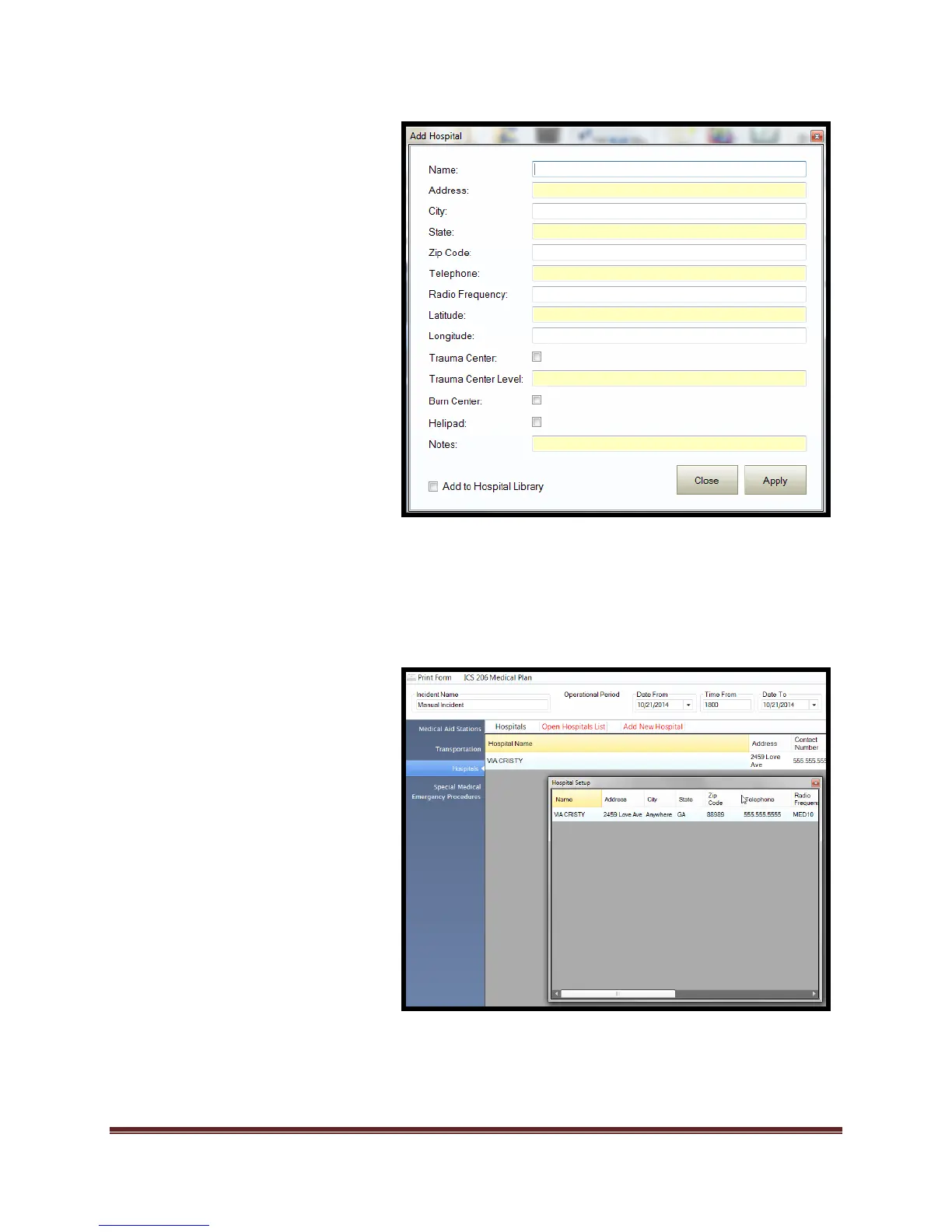
7. Select “Hospital” block if
desired.
a. Select “Open Hospital List”
b. “Drag and Drop” data into
“Name” field.
c. Select to “Apply” to add to
the ICS 206 form.
d. Select “Close” to remove
tool.
*Data can be edited once added to
form from the form fields.
-OR-
7. Select “Add New Hospital”.
a. Enter desired data into
“Add Hospital” window.
b. Select “Add to Hospital
Library” if you require the
service to be added to the
library.
c. Select “Apply” to save
data.
d. “Select “Close” to exit
window.
e. Select “Special Medical
Emergency Procedures”
and add desired data.
f. Select the check box to
include Air assets.



 To Next Page