Vigor130 Series User’s Guide
132
A
A
p
p
p
p
l
l
i
i
c
c
a
a
t
t
i
i
o
o
n
n
a
a
n
n
d
d
E
E
x
x
a
a
m
m
p
p
l
l
e
e
s
s
4
4
.
.
1
1
L
L
A
A
N
N
–
–
C
C
r
r
e
e
a
a
t
t
e
e
d
d
b
b
y
y
U
U
s
s
i
i
n
n
g
g
N
N
A
A
T
T
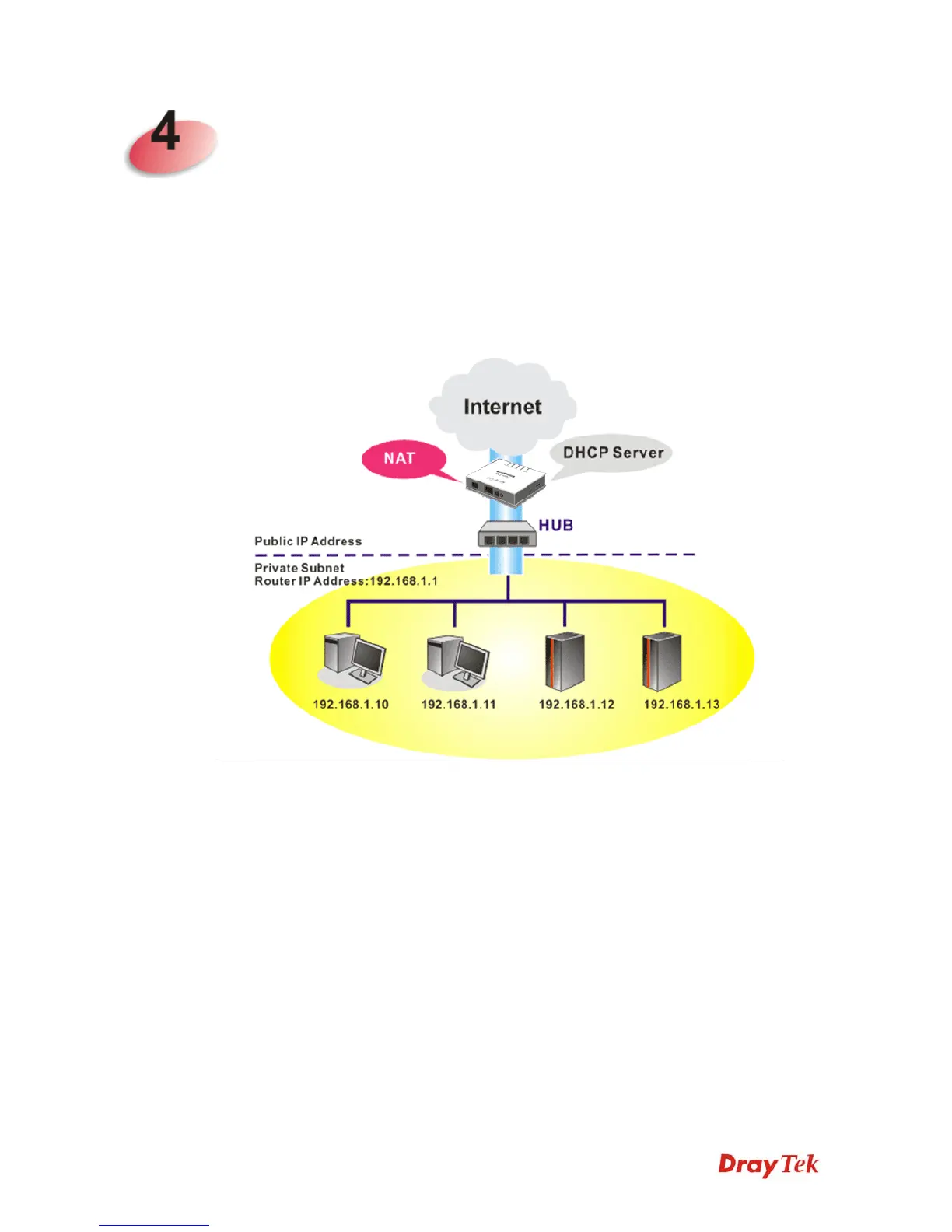
An example of default setting and the corresponding deployment are shown below. The
default Vigor modem private IP address/Subnet Mask is 192.168.1.1/255.255.255.0. The
built-in DHCP server is enabled so it assigns every local NATed host an IP address of
192.168.1.x starting from 192.168.1.10.
You can just set the settings wrapped inside the red rectangles to fit the request of NAT
usage.



 To Next Page