Vigor130 Series User’s Guide
21
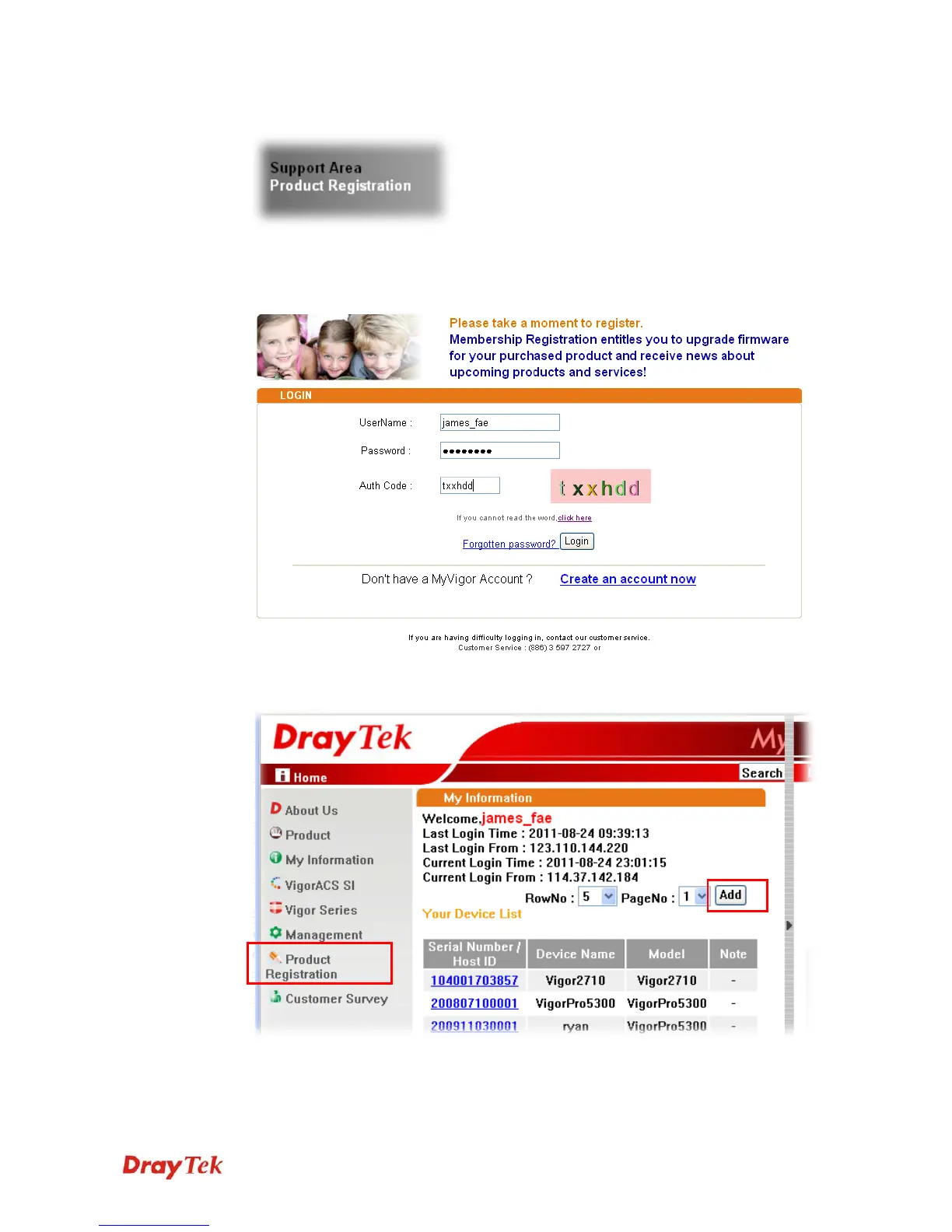
2 Click Support Area>>Production Registration from the home page.
3 A Login page will be shown on the screen. Please type the account and password that
you created previously. And click Login. If not, please click Create an account now
link first to create a new account. Then, back to this setting page.
4 The following page will be displayed after you logging in MyVigor. From this page,
please click Add or Product Registration.



 To Next Page