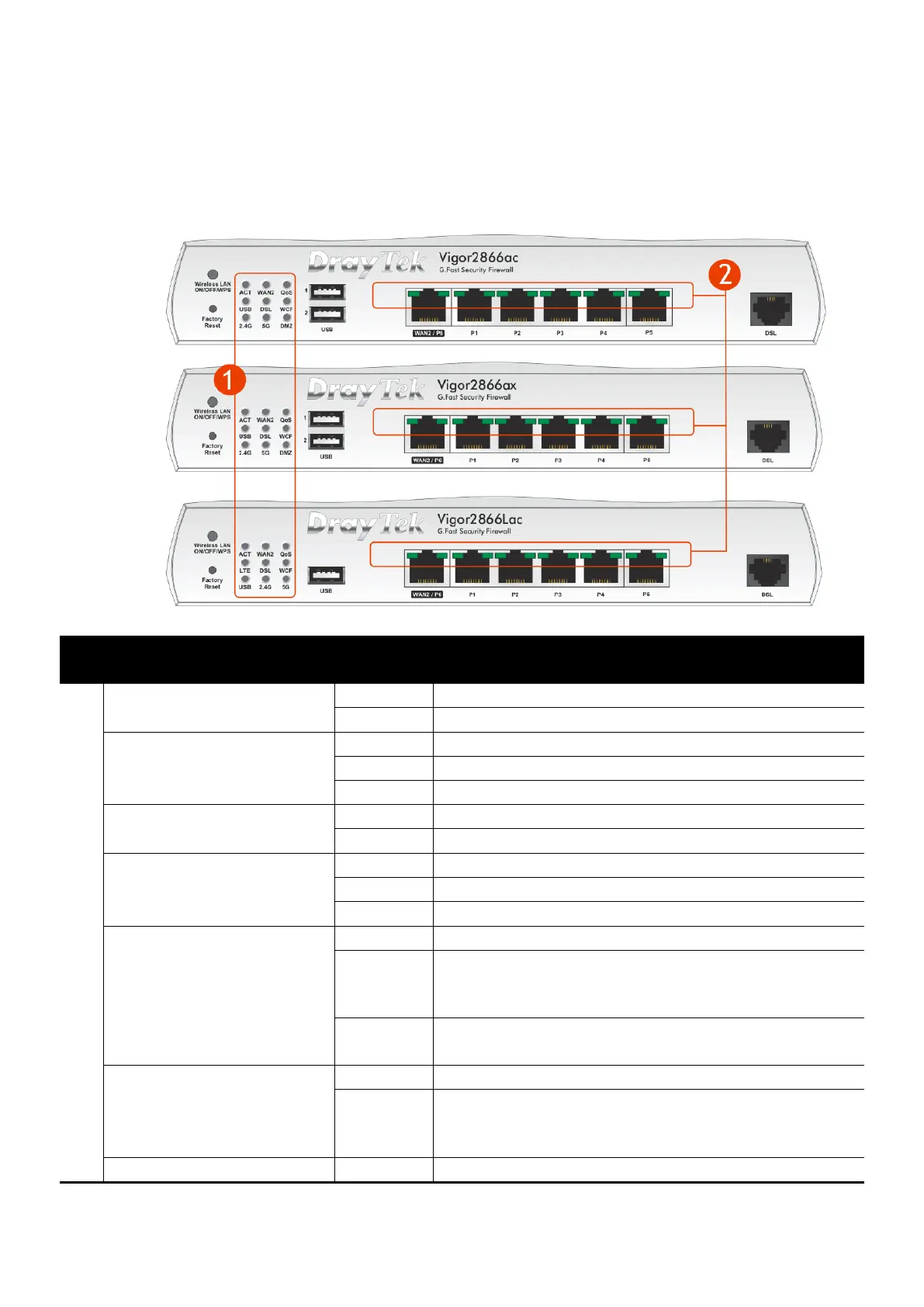
2
2
.
.
P
P
a
a
n
n
e
e
l
l
E
E
x
x
p
p
l
l
a
a
n
n
a
a
t
t
i
i
o
o
n
n
2
2
.
.
1
1
V
V
i
i
g
g
o
o
r
r
2
2
8
8
6
6
6
6
a
a
c
c
/
/
V
V
i
i
g
g
o
o
r
r
2
2
8
8
6
6
6
6
L
L
a
a
c
c
/
/
V
V
i
i
g
g
o
o
r
r
2
2
8
8
6
6
6
6
a
a
x
x
The router is powered off
The router is ready and operating normally
Internet connection is ready for use
Internet connection is offline
Data is being transmitted over WAN2
Quality of Service is active
Quality of Service is inactive
USB device is connected and ready for use
No USB device is connected
Data is being transmitted over USB
LTE internet is connected and ready for use
LTE modem is not detected, or has serious
problem (e.g., no SIM card, SIM pin error, SIM
deactivated, etc.)
Slowly: LTE modem is connecting
Quickly: Data is being transmitted over LTE
DSL connection synchronised
Slowly: DSL connection not currently
synchronising or not detected
Quickly: DSL connection is synchronising
Web Content Filter is active (It is enabled from











 To Next Page