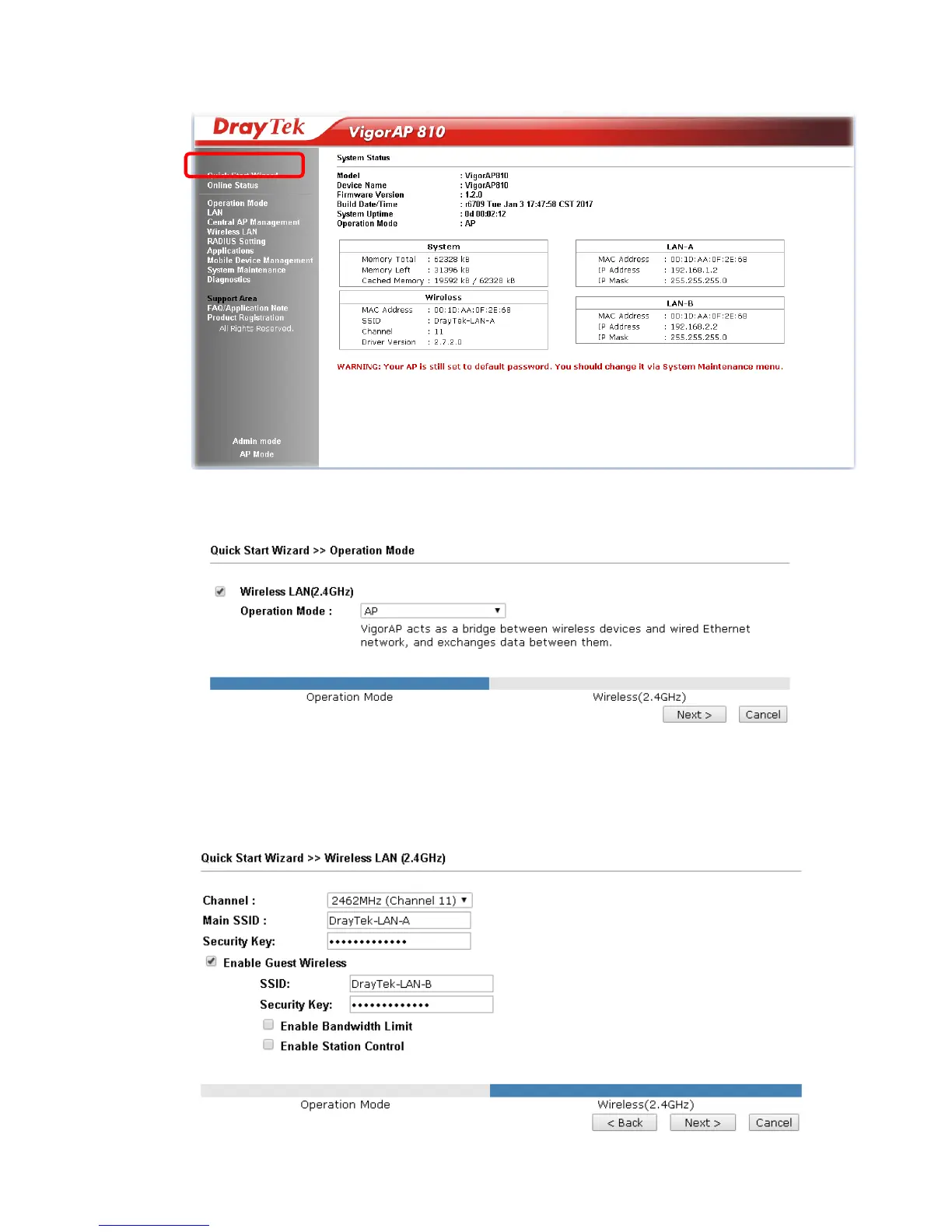
3. The Main Screen will pop up. Click Quick Start Wizard.
4. This page displays general settings (enable/disable wireless LAN 2.4GHz)
for the operation mode selected.
5. There are several operation modes for you to choose. Simply click any one of
modes. In this example, choose AP and click Next to configure the following
page.








 To Next Page