3
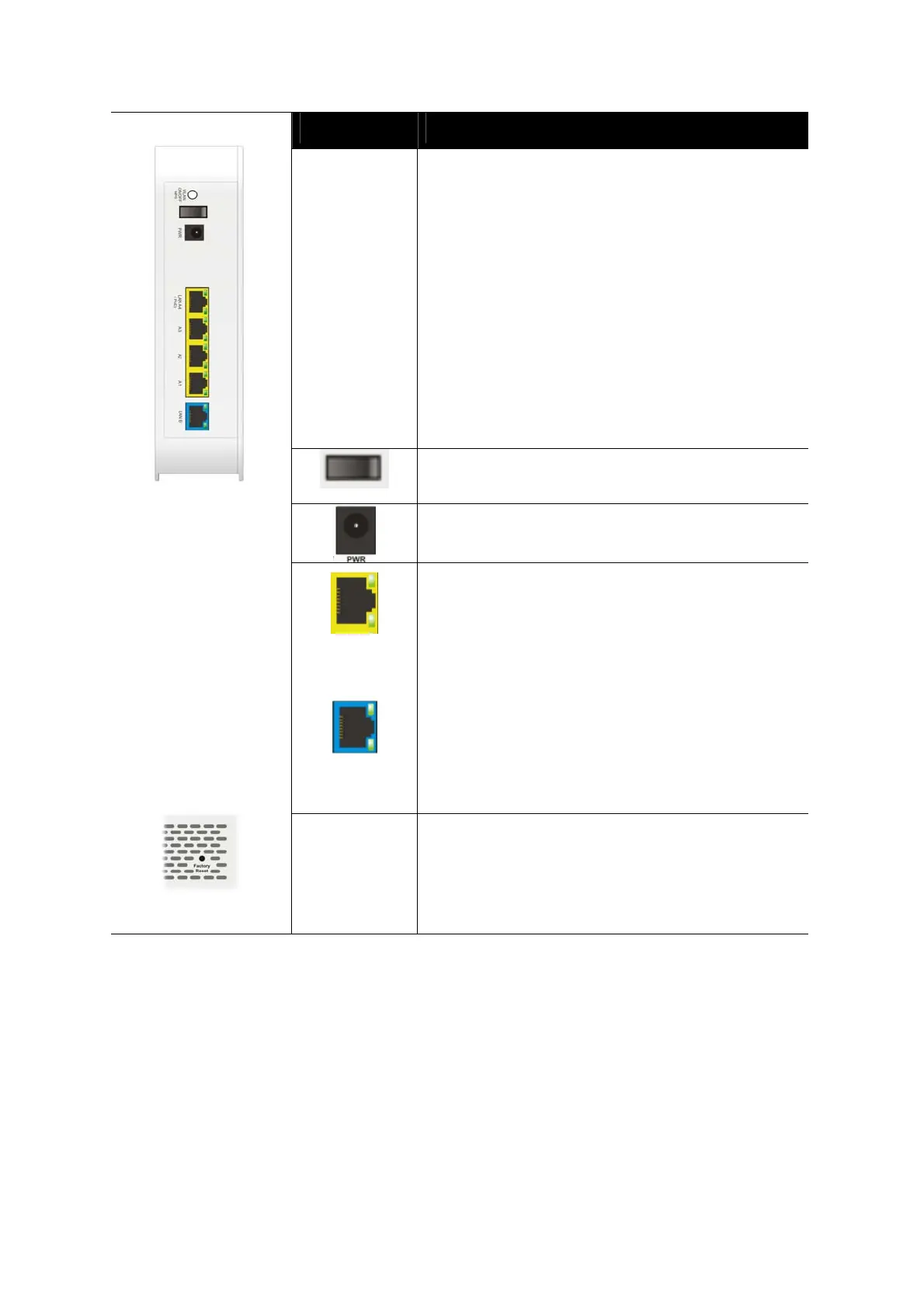
Interface Description
WLAN
ON/OFF
WPS
Wireless band will be switched /changed
according to the button pressed and released.
For example,
2.4G (On) and 5G (On) – in default.
2.4G (Off) and 5G (On) – pressed and
released the button once.
2.4G (On) and 5G (Off) – pressed and
released the button twice.
2.4G (Off) and 5G (Off) – pressed and
released the button three times.
WPS - When WPS function is enabled by web
user interface, press this button for more than 2
seconds. The router will wait for any wireless
client connecting to it through WPS.
Power switch.
PWR: Connecter for a power adapter.
LAN A4-A1
A4 (PoE)
LAN B
Connectors for local networked devices.
Left LED on - The port is connected.
Left LED off - The port is disconnected.
Left LED Blinking - The data is transmitting.
Right LED on -The port is connected with
1000Mbps.
Right LED off - The port is connected with
10/100 Mbps.
In which, LAN A4 is used for PoE connection (for
indoor use).
Factory
Reset
Restore the default settings.
Usage: Turn on the router. Press the button and
keep for more than 10 seconds. Then the router
will restart with the factory default
configuration.


 To Next Page
 Loading...










