15
EN
Clean the Mopping Module
Routine Maintenance
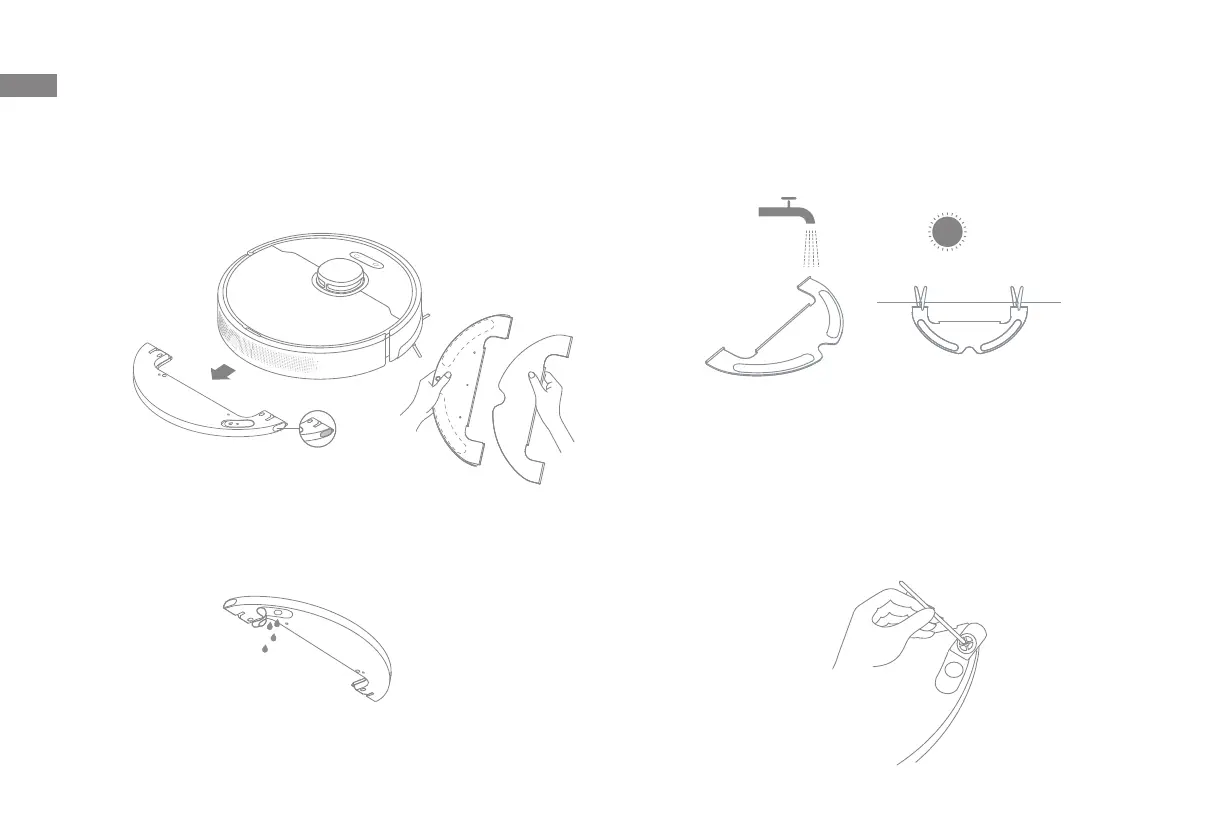
1. Press the two release clips on the side of the water tank, remove the
mopping module, and pull the mop pad o the mopping module.
3. Clean the mop pad with water only and leave to air dry before re-installing.
2. Pour out the water in the tank. Clean with only water and leave out to air
dry before re-installing.
4. If slow water ow occurs, or the volume is not well-distributed, clean the air
hole in the cover of the water tank.
Note: Do not expose the tank to the sun directly.
Note:
• Remove the pad from the mopping module before cleaning it, and make sure
dirty water does not ow back into the water outlet to avoid clogging.
• For optimal performance, it is recommended to replace the mop pad every 3-6
months.


 To Next Page
 Loading...