8
EN
Installation
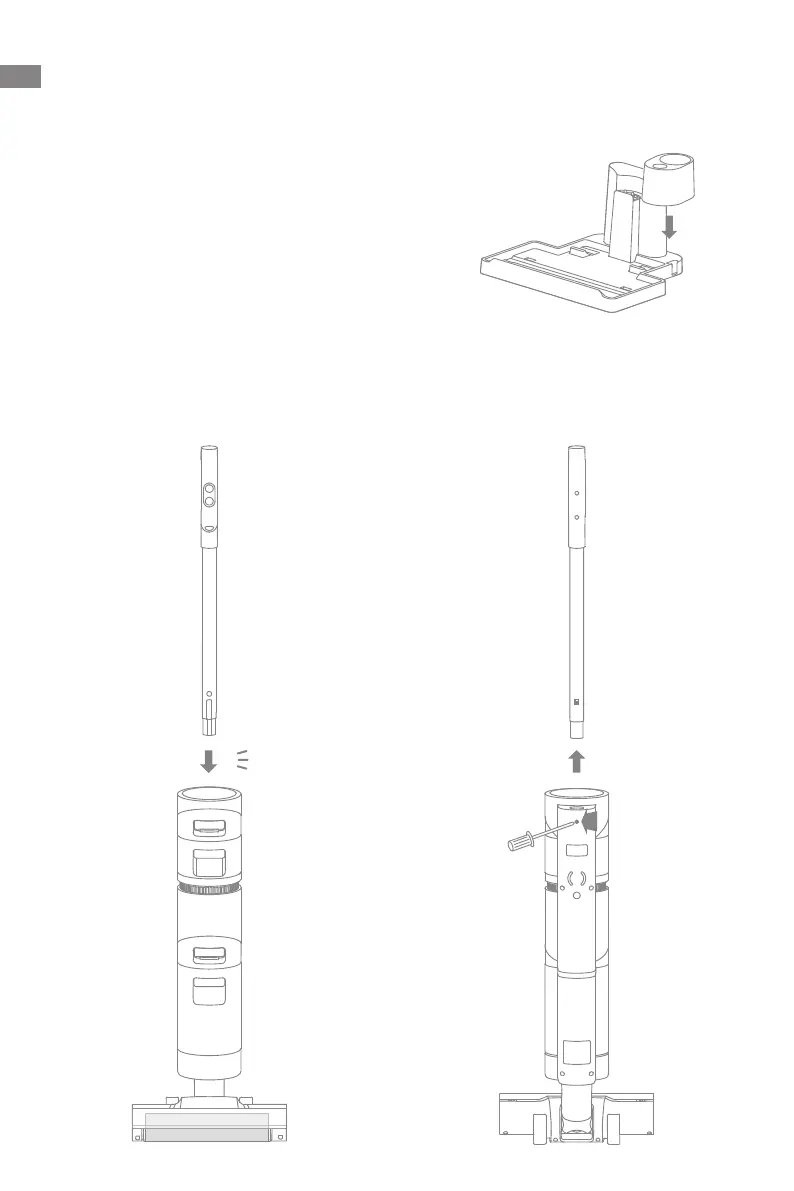
Vacuum Installation Diagram
Insert the end of the handle assembly vertically into the port on the top of the vacuum
DVLQGLFDWHG\RXZLOOIHHOLWFOLFNLQSODFH
1RWH7RGLVDVVHPEOHWKHKDQGOHSOHDVHXVHDKDUGREMHFWWRUHDFKLQWRWKHKROHRQ
the back of the vacuum to press the contacts, and at the same time pull the handle
XSZDUGV
2
1
咔哒
Click
Charging Base Installation
Install the accessory holder into the charging base as indicated.



 To Next Page
 Loading...