5
Product Overview
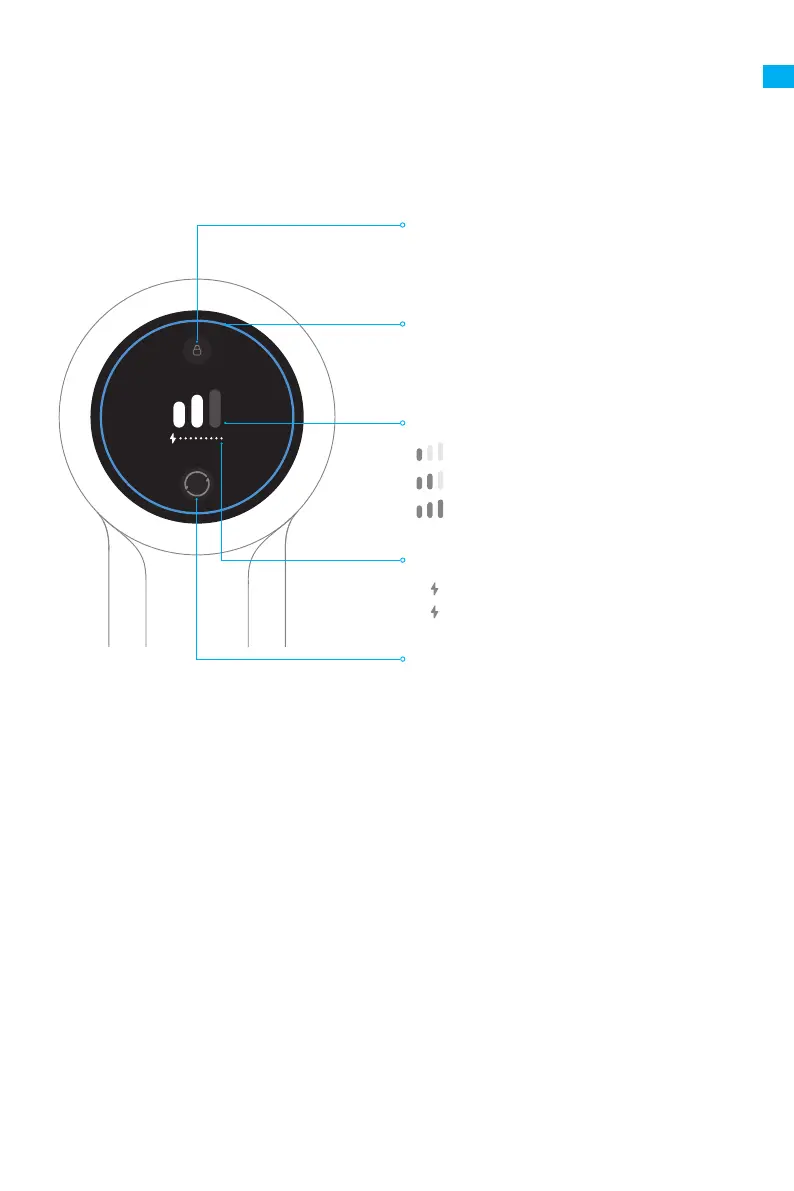
Display Screen
Note: If the vacuum is not working properly, the screen display will produce an error
message. Please refer to the troubleshooting section to nd your solution.
Electronic Lock
• Press briey to enter/exit lock
• Upon locked, press briey to switch to
continuous cleaning
Suction Level Button
Press briey to switch the suction levels
Status Indicator
• Blue: Normal
• Red: Out of battery/Error
Battery Status Indicator
Suction Level Status
Eco
Med
Turbo
• Red: Battery Level < 20%
• White: Battery Level ≥ 20%
EN



 To Next Page
 Loading...