8 9
EN EN
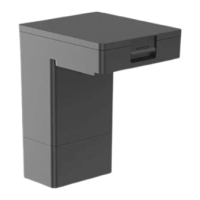
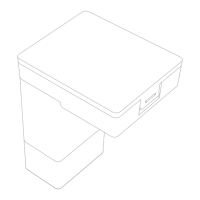
Base Station
Product Overview
Washboard
Ramp Extension
Plate
Upper Cover
Cover of Base Station
Storage Bin
Base Station Buttons
Child Lock
Press and hold the buttons and for 3 seconds to activate or
deactivate Child Lock. After Child Lock is activated, all buttons on the
robot and the base station are locked.
After the robot exits the base station, press and hold the button for 3
seconds to add water from the base station to the washboard, and then
press and hold the button for 3 seconds to pump out the used water
in the washboard.
Clean the Washboard
Dust Tank Cover
Leave / Dock Button
·
Robot on the base station: Press to exit the base station
·
Robot out of the base station: Press to return to the base station
Drying Button
·
Press to make the base station start or stop drying the mop pads
Start / Pause Button
·
Press to start or pause cleaning
Status Indicator
·
Solid White: The base station is connected to power
·
Solid Orange: The base station has an error
Product Overview
Robot and Sensors
Cli Sensors
Main Wheel
MopExtend
Assembly
Main Brush
Omnidirectional
Wheel
Brush Guard
Main Wheel
Brush Guard Clips
Mop Pad Holder
Mounting Holes
Side Brush
Carpet Sensor
LDS Cover
Microphone
Laser Distance
Sensor (LDS)
Bumper
Cover
Charging
Contacts
Automatic Water
Refilling Inlet
AI Visual Sensor
Camera Indicator
(The camera indicator
will light up when the
camera is activated)
LED Fill Lights
Line Laser Sensors
Reset Button
·
Press and hold for 3
seconds to restore to
factory settings
Wi-Fi Indicator
Edge Sensor
Mop Assembly
Dust Box
Auto-empty Vent
Dust Box
Filter
Auto-empty Vent
Dust Box Clip
Dust Box Cover Clip
Dust Box Cover
Filter Clip
Mop Assembly
Mop Pad Attachment Area
Mop Pad Holder
Mop Pad



 To Next Page