12 13
EN EN
Before Use
- MAX -
Note:
It is recommended to fully charge the robot before its first use.
When the robot cannot be turned on after the battery is depleted,
manually connect the robot with the base station to charge it.
②①
5. Connect the Robot to the Base Station
6. Install the Cleaning Solution Bottle (Cleaning Fluid section)
7. Add Water to the Clean Water Tank
Remove the cap of the cleaning solution bottle, and tear o the two
seals on the bottle as shown in the figure. Open the upper cover of the
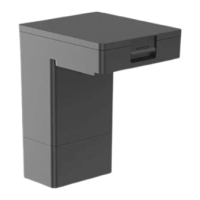
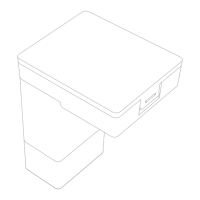
base station and install the bottle along the slot into place. The cleaning
solution will be added automatically while working.
Place the robot onto the base station with the mop assembly facing
toward the washboard. Then you will hear a voice prompt when the
robot successfully connects to the base station.
Take out the clean water tank from the base station, and fill it with clean
water up to the max water line. Then install it back into the base station.
Note: Do not add any liquid other than the officially-approved cleaning solution,
otherwise it may cause base station malfunction.
WARNING: To Reduce the Risk of Fire and Electric Shock due to internal component
damage, use only Dreame Trading (Tianjin) Co., Ltd. cleaning fluid (for DreameBot
L20 Ultra) intended for use with this
appliance.
MAX Water Line
Note: Do not add hot water to the water tank as this may cause the tank to
become deformed.
Before Use
Note:
To prevent water stains from wetting wood floors or carpets, placing the
base station on tile floors or marble floors is recommended.
1. Connect to an Electrical Outlet
Insert the power cord into the base station and plug it into the socket.
Place the base station in a location that is as open as possible with
a good Wi-Fi signal.
2. Place the Base Station and Install the Base Station Ramp
Extension Plate
Remove any objects that are closer than 60" (1.5 m) from the front and
2" (5 cm) from either side of the base station. Then install the base
station ramp extension plate down to the base station.
Firmly insert the power cord
until the base station's status
indicator is solid white
>2"
>2"
>60"
Note:
Install the side brush until it clicks into place.
3. Remove the Protections
4. Turn on the Robot and Install the Side Brush and Mop Assembly
Press and hold the button on the robot for 3 seconds to turn it on.
Install the side brush and mop assembly into place.
Remove the two stickers on front and back of the robot, then take down
the robot cover to remove the protective strip.
②
③
④
①
3s
Side Brush Clip
Mop Pad Holder
Mounting Holes
Mop Assembly
Side Brush
O: OFF
Click
I: ON



 To Next Page