EasyManua.ls Logo

Drieaz LGR 7000XLI - User Manual

Drieaz LGR 7000XLI
19 pages
Print Icon
To Next Page IconTo Next Page
Loading...
07-01802C (F412-230V) 2013-01 Warranty 07-00427 1 Dri-Eaz Products, Inc.
Owner’s Manual
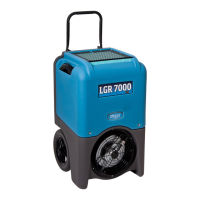
LGR 7000XLi Portable Dehumidifier
Original Instructions Models F412-230V
DRI-EAZ PRODUCTS, INC.
15180 Josh Wilson Road, Burlington, WA 98233
Phone: +0011-1- 800-932-3030 Fax: +0011-1-360-757-7950
http://www.drieaz.com
The Dri-Eaz
®
LGR 7000XLi dehumidifier reduces humidity in enclosed environments by
removing water vapor from the air. The 7000XLi is rugged, durable and highly portable, making
it ideal for water damage restoration, structural drying, construction, and other applications
requiring temporary, high-performance dehumidification.
Patents: http://www.LBpatents.com
READ AND SAVE THESE INSTRUCTIONS
SAFETY INSTRUCTIONS
WARNING! Do not alter or modify your LGR 7000XLi
in any way. Use only replacement parts authorized
by Dri-Eaz Products, Inc. Modifications or use of
unapproved parts could create a hazard and will
void your warranty. Contact your authorized Dri-Eaz
distributor for assistance.
WARNING! Electric shock, rotating fan, and hot
surface hazards. Unplug unit before opening cover
for cleaning or servicing. Unit must be grounded.
Inspect the power cord before use. If cord is
damaged, do not use. Always grasp the plug (not
the cord) to unplug.
Insert power cord into a matching electrically
grounded outlet. Do not use adapter. Never cut off
third prong. Do not use an extension cord.
The unit must be operated on a 230V/50 Hz circuit.
Do not operate unit in standing water. Keep motor
and wiring dry.
If the supply cord is damaged, it must be replaced
by the manufacturer, its service agent or similarly
qualified persons in order to avoid a hazard.
WARNING! Do not alter or modify your LGR 7000XLi
in any way. Use only replacement parts authorized
by Dri-Eaz Products, Inc. Modifications or use of
unapproved parts could create a hazard and will
void your warranty. Contact your authorized Dri-Eaz
distributor for assistance.
CONTENTS GUIDE
OPERATIONS
Parts identification .......................................... 2
Positioning a dehumidifier ............................. 2
Operating your dehumidifier .......................... 2
Control Panel Guide ........................................ 3
At the end of the job ........................................ 4
Setting humidistat mode ................................. 4
MAINTENANCE
Maintenance schedule .................................... 7
Cleaning the coils and block .......................... 7
Cleaning the pump valve .............................. 11
Inspecting the Control Panel ........................ 16
Error messages ............................................. 17
Troubleshooting ............................................ 18
BEFORE YOU BEGIN
Warranty registration
Visit warranty.drieaz.com to register your purchase.
Registration allows us to better assist you with using,
maintaining or servicing your equipment, as well as to
contact you in case we have important safety information
concerning your Dri-Eaz product. If you determine
service is required, have your equipment model, serial
number and original proof of purchase available and call
your distributor for assistance with obtaining a return
material authorization (RMA).
INTRODUCTION
Dri-Eaz dehumidifiers reduce humidity in enclosed
structural environments by removing water vapor from
the air.
LGR (low-grain refrigerant) dehumidifiers like the
7000XLi utilize a pre-cooling system to boost water
removal efficiency. LGR units can continue to remove
moisture in drier environments where conventional
refrigerants cannot.

WARNING

Other manuals for Drieaz LGR 7000XLI

Questions and Answers

  • R
    Robert MitchellAug 17, 2025
    What to do if my Drieaz LGR 7000XLI Dehumidifier is running but the room isn't drying?
    • P
      Paul SimmonsAug 17, 2025
      If your Drieaz Dehumidifier is running but the room isn't drying, it could be due to several reasons. First, the drying process may simply need more time. Second, there might be poor air movement in the room, so increase it with air movers. Third, excessive moist air infiltration could be the cause, so try to seal off the area to reduce infiltration.
  • J
    Jeremiah BrooksAug 19, 2025
    Why is my Drieaz LGR 7000XLI collecting so little water?
    • J
      John JohnsonAug 19, 2025
      Your Drieaz Dehumidifier might be collecting too little water because the room air is already dry. Confirm the humidity level with a hygrometer. Alternatively, the room temperature could be too low, or the HAF filter might be full, so increase the room temperature and check the filter, cleaning or replacing it if necessary. Finally, the heat exchange block and/or coils could be clogged, so inspect and clean them as needed.
  • M
    michaelmahoneyAug 22, 2025
    How to fix a Drieaz LGR 7000XLI Dehumidifier that won't turn on?
    • O
      olivia57Aug 22, 2025
      If your Drieaz Dehumidifier won't turn on, make sure the unit is switched on and that it is properly plugged in. Check the power cord connection at both the wall outlet and the base of the unit.
  • C
    Charles DennisAug 25, 2025
    What to do if the blower wheel is not turning in my Drieaz Dehumidifier?
    • J
      Jorge JenkinsAug 26, 2025
      If the blower wheel in your Drieaz Dehumidifier isn't turning, it's likely due to an obstruction. Remove the duct ring and grill, then clear any obstruction. Once clear, replace the duct ring and grill.
  • L
    Laura WebbAug 28, 2025
    Why does water drip out of my Drieaz Dehumidifier when I move it?
    • A
      anthonycampbellAug 28, 2025
      Water may drip out of your Drieaz Dehumidifier when moving it because the unit was unplugged before the purging process was complete. Purge the unit completely before moving it.
  • J
    Jason MontgomeryAug 30, 2025
    What to do if Drieaz Other shows ER9 PUMP BLOCKED PUMP & HOSE?
    • M
      Madison DanielsAug 30, 2025
      If your Drieaz Other displays the error code ER9, indicating a pump blockage, you should check the drain hose for any obstructions. Also inspect the pump itself to ensure it is functioning correctly.
  • M
    Mathew SotoSep 2, 2025
    What to do if Drieaz Other shows ER4 DEFROST SENSOR CONNECT or ER4 OUTLET SENSOR CONNECT?
    • B
      Brenda MarshSep 2, 2025
      If your Drieaz Other unit is showing an ER4 error related to the defrost or outlet sensor, make sure the temperature sensors are correctly installed on the control panel. If the error continues after checking the installation, then contact service.
  • T
    Timothy PearsonSep 5, 2025
    What to do if Drieaz Other shows ER5 SENSOR CONNECTION ON BD?
    • A
      alexis66Sep 5, 2025
      If your Drieaz Other unit displays an ER5 error, which indicates a sensor connection issue, ensure that the inlet temperature/RH sensor is properly installed on both the control panel and the inlet shroud. If the error persists after verifying the installation, then contact service.
  • T
    Tony KnightSep 7, 2025
    What does ER7 INVALID MODEL SETTING mean on Drieaz Other?
    • A
      Adam RobinsonSep 8, 2025
      The ER7 error code on your Drieaz Other indicates that there is an incorrect or unsupported DIP switch setting. Contact Dri-Eaz service department to get the correct DIP switch settings.
  • M
    Matthew JonesSep 12, 2025
    What does ER8 BUTTON STUCK ALL BUTTONS mean on Drieaz Other?
    • J
      Janice RamirezSep 12, 2025
      The ER8 error on your Drieaz Other means that a key is stuck or has been held down for too long. Contact service.

Summary

General Safety Instructions

Electrical and Mechanical Hazards

Warns of electric shock, rotating fan, and hot surface hazards. Advises unplugging unit before servicing.

Modification Restrictions and Warranty

Prohibits altering the unit or using unapproved parts, as it creates hazards and voids warranty.

Operating the Dehumidifier

Unit Setup and Positioning

Ensures correct compressor function by requiring upright standing and optimal placement for efficiency.

Control Panel Overview

Control Panel Buttons and Controls

Explains the function of each button: ON/OFF, DISPLAY MENU, MENU SELECTION/UP KEY, and PURGE PUMP.

User Settings and Configuration

End of Job Procedures

Maintenance Schedule and Tasks

Maintenance: Filter and Coil Access

Disassembling Unit for Coil Cleaning

Provides steps for safely disassembling the unit to access and clean coils and the heat exchange block.

Reassembly: Heat Block and Covers

Cleaning and Inspecting Coils

Instructs on inspecting the heat exchange block and condenser coil, and cleaning them appropriately.

Reassembly: Sensor Chip and Covers

Pump Check Valve Maintenance

Cleaning and Inspecting Pump Components

Details removing the pumpout hose, pump bracket, and pump assembly to access the check valve.

Cleaning and Reassembling Check Valve

Guides cleaning the check valve components, reassembling them, and threading the assembly back into the pump outlet.

Pump and Cover Reassembly

Control Panel Inspection

Error Messages and Troubleshooting

Resolving Error Codes

Lists control panel error messages (ER1-ER9), their explanations, and recommended solutions for diagnosis.

Troubleshooting Common Issues

Drieaz LGR 7000XLI Specifications

General IconGeneral
BrandDrieaz
ModelLGR 7000XLI
CategoryDehumidifier
LanguageEnglish

Related product manuals