11
Advanced Settings Menu
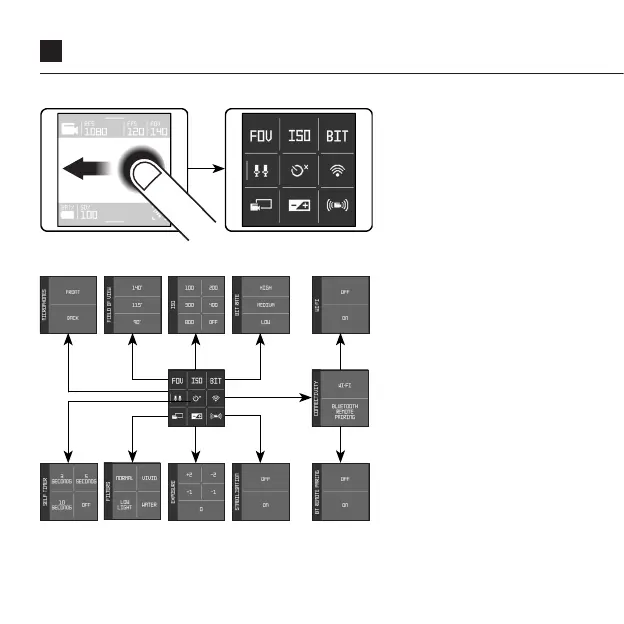
Swipe left from the Live
View screen to access
the Advanced Settings
Menu, swipe right from the
Advanced Settings Menu
to return back into the Live
View screen.
In the Advanced Settings
Menu nine icons are
presented, from top right to
bottom left: Field of View,
ISO, Bit Rate, Microphone,
Self-Timer, Connectivity
(Wi-Fi and Bluetooth
pairings), Filters, Exposure,
Video Stabilisation.
Tapping on an icon leads
to its respective menu and
display of options.


 To Next Page