EN 16
Button Control
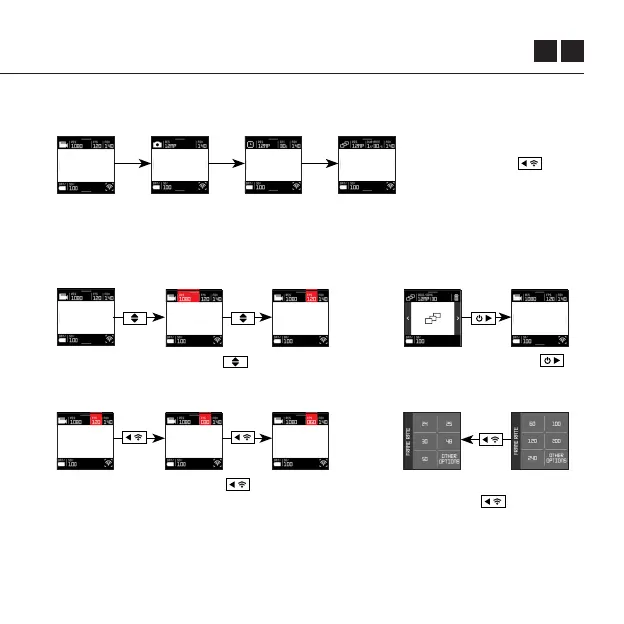
The camera buttons can also be used to enhance navigation.
From the Live View, press
the REAR button to
scroll through modes.
From any menu, press the
Rear button to return
to the previous screen.
Press FRONT button .
to return to the Live View.
Press the MIDDLE Button to highlight
each option in turn.
Press the BACK button to scroll
through the available options for the
highlighted setting.
From the Live View, you can also use the
camera buttons to make changes to the
settings indicated in the top bar.
Quick access to recording,
and return to a last menu are
achieved via button control.



 To Next Page