15
Gallery Menu
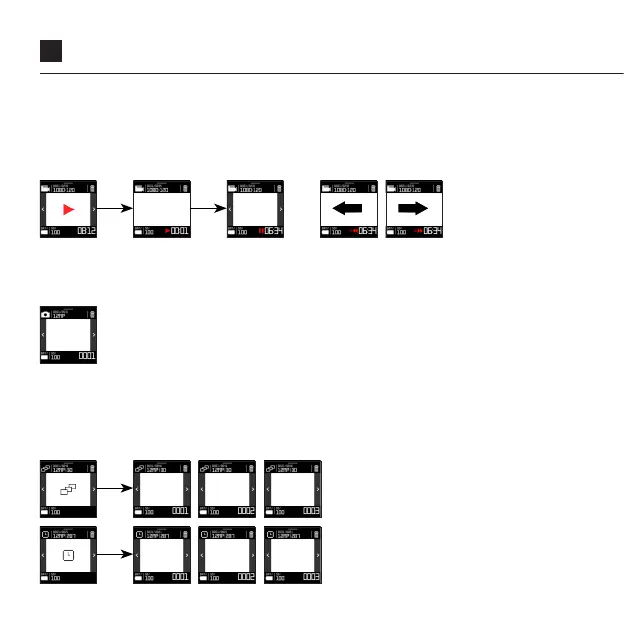
VIDEO PLAYBACK
Pressing the central icon starts video playback. Tap the screen’s centre to pause/
play. Whilst video is playing, swipe left to rewind; swipe right to fast forwards. 1
swipe; 2x speed, 2 swipes; 4x speed, 3 swipes; 8x speed.
VIEW TIMELAPSE/PHOTOBURST
Having selected a photo sequence, tapping the central icon enters the sequence,
showing the first image within the photoburst or timelapse. Tap the side arrows to
navigate into the next or last image in the sequence.
VIEW PHOTOS
Filtering image in the top right icon leads to their full display.



 To Next Page