EN 12
General Settings Menu
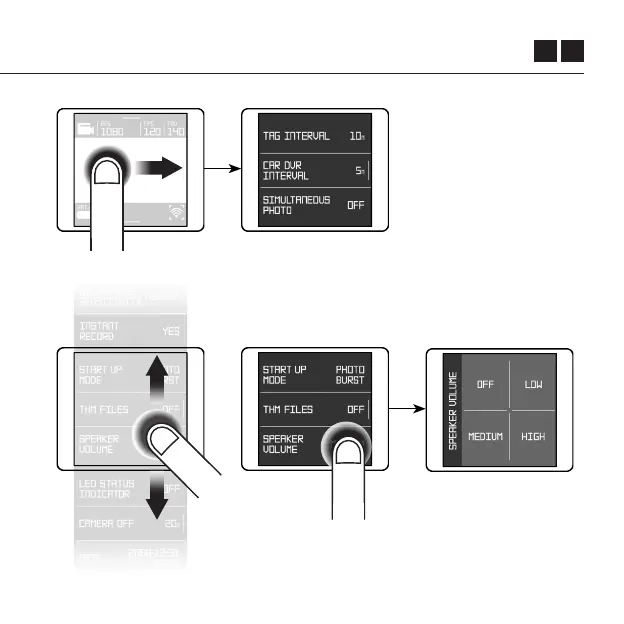
Swipe right from the
Live View screen to access
the General Settings Menu.
Swipe left from the
General Settings Menu
to return back into the
Live View screen.
In the General Settings Menu you’ll find some further
recording options and preferences. Swipe up and
down the listed features to see currently selected
options. Tap on a setting to open its menu.



 To Next Page