EasyManua.ls Logo

DRIFT GHOST 4K+ - User Manual

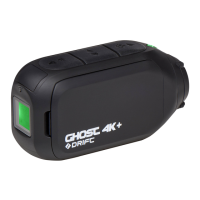
DRIFT GHOST 4K+
20 pages
Print Icon
To Next Page IconTo Next Page
Loading...
-1-
GHOST 4K
Quick Guide
Question and Answer IconNeed help?

Do you have a question about the DRIFT GHOST 4K+ and is the answer not in the manual?

Summary

Customer Support

Warranty Information

Open Source Software

About Your Camera

Camera Components

Identifies and describes the various buttons, ports, and modules of the Drift Ghost 4K+ camera.

Package Contents

Included Accessories

Lists and illustrates the essential accessories included in the Drift Ghost 4K+ camera package.

Initial Setup

Getting Started

Powering On;Off and Reset

Instructions for powering the camera on/off, resetting the device, and navigating modes.

Mode Navigation

Guidance on switching between different camera recording modes like Video, Photo, and Timelapse.

Camera Modes

Video Mode

Details on how to start and stop video recording, including available video settings.

Photo Mode

Explains how to capture still images and available photo settings.

Timelapse Mode

Instructions for capturing time-lapse sequences and related settings.

Photoburst Mode

Guide to capturing rapid bursts of photos and configuring burst settings.

Settings Menu

Navigating Settings

Explains how to navigate the settings menu, highlight options, and change settings.

Settings

Mounting the Camera

Feature Overview

Clone Mode

Connect multiple cameras wirelessly for synchronized control via a master camera.

Car DVR Mode

Records footage in a continuous loop, ideal for insurance and security purposes.

Video Tagging

Continuously records video but only saves when important footage is marked as 'Tagged'.

Instant On Mode

Allows the camera to turn on and start recording with a single button press.

Cinematic Mode

Enables filming at specific frame rates like 24 or 48fps for a cinematic look.

Dual Front and Rear Microphones

Features two microphones for optimal sound capture in various conditions.

Bit Rate

Option to choose between normal compression or higher data flow for recording quality.

Filter

Quickly tailor camera settings with filters like Normal, Vivid, Low Light, or Water.

Accessory Guide

Pivot Mount

Mountable at nearly any angle, capturing moments from any desired point of view.

Handlebar Mount

Perfect for riders, compatible with bars 19mm-36mm, offering wide pivot angles.

Suction Cup Mount

Ideal for mounting on non-porous flat surfaces like car windshields or bodywork.

Wi-Fi + Firmware

Download Drift Life App

Enables setup, capture, playback, editing, and live streaming via a mobile device.

Installing Firmware

Instructions for downloading and installing the latest firmware update for the camera.

Connecting Your Camera

Connecting to a PC

Steps to connect the camera to a PC via USB for file access.

Connecting to a Mac

Steps to connect the camera to a Mac via USB for file access.

Specifications

Disclosures

FCC;CE Information

Compliance information regarding FCC/CE rules and potential interference.

Warning

Cautionary notes about modifying the unit and its compliance with FCC Part 15.

Canadian ICES-003 Compliance

Information on compliance with Canadian ICES-003 and license-exempt RSS standards.

FCC Radiation Exposure

Information on compliance with FCC radiation exposure limits for uncontrolled environments.

Motorcycle Disclaimer

Summary

Customer Support

Warranty Information

Open Source Software

About Your Camera

Camera Components

Identifies and describes the various buttons, ports, and modules of the Drift Ghost 4K+ camera.

Package Contents

Included Accessories

Lists and illustrates the essential accessories included in the Drift Ghost 4K+ camera package.

Initial Setup

Getting Started

Powering On;Off and Reset

Instructions for powering the camera on/off, resetting the device, and navigating modes.

Mode Navigation

Guidance on switching between different camera recording modes like Video, Photo, and Timelapse.

Camera Modes

Video Mode

Details on how to start and stop video recording, including available video settings.

Photo Mode

Explains how to capture still images and available photo settings.

Timelapse Mode

Instructions for capturing time-lapse sequences and related settings.

Photoburst Mode

Guide to capturing rapid bursts of photos and configuring burst settings.

Settings Menu

Navigating Settings

Explains how to navigate the settings menu, highlight options, and change settings.

Settings

Mounting the Camera

Feature Overview

Clone Mode

Connect multiple cameras wirelessly for synchronized control via a master camera.

Car DVR Mode

Records footage in a continuous loop, ideal for insurance and security purposes.

Video Tagging

Continuously records video but only saves when important footage is marked as 'Tagged'.

Instant On Mode

Allows the camera to turn on and start recording with a single button press.

Cinematic Mode

Enables filming at specific frame rates like 24 or 48fps for a cinematic look.

Dual Front and Rear Microphones

Features two microphones for optimal sound capture in various conditions.

Bit Rate

Option to choose between normal compression or higher data flow for recording quality.

Filter

Quickly tailor camera settings with filters like Normal, Vivid, Low Light, or Water.

Accessory Guide

Pivot Mount

Mountable at nearly any angle, capturing moments from any desired point of view.

Handlebar Mount

Perfect for riders, compatible with bars 19mm-36mm, offering wide pivot angles.

Suction Cup Mount

Ideal for mounting on non-porous flat surfaces like car windshields or bodywork.

Wi-Fi + Firmware

Download Drift Life App

Enables setup, capture, playback, editing, and live streaming via a mobile device.

Installing Firmware

Instructions for downloading and installing the latest firmware update for the camera.

Connecting Your Camera

Connecting to a PC

Steps to connect the camera to a PC via USB for file access.

Connecting to a Mac

Steps to connect the camera to a Mac via USB for file access.

Specifications

Disclosures

FCC;CE Information

Compliance information regarding FCC/CE rules and potential interference.

Warning

Cautionary notes about modifying the unit and its compliance with FCC Part 15.

Canadian ICES-003 Compliance

Information on compliance with Canadian ICES-003 and license-exempt RSS standards.

FCC Radiation Exposure

Information on compliance with FCC radiation exposure limits for uncontrolled environments.

Motorcycle Disclaimer

DRIFT GHOST 4K+ Specifications

General IconGeneral
ConnectivityWi-Fi, Bluetooth
Image StabilizationElectronic Image Stabilization (EIS)
Resolution4K UHD (3840 x 2160)
Image Sensor12MP CMOS
Lens140° Wide-Angle Lens
Battery LifeUp to 3.5 hours
WaterproofWith external case
StorageMicroSD card (up to 128GB)
Video FormatMP4
LCD Screen2-inch
Battery1500mAh
Weight120g

Related product manuals