EasyManua.ls Logo

Drive 15561 - User Manual

Drive 15561
43 pages
Print Icon
To Next Page IconTo Next Page
Loading...
OWNER’S ASSEMBLY AND OPERATING MANUAL
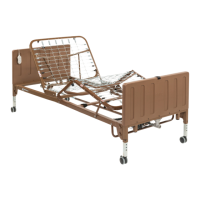
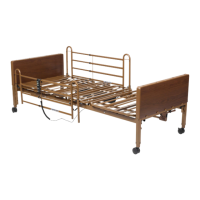
DRIVE COMPETITOR II SEMI ELECTRIC BED
Model # 15561 / 15561FR / 15561HR / 15571 / 15571FR / 15571HR
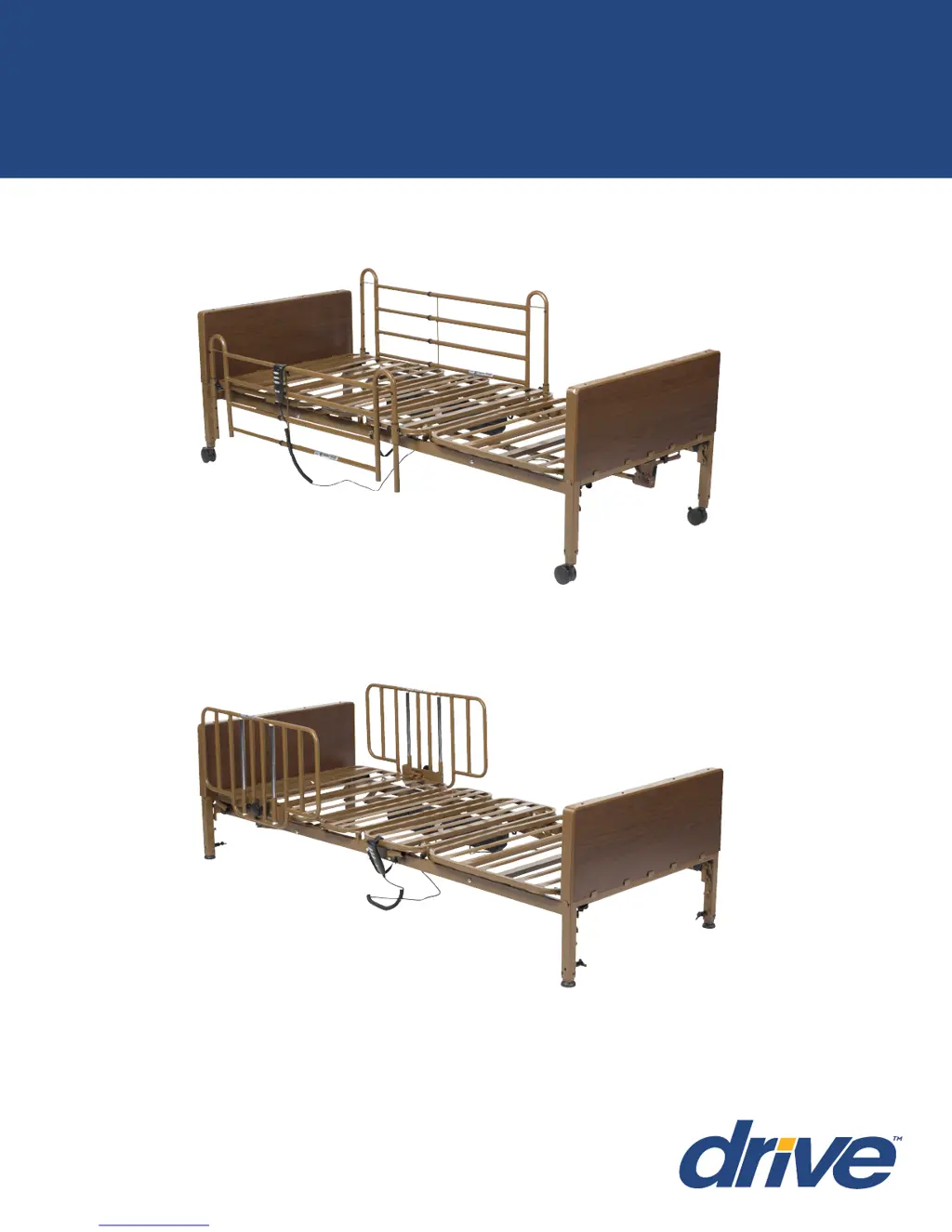
Item # 15571FR with Full Side Rails
Item # 15561HR with Half Rails
This manual must be given to the Owner/User of this bed and
should be read carefully before putting this product into use.
Keep manual in an accessible location for future reference.
15561/15571 Series Manual REV1.1.29.18

Questions and Answers

  • D
    Donna HowardAug 4, 2025
    What to do if Drive 15561 Medical Equipment bed doesn't move when button is pushed?
    • T
      Tracy GoodmanAug 4, 2025
      If your Drive Medical Equipment bed isn't moving when you press the pendant control button, it might be at its maximum or minimum adjustment level. Ensure the bed is properly plugged into the wall outlet. If you've been making repeated adjustments, the thermal protection overload may have tripped; let the bed sit for up to 30 minutes to reset. Inspect the pendant cord for any damage, and if found, stop using the bed until it's replaced. Also, check the pendant connection on the motor housing, following the instructions on page 19 to reconnect it. Finally, verify that the bed isn't overloaded or blocked from moving.
  • J
    justinmolinaAug 11, 2025
    Why legs of Drive 15561 Medical Equipment bed won't stay in place?
    • T
      Terri Hicks DVMAug 11, 2025
      If the legs of your Model #15561 Manual Adjust Drive Medical Equipment Bed Ends won't stay in place, make sure the spring-loaded Thumb Screw is fully tightened clockwise to properly engage with the adjustable leg.
  • M
    Michael WilliamsAug 18, 2025
    What to do if Model #15571 Drive 15561 bed won't raise and lower?
    • S
      sarah57Aug 18, 2025
      If your Model #15571 Crank Hi/Lo Drive Medical Equipment Bed won't raise or lower, first, make sure the Gear Box Crank connections on both bed ends are facing outward so you can reach them with the hand crank. Next, ensure the Hand Crank is properly engaged into the bed end gearbox. Also, check that the Drive Shaft is correctly installed and connected to both bed end gear boxes. Finally, confirm that the bed ends are installed correctly, with the “HEAD” end at the head section and the “FOOT” end at the foot section.
  • S
    Stacey PerryAug 27, 2025
    How to adjust drive shaft length on Model #15571 Drive Medical Equipment bed?
    • M
      Mary AndersonAug 27, 2025
      To adjust the Drive Shaft length on your Model #15571 Crank Hi/ Lo Drive Medical Equipment Bed, depress the adjustment pin and extend or retract the shaft to position it in the “Semi” hole location.

Summary

STANDARD SYMBOLS AND WARNINGS

DANGER, WARNING, AND CAUTION SYMBOLS

Explains hazard symbols like danger, warning, caution, and their meanings.

WARNING LABELS AND HAZARDS

RAIL;MATTRESS COMPATIBILITY WARNINGS

Warns about hazards from incompatible rails and mattresses and the need for snug fit.

ENTRAPMENT AND CRUSH HAZARD WARNINGS

Addresses risks of patient entrapment and crush points, emphasizing proper rail installation.

INTENDED USE AND GENERAL SAFETY

GENERAL SAFETY GUIDELINES

Provides essential safety rules for operating the bed, including warnings and precautions.

ELECTRICAL AND FIRE SAFETY

ELECTRICAL SHOCK HAZARD PRECAUTIONS

Details risks and precautions for electrical components to prevent shock hazards.

FIRE HAZARD AND OXYGEN USE

Covers fire risks, especially with oxygen equipment, and precautions for its use.

BED HAZARDS AND SPECIFICATIONS

CRUSH AND ENTRAPMENT HAZARDS

Explains crush points between bed components and entrapment risks with side rails.

ELECTRICAL SAFETY WARNINGS

GENERAL ELECTRICAL SAFETY RULES

Covers overheating protection, button usage, and precautions against opening components.

TECHNICAL SPECIFICATIONS

ASSEMBLY INSTRUCTIONS

BED OPERATION

BASIC BED FUNCTIONS AND CONTROLS

Explains how to use the 3-function hand pendant for bed adjustments.

SIDE RAIL INSTALLATION

SIDE RAIL SAFETY AND ENTRAPMENT WARNINGS

Highlights risks associated with side rail use, including entrapment and crush hazards.

MAINTENANCE AND SAFETY CHECKS

TROUBLESHOOTING GUIDE

GENERAL WARNINGS AND PATIENT SAFETY

ENTRAPMENT RISK REDUCTION AND POSITIONING

Provides guidance on minimizing entrapment risks and ensuring proper patient positioning.

Drive 15561 Specifications

General IconGeneral
BrandDrive
Model15561
CategoryMedical Equipment
LanguageEnglish

Related product manuals