Item Description
Status
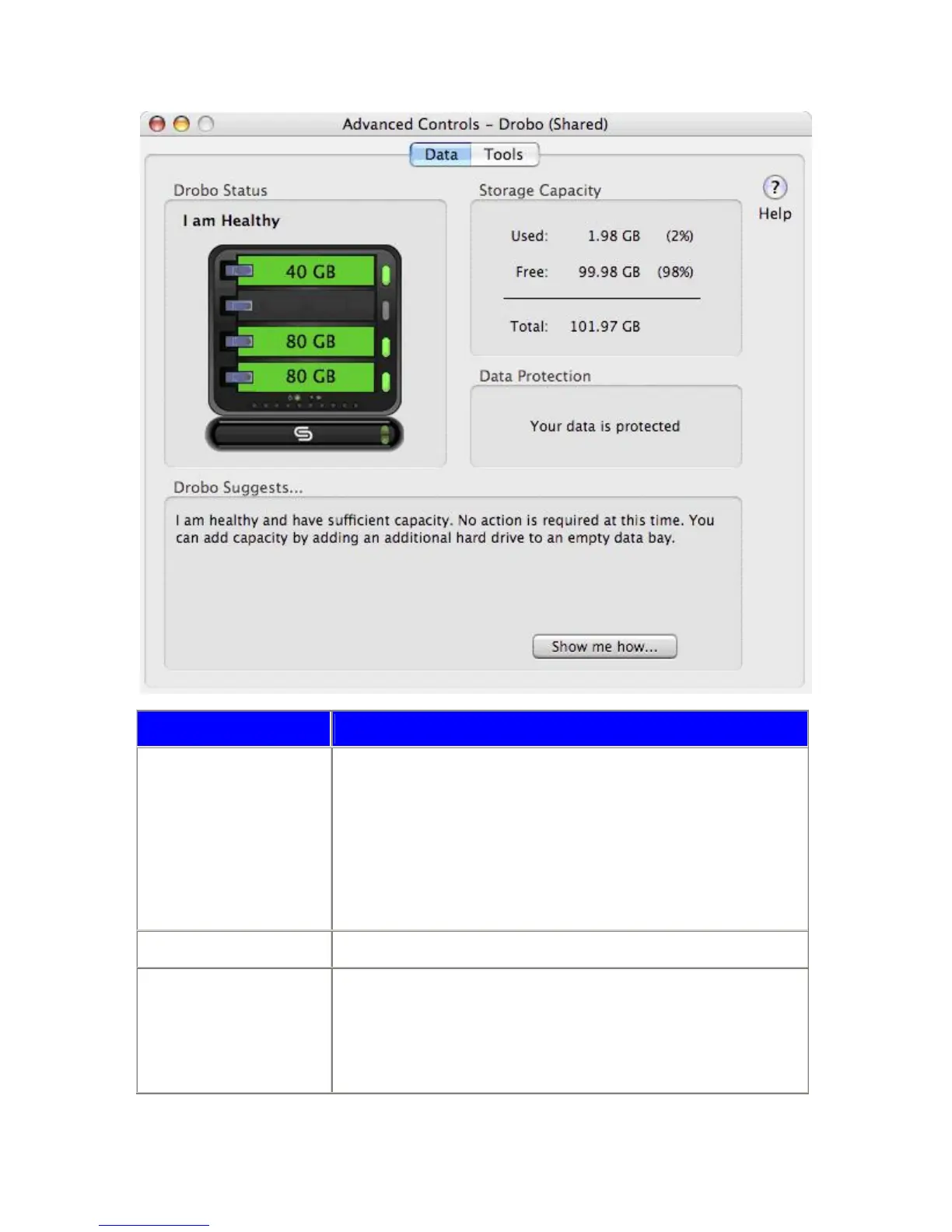
The status window provides an at-a-glance view of your Drobo or Drobo and
DroboShare.
Each drive bay provides information about status and capacity for each drive in your
Drobo. If there is no drive in a bay, it will remain empty in the status window.
The upper left corner of this frame will provide a system status, which normally will
display "I am Healthy."
In the rare event that a drive has failed (or been removed) a "Data At Risk" status will
be displayed in red letters while Drobo rearranges your data into a protected state.
Storage Capacity This is the numerical representation of the pie chart found on the Basic Dashboard.
Data Protection
Messages that appear in this area inform you about the status of your data.
Messages that can appear are shown below:
Your data is protected: Confirms that all your files are protected.
In Progress: Data is being rearranged across all of the drives in order to maximize
protection.
30



 To Next Page