Tip: During data protection you may continue to access your data.
Warning: Data is being rearranged across all of the drives in order to maximize
protection.
Your data is at risk: Indicates insufficient free space. Your data is at risk until you
add another drive or upsize an existing drive with one of larger capacity.
Warning: Add a new drive now or upsize an existing drive with one that has more
capacity or you may lose data.
Drobo Suggests Provides further instructions when you need to perform a task.
Show Me How
Click to view a short instructional video about how to perform the task described in
the "Drobo Suggests" area.
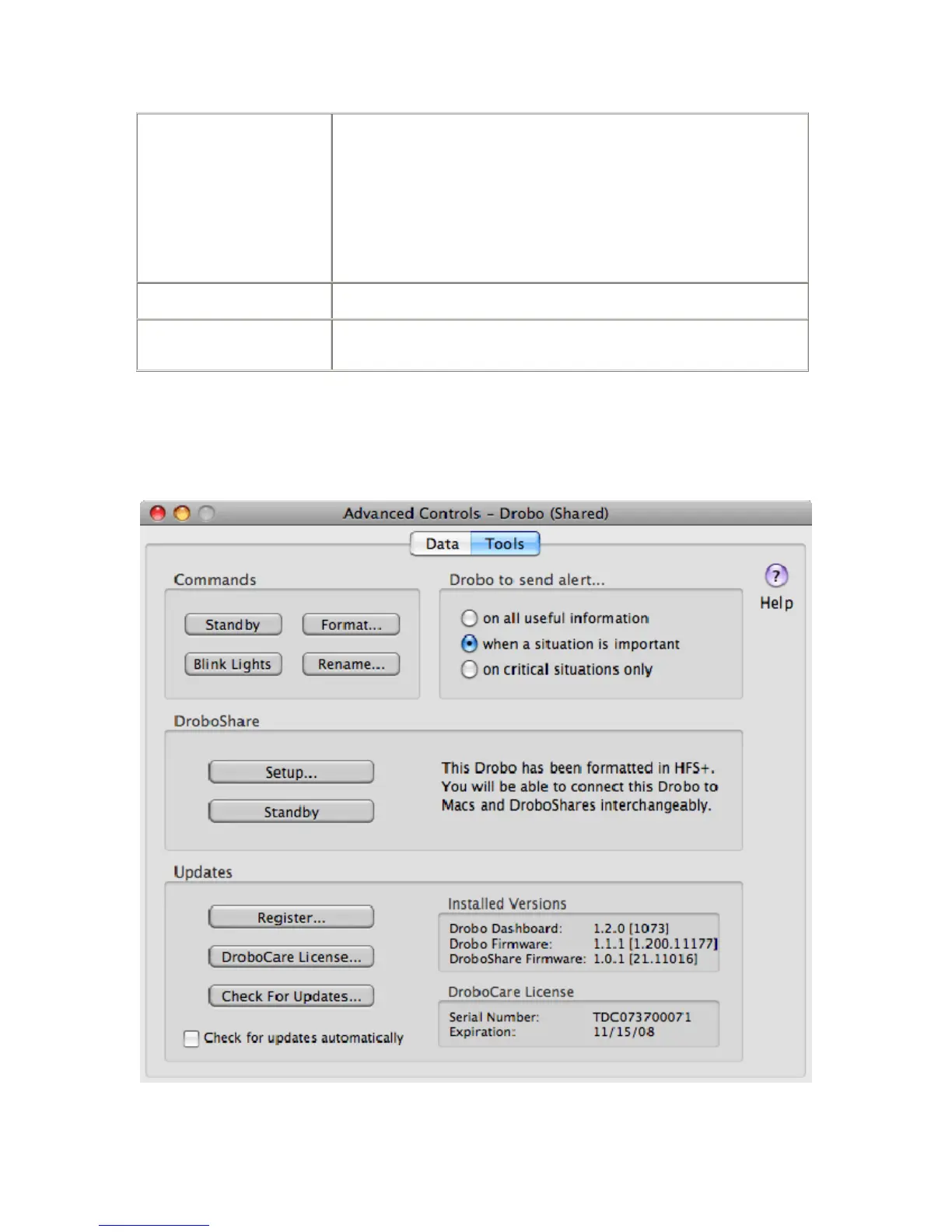
Tools Tab
You can access the Tools Tab from the Advanced Controls Panel. You can also access the Tools Tab by clicking on the
Drobo Dashboard icon in the Menu Bar and selecting Tools.
Depending on whether Drobo is directly connected to your Mac or connected through the network via DroboShare,
specific controls on the Tools Tab may or may not be accessible.
31



 To Next Page