E-mail Alerts
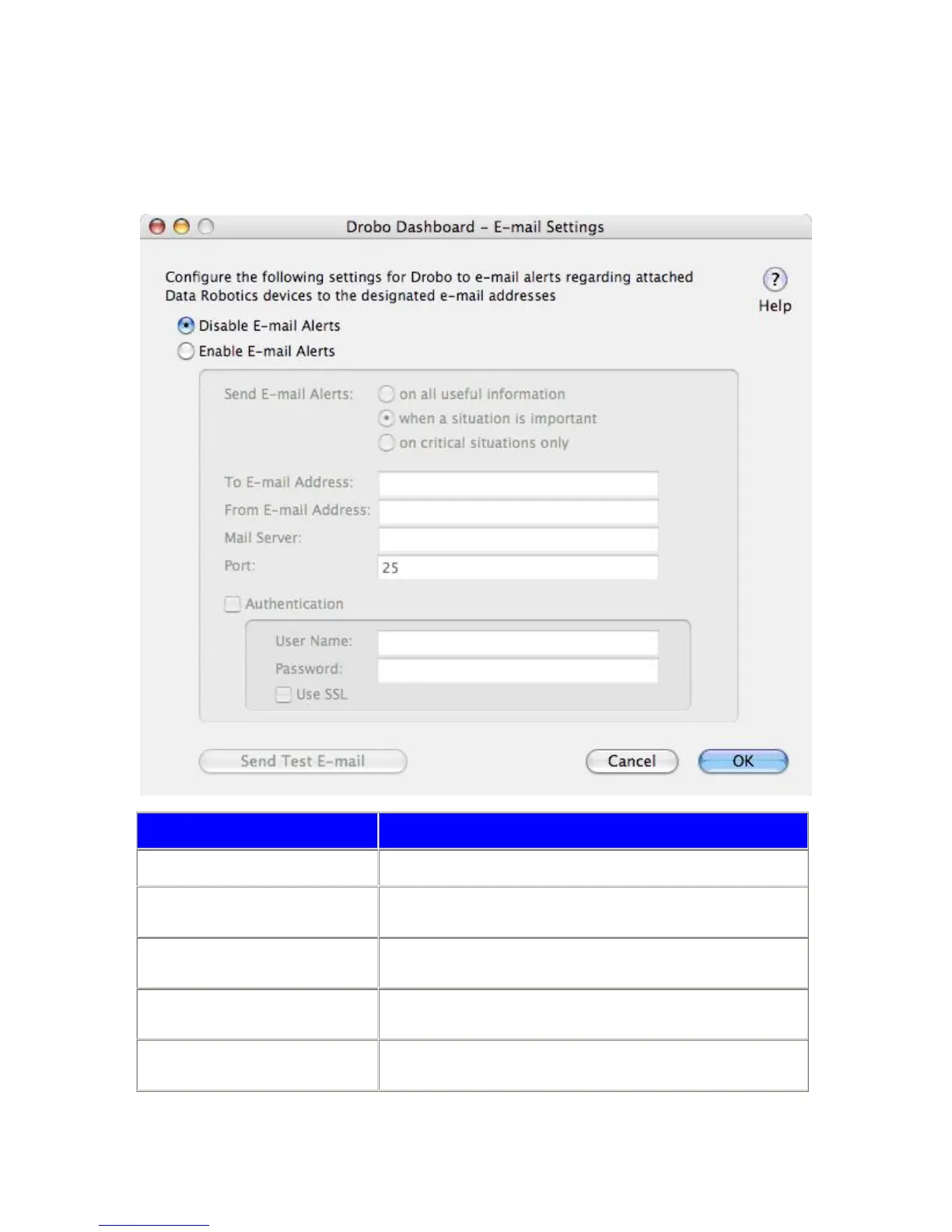
Drobo Dashboard can send e-mail alerts based on a selected alert level for all Drobos attached to your Mac. To access
this option, launch Drobo Dashboard. Go to the Drobo Dashboard menu and select “E-mail Settings”.
Item Description
Disable E-mail Alerts E-mail alerts will not be sent
Enable E-mail Alerts
E-mail alerts will be sent for all attached Drobos based on the specific alert
level selected.
Send E-mail Alerts on all useful
information
All alerts regarding the condition of Drobos will be e-mailed.
Send E-mail Alerts when a situation is
important
Only alerts that warn of an important change to Drobos that could lead to a
critical situation in the near future will be e-mailed.
Send E-mail Alerts on critical situations
only
Only alerts that warn of a critical status with Drobos that could lead to
potential data loss will be e-mailed.
36



 To Next Page