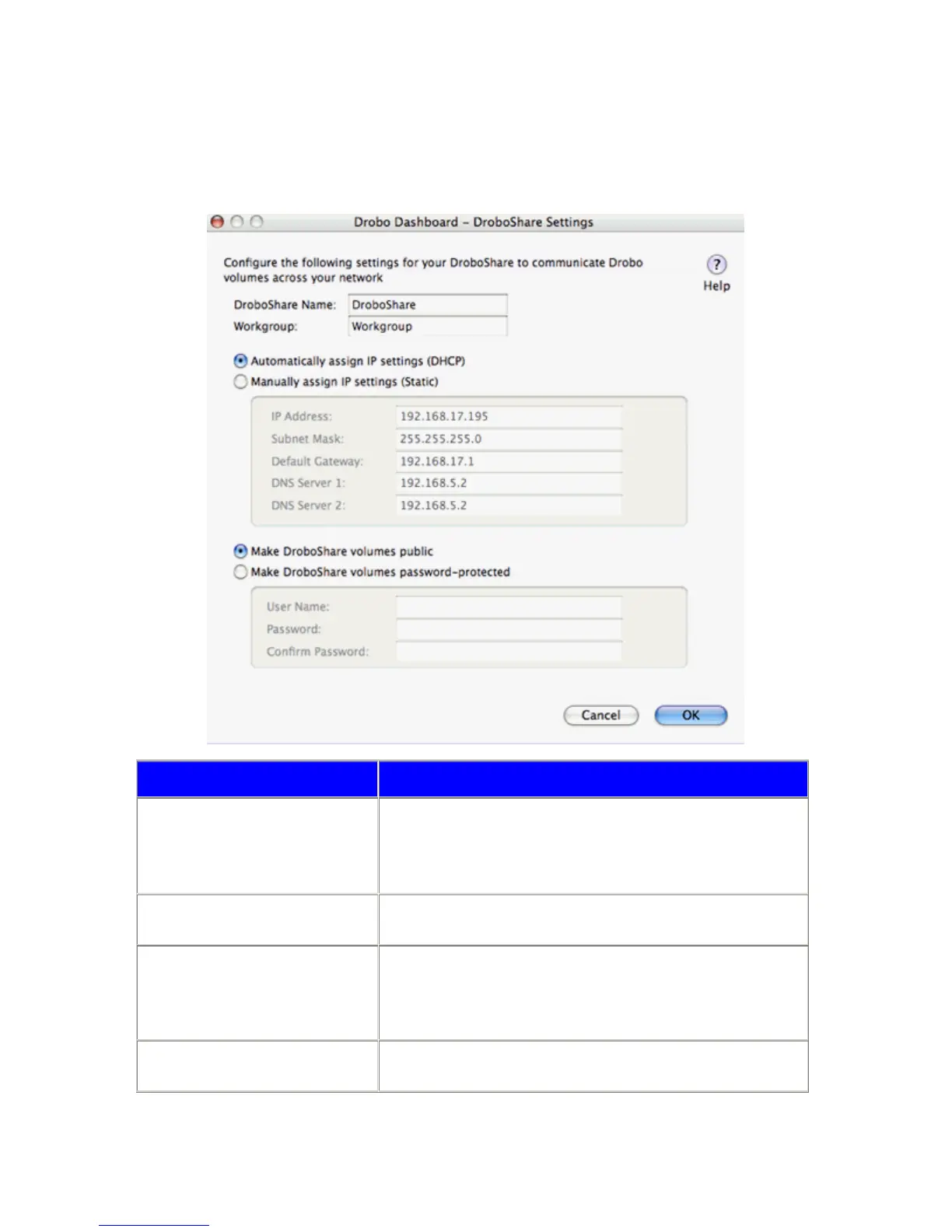
DroboShare Settings
Combined with Drobo, DroboShare enables Drobo to be shared across a local network via Ethernet. Typically
DroboShare does not need any configuration, however, for unique network situations, you can access the DroboShare
Settings page by clicking on Setup under the DroboShare section of the Tools Tab of the Advanced Drobo Dashboard.
Item Description
DroboShare Name Identifies the DroboShare on your network.
By default, the DroboShare name is: DroboShare
Note: This name must be unique on the network.
Workgroup
Allows the user to designate an existing workgroup to which DroboShare will
be added.
Automatically assign IP settings
Requests a dynamically assigned IP address with which to communicate
with on the network. This IP address can change at any given time. This IP
address is typically provided by the router or switch on your network.
This is the default setting.
Manually assign IP settings
Sets an IP address specifically for the DroboShare that will not change.
DroboShare will always be identified on the network by this IP address.
34



 To Next Page