EasyManua.ls Logo

DROPSA VIP5 Pro - 6. Operator Interface Front Panel; 6.1 Layout and Status Table

DROPSA VIP5 Pro
27 pages
Print Icon
To Next Page IconTo Next Page
To Previous Page IconTo Previous Page
Loading...
16/27
6 OPERATOR INTERFACE FRONT PANEL
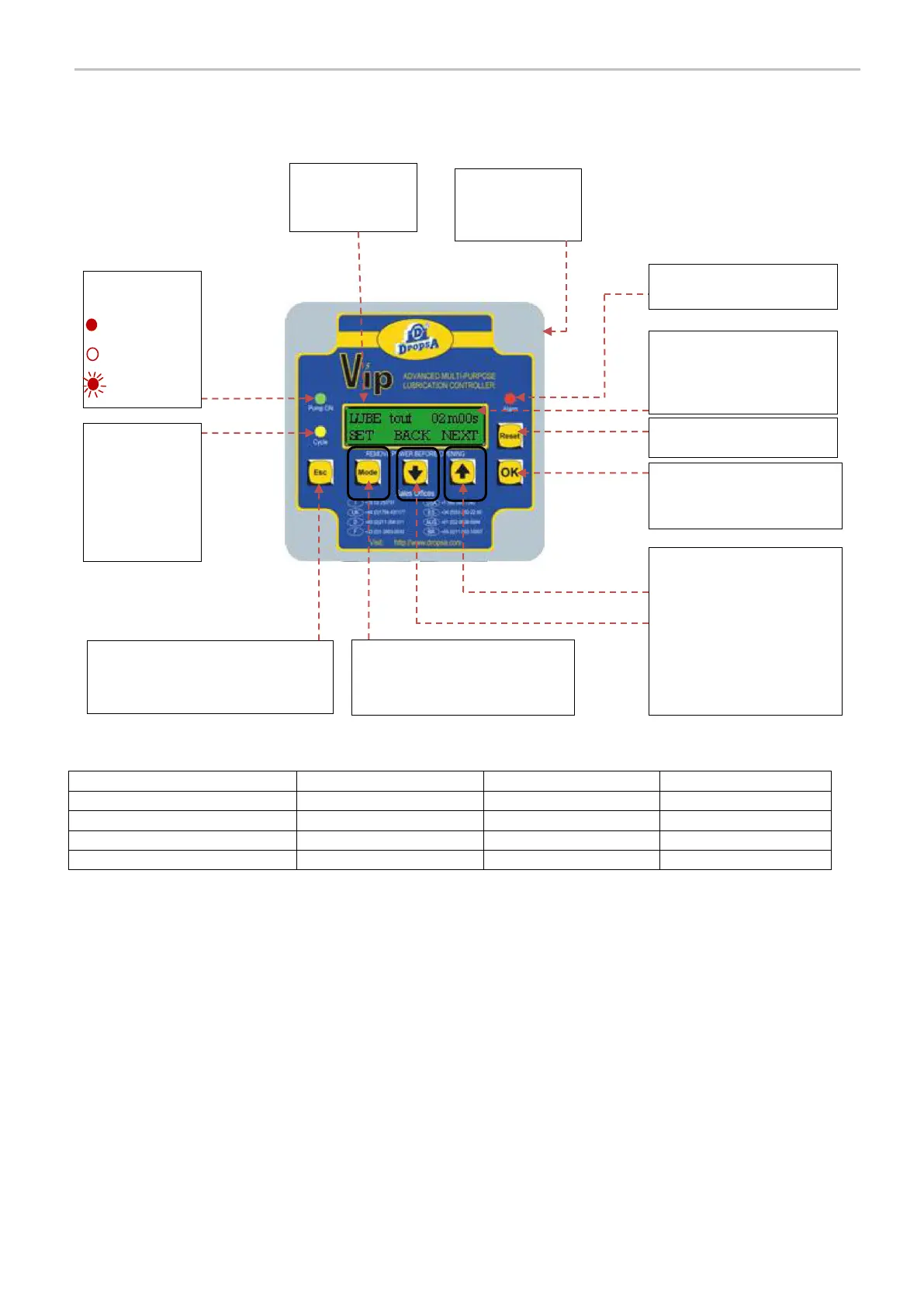
6.1 LAYOUT AND STATUS TABLE OF VIP5 FRONT PANEL
VIP5 Pro Condition
PUMP ON LED
CYCLE INPUT LED
ALARM LED
Alarm
OFF
ON
ON
Standby Phase
OFF
ON
OFF
Lubrication Phase/Cycle
ON
ON
OFF
Setup
OFF
OFF
ON
Status and
description
Pump ON LED:
Pump ON
Pump OFF
Stand by
Shows parameter and values
during set-up, or status and
counters during normal
operation.
Hardware Reset Button
OK:
Exit from setup menu saving
changes
Product
Identification
Label (on side)
BACK:
Previous Parameter or Setting
Decrease displayed value
NEXT:
Next Parameter or Setting
Increase displayed value
Alarm LED
ESC:
Exit from setup menu without saving
changes
MODE (SET):
Change Value for selected
parameter
Cycle status LED
Shows cycle
control input
condition

Related product manuals