4.2 Removing The Outer Cover
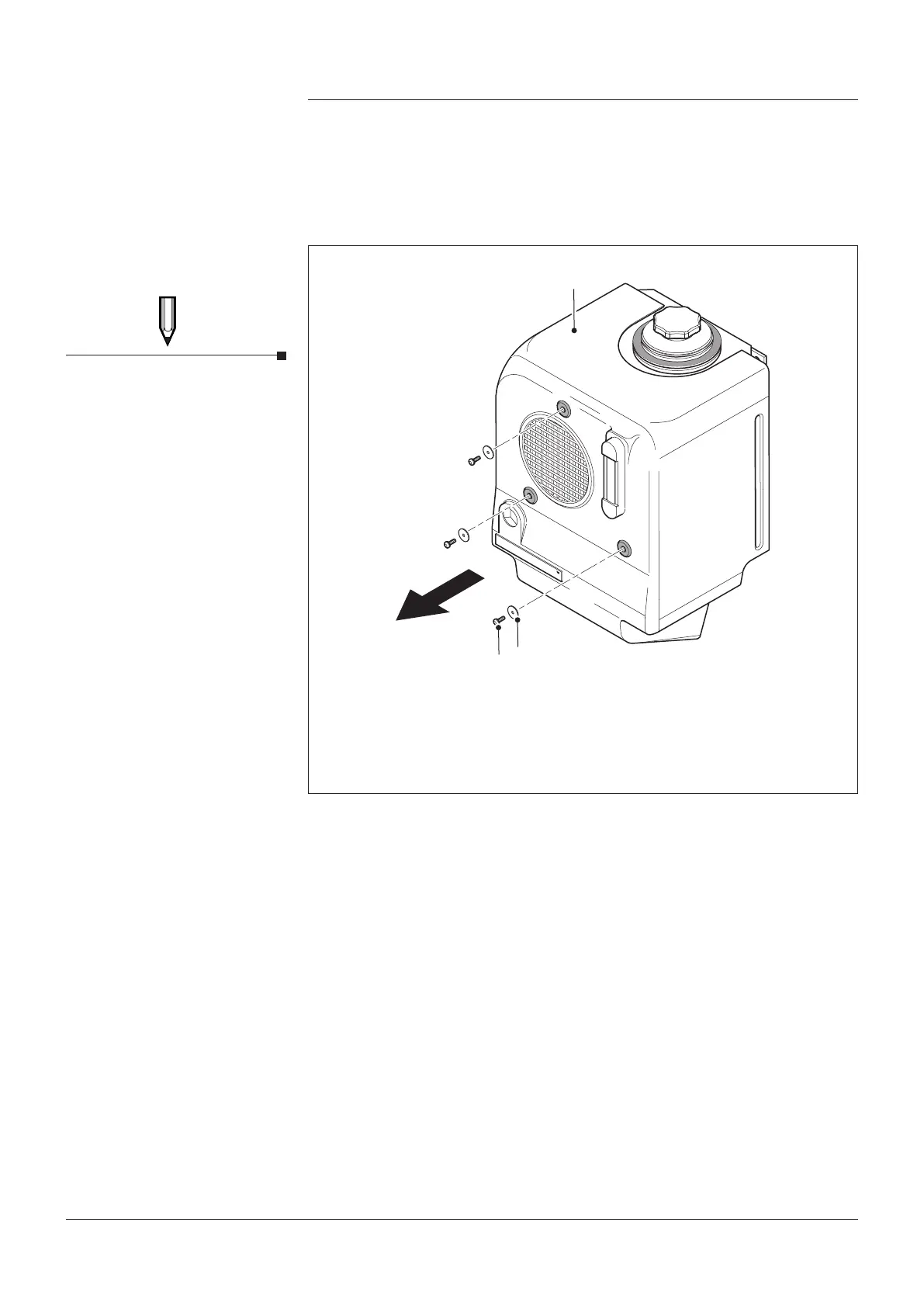
1. Unscrew and remove the 3 x M6 button head screws (item 2) and
washers (item 3) from the front face of the outer cover.
2. The cover is now free to be pulled away from the aluminium tank
Fig. 9.
Maintenance
Fig. 9 Removing the Outer Cover
Filler cap no longer needs to
be removed to take the outer
cover o.
NOTE
KEY
1. Outer Cover
2. M6 Button Head Screw x 3
3. Retaining Washer x 3
Page 15
4991015005 Date:02/18
Hydrapak Installation, Operating & Maintenance Manual


 To Next Page