111
9.1 Configuring General Settings
Purpose:
Network settings must be properly configured before you operate NVR over network.
Steps:
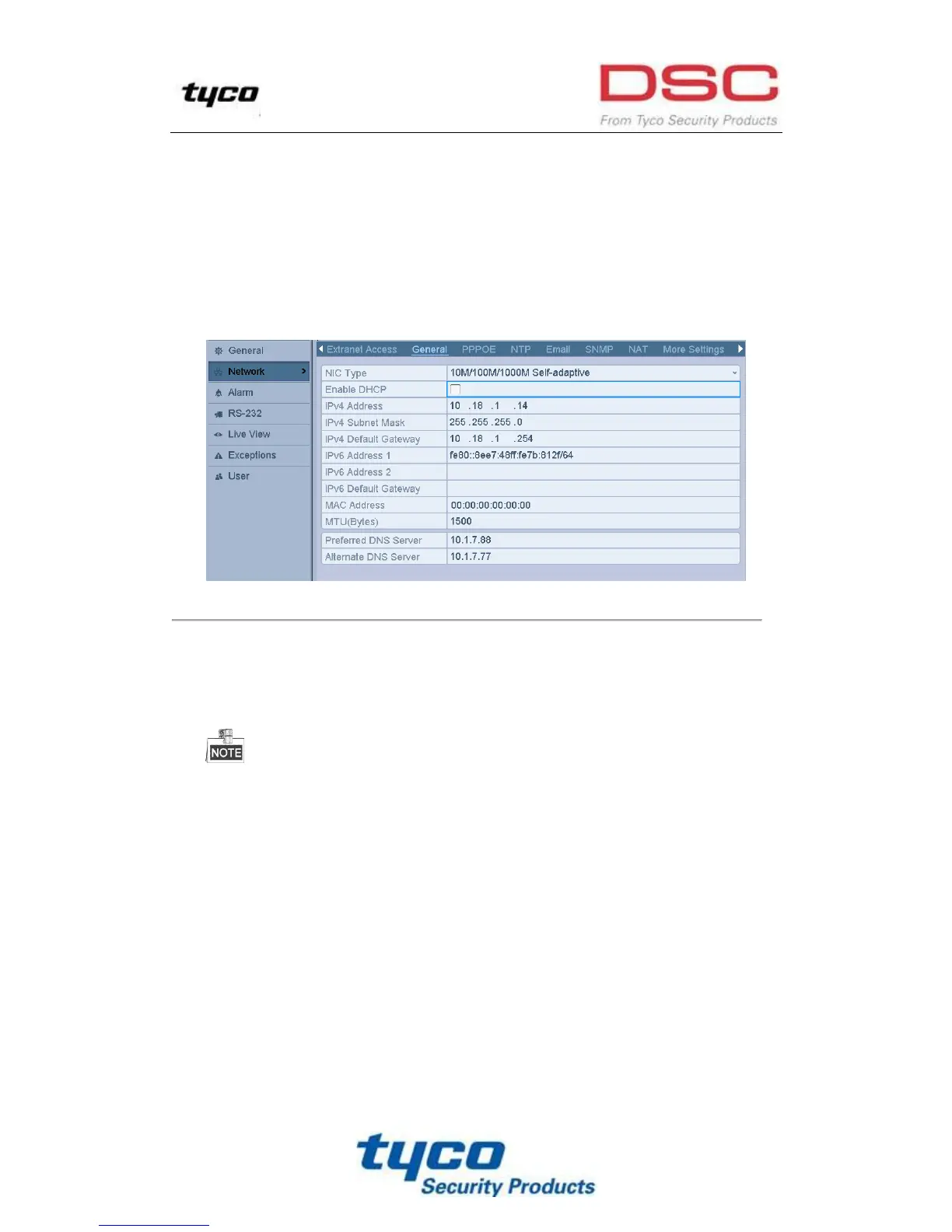
1. Enter the Network Settings interface.
Menu >Configuration>Network
2. Select the General tab.
Figure 9. 1 Network Settings Interface
3. In the General Settings interface, you can configure the following settings: Working Mode, NIC Type, IPv4
Address, IPv4 Gateway, MTU and DNS Server.
If the DHCP server is available, you can click the checkbox of DHCP to automatically obtain an IP address
and other network settings from that server.
For the models which has the PoE interfaces, the internal NIC IPv4 address should be configured for
the cameras connecting to the extra network interface of the NVR.
The valid value range of MTU is 500 ~ 9676.
4. After having configured the general settings, click Apply button to save the settings.



 To Next Page