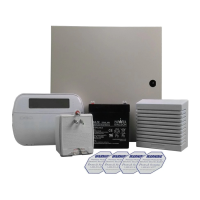
DSC Power Series PC1616 - Quick Guide
https://alpha.adt.com/help/20.html[11/8/2018 11:27:26 PM]
Return to Top
User Access defined by Master User [1] - [32]
Supervisor
Similar to Master level, but can be changed without
requiring an installer.
[41], [42]
Duress
Code secretly sends a duress report. Any user code can be
made a Duress code.
[33], [34]
Zone
Bypassing
Can manually bypass zones and arm/disarm the system. [3]
Onetime User
Code
Can disarm the system once per day. Reset daily at
midnight.
[8]
For more information on this topic please visit the complete DSC PC1616 manual
Trouble Conditions
When a trouble condition is detected, the Trouble or System indicator will turn on and the keypad will
beep every 10 seconds.
To silence the Trouble Condition beeps, press [#].
To view the Trouble Condition, press [*] + [2].
To override the Trouble Condition and continue to arm, press [*] + [2], then press [9].
For more information on this topic please visit the complete DSC PC1616 manual.
Volume
The volume on the DSC PC1616 is not adjustable.



 To Previous Page
 Loading...