04/2022
-
Version 1
DoorTec Deutschland | www.doortec.online
15
Änderungen vorbehalten | Subject to Modifications
7. RUN MODE
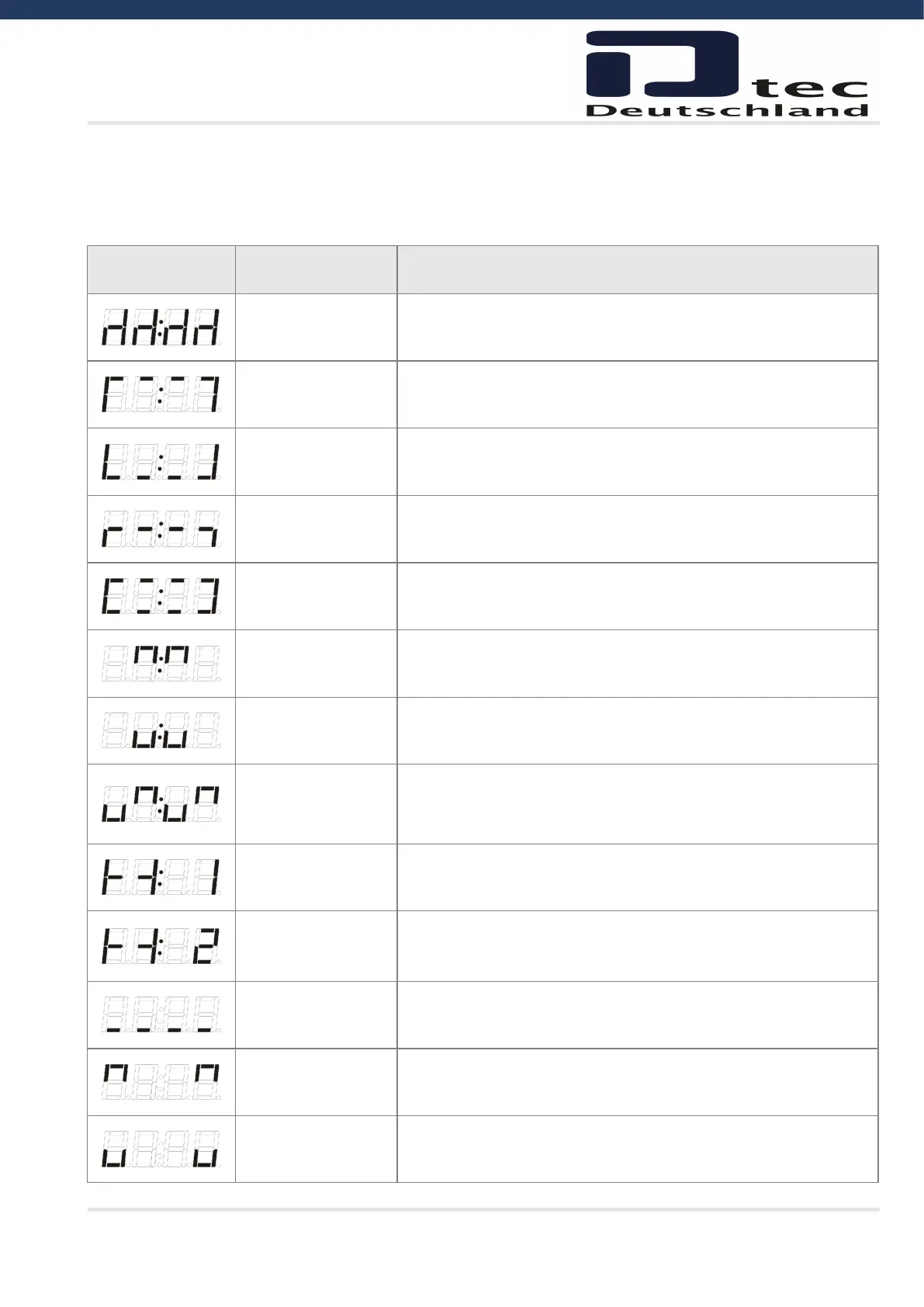
The display will in run mode show status of limits, some inputs or error codes if they occurs.
When power up the software version is showed shortly.
Display Description Remark
Nothing active
4 chairs symbol
Door is stopped between limits and no errors are found.
Open limit active Normal symbol as an aid in programming and troubleshooting.
Close limit active Normal symbol as an aid in programming and troubleshooting.
1/2 open limit active Normal symbol as an aid in programming and troubleshooting.
STOP active Normal symbol as an aid in programming and troubleshooting.
OPEN push-button
active
Normal symbol as an aid in programming and troubleshooting.
Activation of loop detector will also show this symbol.
CLOSE push-button
active
Normal symbol as an aid in programming and troubleshooting.
GO function active
Normal symbol as an aid in programming and troubleshooting.
(Note that GO function is only possible to use when photo is
installed)
Photo 1 active
Normal symbol as an aid in programming and troubleshooting.
Photo 1 is internal photo amplifier mounted in X12.
Photo 2 active
Normal symbol as an aid in programming and troubleshooting.
Photo 2 is external photo cells mounted in the screw terminals.
Safety Edge active Normal symbol as an aid in programming and troubleshooting.
Door running up Normal symbol as an aid in programming and troubleshooting.
Door running down Normal symbol as an aid in programming and troubleshooting.



 To Next Page