B D K I C K C R A S H R I D E T O M 3 T O M 2 T O M 1 S N A R E H I - H A T H H - C T R L
M A S T E R
O U T A U X I N
M I D I O U T M I D I I N
P O W E R
O N O F F
D C 9 V
1
2
3
4
5
6
7
8
9
10 11 12 13
14
36
Part 2: Overview
Part 2: Overview .
36
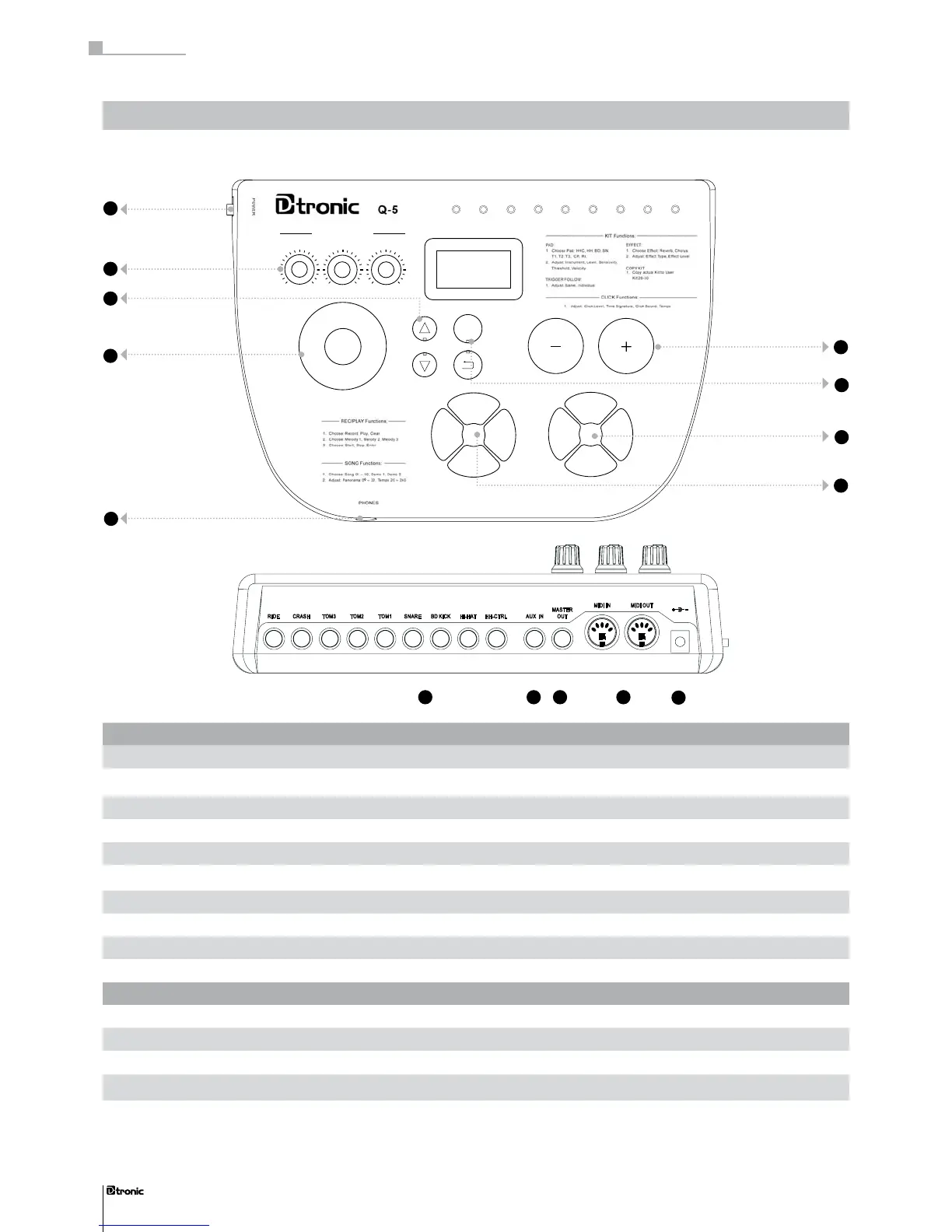
Top panel:
go to page
1 POWER switch Turns the instrument on and off 37
2 VOLUME pots Control volume of the drumset 37
3 TEMPO button Adjusts the tempo of the metronome or a song 41, 42
4 JOGDIAL wheel Adjusts several parameters 38
5
+/-
buttons Adjust several parameters 38
6 ENTER/BACK buttons Control the navigation in the menu 38
7 SONG and REC/PLAY unit Activates/deactivates and edits record and playback functions 42, 43
8 KIT and METRONOME unit Adjusts drumkit and metronome functions 38, 41
9 PHONES jack Connects a pair of headphones 37
Rear panel:
go to page
10 TRIGGER Input Connects the pads and pedals 34
11 AUX IN jack Connects external audio equipment 37
12 MASTER OUT jack Transfers signals to external audio equipment 37
13 MIDI IN/OUT jacks Connect the drum module to other MIDI compatible equipment 45
14 POWER jack Connects the power supply 37
Top panel
Rear panel


 To Next Page