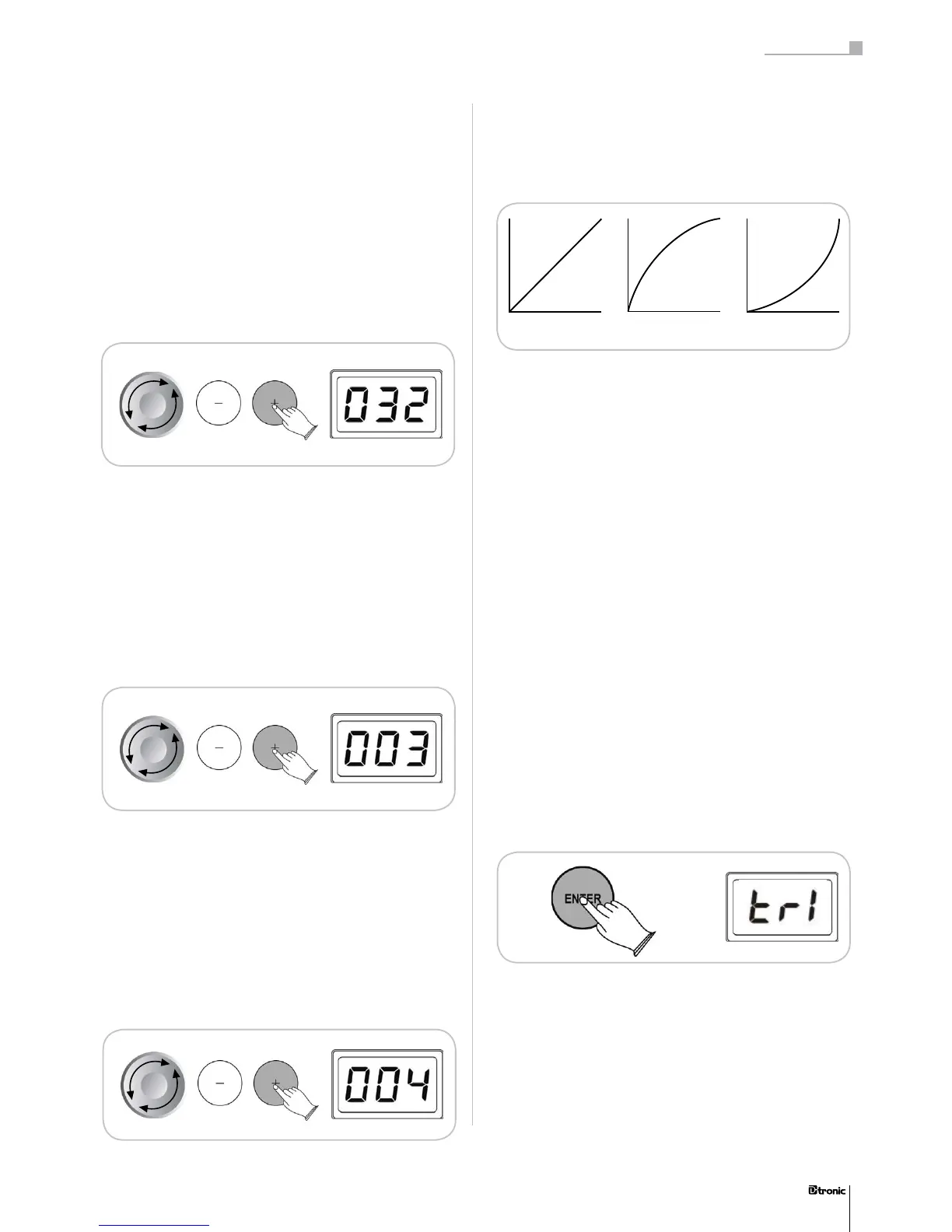
Normal Easy Dynamic
There are 6 categories of instruments, which turn up as the
rst number of the LED-display. The next two numbers show
the certain instruments. You can choose between several
sounds in each category (refer to the list on page 46).
5.2 Level
Level (Lvl) adjusts the sound intensity of each pad in a range
between 02 – 32. This function makes it possible to adjust the
relationship of loudness between the pads.
5.3 Sensitivity
Sensitivity (Sen) adjusts the touch sensitivity of the pads in a
range between 01 – 08. With this function you can take inu-
ence on the reaction of the pad, when you produce intended
or unintended doublebeats (double trigger). The higher the
value, the more precise the pad reacts. If you want to play
fast strokes for example, you should adjust a higher sensivity
value.
5.4 Threshold
Threshold (Thr) allows a trigger signal to be received only
when the force struck on the pad is above a determined force
level (velocity). This can be used to prevent a pad from soun-
ding because of vibrations of other pads. Therefore the pad
doesn‘t produce sound when the pad is struck lightly and a
high value is adjusted. The range is between 000 - 050.
5.5 Velocity
The Velocity Curve (CUr) adjusts the dynamic range of the
pads.
Nor – Is dened as a curve in which the level of the sound
developes linear to the force of attack. The harder the attack,
the louder the sound.
Easy – Is dened as a curve which makes it easier to play
loudly. The curve generates higher velocities for less force.
Dynamic – Is dened as a curve which makes it easy to play
quietly. The curve generates lower velocities for hard force.
Fixed – Means that regardless of how hard you play, the pad
will transmit always the same level of velocity.
5.6 Conrming pad adjustments
It‘s up to your decision, if the adjustments for Sensivity,
Threshold and Velocity, are binding for all Kits or just binding
for one Kit.
Go to the Kit-mode and choose the Trigger Follow Setting
submenu by pressing the ENTER-button. Select the adjust-
ment Same or Individual and conrm your choice with the
ENTER-Button.
Same – The parameter adjustments Sensivity, Threshold and
Velocity are binding for all Kits.
Individual – The parameter adjustments Sensivity, Threshold
and Velocity are only binding for the actually chosen Kit.
39
Part 3: Functions
39


 To Next Page