10.1 Record
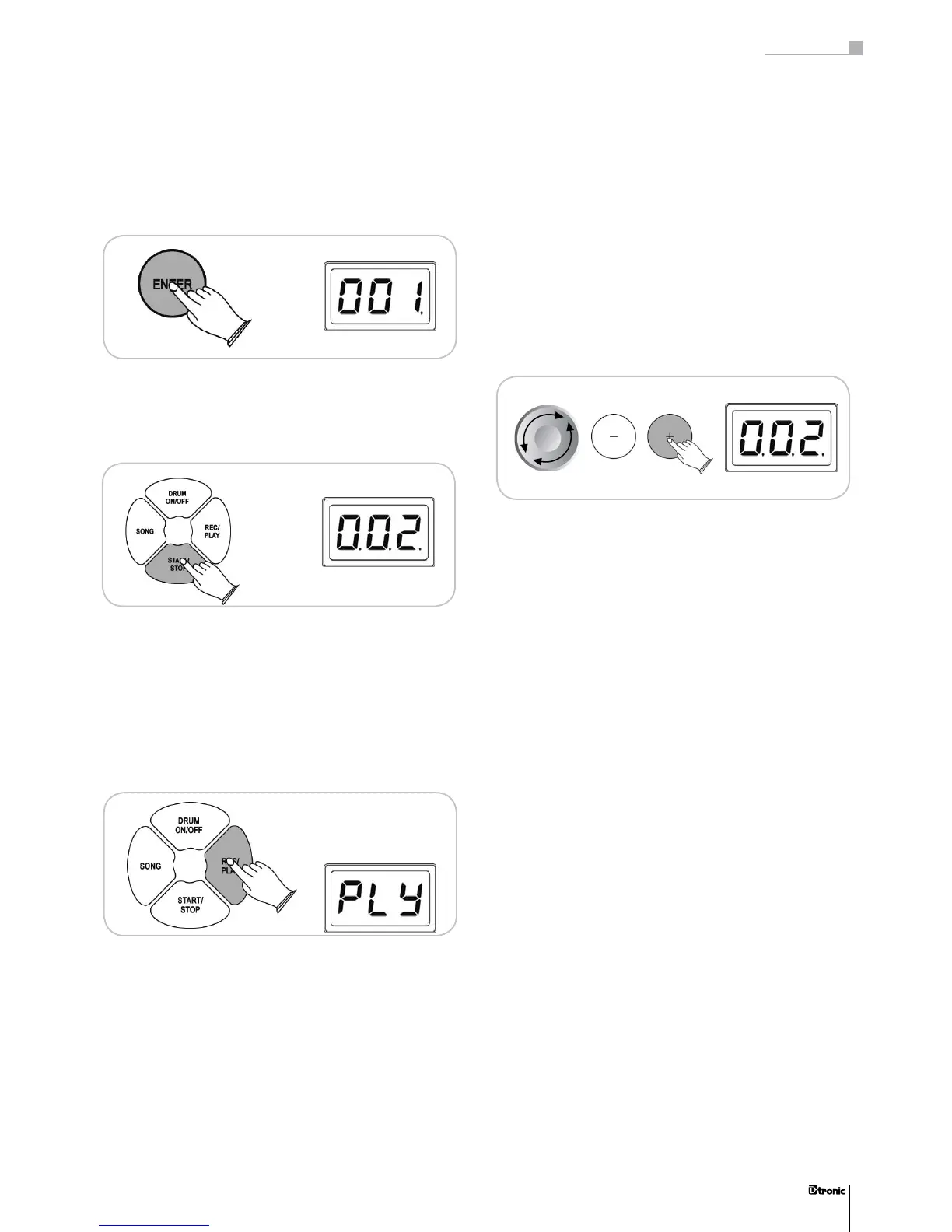
When you are in the REC mode you can activate the recording
by pressing the ENTER button. Now you can choose between
track 001, track 002 or track 003.
With the START/STOP button you can start the recording. You
hear 4 clicks before the recording starts. Press the START/
STOP button again when you have nished the recording.
Attention: If you record on a track which contains another
recording session, you will erase the older recording!
10.2 Play
To listen to a recorded part choose PLAY and conrm it with
the ENTER button.
Now you can choose between track 001, track 002 or track
003. Pressing the START/STOP button starts and stops the
recorded part.
If the track is empty or in case of a deleted recording you can‘t
playback the particular track.
10.3 Clear
Use the CLEAR function to erase a recording from a track.
Now you can choose between track 001, track 002 or track
003. If you have adjusted the number of the track you want
to erase, just press the ENTER button and the recording will
be deleted.
43
Part 3: Functions
43


 To Next Page