EasyManua.ls Logo

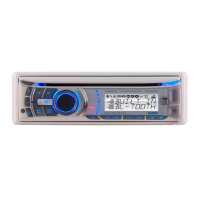
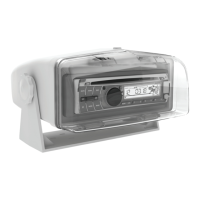
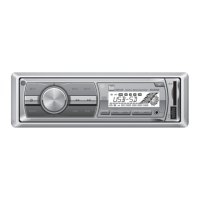
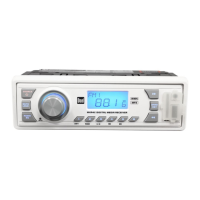
Dual AM400W - User Manual

Dual AM400W
28 pages
Print Icon
To Next Page IconTo Next Page
Loading...
INSTALLATION/OWNER'S MANUAL
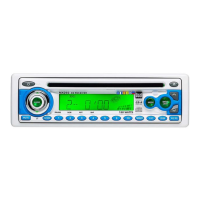
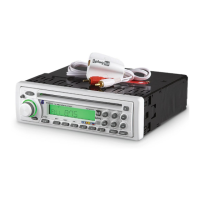
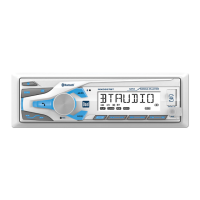
AM/FM/CD Marine Receiver with Detachable Face
AM400W

Questions and Answers

  • E
    Eric ThompsonAug 15, 2025
    How to fix Dual AM400W that will not turn on?
    • M
      Melissa HawkinsAug 15, 2025
      If the Dual Marine Equipment unit is not turning on, check the connections for proper voltage (11~16VDC). Ensure the yellow and red wires are correctly connected with the correct voltage. Also, verify the black wire is connected to ground. If these connections are correct, replace the fuse.
  • R
    rgarrettAug 18, 2025
    What to do if Dual Marine Equipment has power but no sound?
    • L
      Lisa SmithAug 18, 2025
      If your Dual Marine Equipment unit has power but no sound, check the speaker connections. Ensure that the speaker wires are correctly connected at the speakers. Also, make sure that the speaker wires are not touching each other or the chassis ground. Insulate all bare speaker wires to prevent contact.
  • M
    michaelmoodyAug 22, 2025
    Why does my Dual AM400W Marine Equipment keep blowing fuses?
    • R
      Raymond SantiagoAug 22, 2025
      If your Dual Marine Equipment unit is blowing fuses, check for pinched yellow or red wires touching the chassis ground and also check for pinched speaker wires touching the chassis ground. In addition, verify that you are using a fuse with the correct rating.
  • M
    Michael OrtizAug 25, 2025
    How to stop excessive skipping on Dual AM400W Marine Equipment?
    • T
      Thomas HunterAug 26, 2025
      If the Dual Marine Equipment is experiencing excessive skipping, check the mounting sleeve and backstrap support to ensure the unit is mounted correctly and the backstrap is secure. Also, inspect the media (CD, CD-R, or CD-RW) for scratches or physical defects.
  • T
    Tracey SmithAug 28, 2025
    What to do if ERROR 2 appears on Dual AM400W display?
    • M
      Martha MorrisAug 28, 2025
      If ERROR 2 appears on the display of your Dual Marine Equipment, it indicates a disc read error or that the disc is inserted upside down. Press the eject button or the RESET button.
  • T
    tholdenAug 31, 2025
    What does PROTECT mean on Dual AM400W display?
    • B
      Brian Wolf MDAug 31, 2025
      If 'PROTECT' appears on the display of your Dual Marine Equipment, it means the WMA file is copy-protected by DRM (Digital Rights Management). You should write the disc using WMA files that are not copy-protected.
  • Q
    qrobinsonSep 4, 2025
    What does NO FILE mean on Dual AM400W display?
    • D
      Devon WilliamsSep 4, 2025
      If 'NO FILE' appears on the display of your Dual Marine Equipment, it indicates that the selected file is not available in direct or alphanumeric search modes. Repeat the search using valid parameters.
  • H
    heatherfaulknerSep 7, 2025
    What to do if Dual AM400W will not accept a disc?
    • J
      Johnny JohnsonSep 7, 2025
      If your Dual Marine Equipment will not accept a disc, press and hold the EJECT button for 3 seconds to reset the CD mechanism position. Also, remove the 2 transit screws located on top of the unit.
  • F
    Frank JordanSep 12, 2025
    What does NO SUPPORT mean on Dual Marine Equipment display?
    • A
      Amanda GutierrezSep 12, 2025
      If 'NO SUPPORT' appears on the display of your Dual Marine Equipment, it means an invalid ID3 tag version is present or an ID3 tag character is not supported. The unit supports version 1.0 to 2.4 ID3 tags, and only ASCII characters are supported.

Dual AM400W Specifications

General IconGeneral
Frequency Response20Hz - 20kHz
Water ResistanceIPX6
Output Power400W
TypeAmplifier
Input Voltage12V
Speaker Compatibility4 Ohm
Signal-to-Noise Ratio90dB

Related product manuals