EasyManua.ls Logo

Dual AMB600W - User Manual

Dual AMB600W
40 pages
Print Icon
To Next Page IconTo Next Page
Loading...
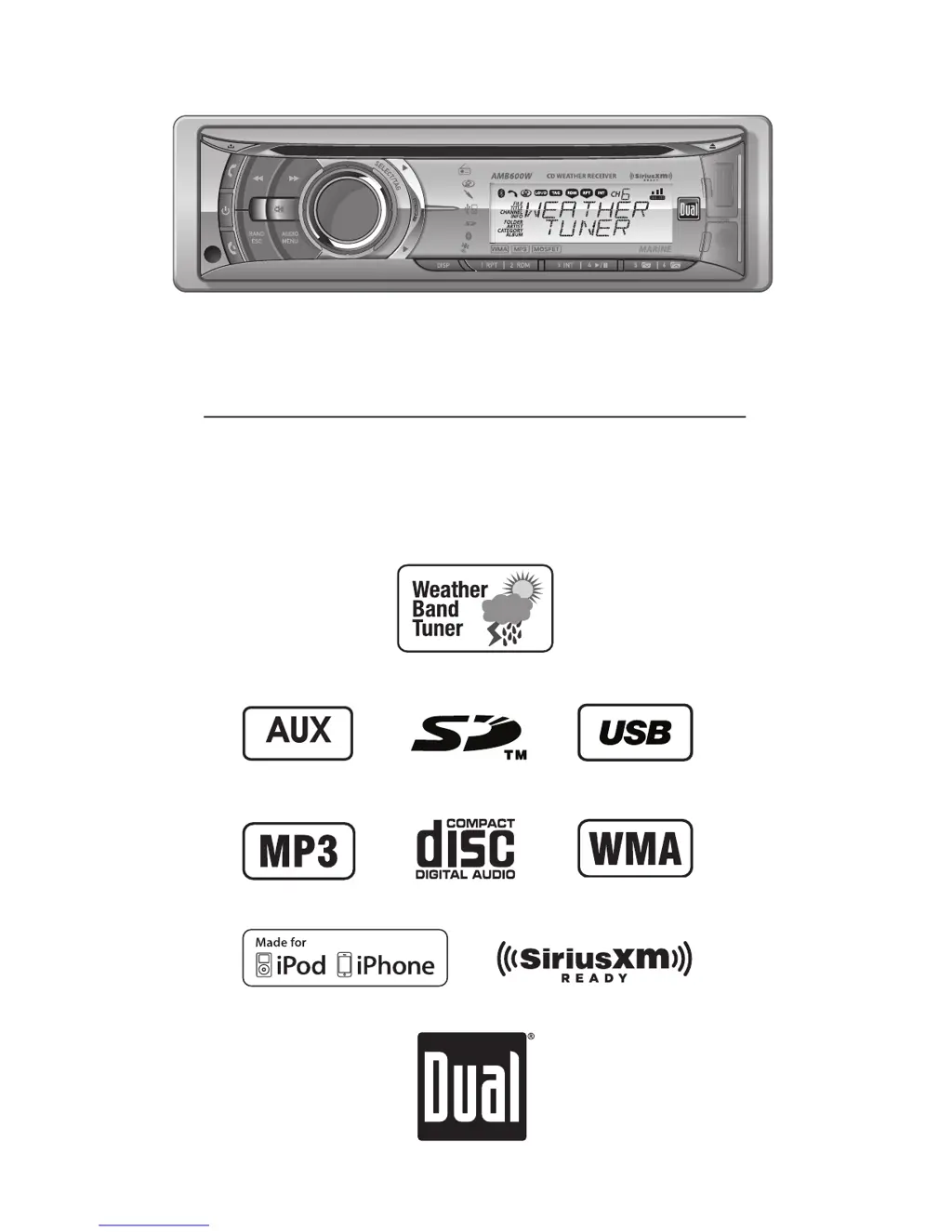
INSTALLATION/OWNER'S MANUAL
AM/FM/CD Marine Receiver with Detachable Face
AMB600W
Front and Rear Inputs

Questions and Answers

  • J
    James MorenoAug 13, 2025
    What to do if my Dual Marine Equipment says 'MEMORY FULL CONNECT iPod'?
    • K
      Kylie WilliamsAug 14, 2025
      The 'MEMORY FULL CONNECT iPod' message indicates that the internal memory, which holds 64 SiriusXM Tags, is full. To resolve this, either connect an iPod to transfer the Tags or delete existing Tags before tagging more songs.
  • L
    lwallsAug 17, 2025
    What to do if my Dual AMB600W Marine Equipment shows 'TRANSFER FAILED'?
    • J
      Jennifer PowersAug 17, 2025
      A 'TRANSFER FAILED' message indicates a connection error. Ensure your iPod is powered on, and then reconnect it until a confirmation message appears.
  • K
    kiararamirezAug 21, 2025
    Why does my Dual AMB600W Marine Equipment say 'iPod FULL'?
    • D
      Danielle MortonAug 21, 2025
      The 'iPod FULL' message means there isn't enough space on the connected iPod to transfer the iTunes Tags. To fix this, free up space on your iPod using iTunes.
  • W
    woodwardtracyAug 26, 2025
    What to do if my Dual AMB600W Marine Equipment says 'ALREADY TAGGED'?
    • L
      Laura CampbellAug 26, 2025
      The 'ALREADY TAGGED' message appears because the same song has already been tagged from the same channel and is saved in memory. You cannot tag the same song twice unless you tag it on a different channel, send the Tags to an iPod, or erase the existing tags.
  • R
    Rachel YoungAug 29, 2025
    How to fix 'CHECK iPod VER' error on Dual Marine Equipment?
    • L
      longantonioAug 29, 2025
      The 'CHECK iPod VER' error indicates a compatibility issue with the connected iPod. Check the list of compatible iPod devices. If your device is compatible, update the iPod firmware to the latest version using iTunes.
  • T
    Trevor StoneSep 1, 2025
    What to do when Dual AMB600W Marine Equipment 'TAGGING FAILED'?
    • G
      gheathSep 1, 2025
      If the 'TAGGING FAILED' message appears, it means there was an error saving the Tag information to the internal memory. Press and hold the TAG button again.
  • M
    Mrs. Jennifer GriffithSep 5, 2025
    Why does my Dual AMB600W Marine Equipment say 'NO TAG INFO'?
    • C
      carrieriveraSep 5, 2025
      The 'NO TAG INFO' message means there isn't enough information (artist or title) available to tag the song. Some HD Radio stations, SiriusXM channels, or certain songs may not fully support iTunes Tagging.
  • M
    Marcus FrenchSep 9, 2025
    What does 'NO TAGS STORED' mean on Dual AMB600W Marine Equipment?
    • H
      Heather HamiltonSep 9, 2025
      The 'NO TAGS STORED' message indicates that there are no tags saved in the internal memory. The Delete Tags function only works for Tags saved in the internal memory.

Summary

Preparation

Before You Start

Safety and initial checks before installing the unit.

Getting Started

Steps for physically installing the head unit into the vehicle.

Wiring Diagram

Control Locations - Receiver

Control Locations - Remote

General Operation

General Operation - Setup Menu

Configuration options for customizing unit features like clock, tuning, and display.

General Operation - Audio Settings

Adjusting bass, treble, balance, fader, EQ, and subwoofer for optimal sound.

Tuner Operations

AM;FM Tuner Operation

How to tune, select bands, and store/recall AM/FM radio stations.

Weather Band Tuner Operation

How to select and store weather band (WB) stations.

SiriusXM Operation

SiriusXM Vehicle Tuner Connections

Instructions for connecting the optional SiriusXM tuner.

SiriusXM Vehicle Tuner Operation

How to listen, change channels, and set presets for SiriusXM.

SiriusXM Setup Menu

iTunes Tagging Operation

Tagging Music

How to tag songs from SiriusXM for later purchase via iTunes.

Deleting All Tags

Procedure for removing tagged song information from memory.

iTunes Tagging Troubleshooting

CD Player Operation

CD Player Operation - MP3;WMA Files

How to play MP3 and WMA files from discs, including file/folder search.

CD Player Operation - Media Compatibility

Details on compatible and incompatible media formats for the CD player.

USB;SD Card Operation

USB;SD Card File Playback

How to navigate and play audio files from USB and SD card devices.

iPod;iPhone Operation

iPod;iPhone Full Control

Controlling iPod/iPhone directly via the head unit's music search.

iPod;iPhone Manual Control

Using the iPod/iPhone's interface for control, with limited head unit functions.

Bluetooth Operation - Pairing

Bluetooth Operation - Calls

Bluetooth Operation - Streaming

Limited One Year Warranty

Warranty Coverage Details

Details on what the warranty covers and excludes.

Warranty Service Information

How to obtain warranty service and contact details.

Troubleshooting

Specifications

FCC Compliance

Dual AMB600W Specifications

General IconGeneral
MP3 playbackYes
Audio formats supportedMP3, WMA
Supported radio bandsAM, FM
Preset stations quantity30
Output power240 W
Product color-
Equalizer bands quantity3
Bluetooth profilesA2DP, AVRCP
Line outputs (RCA)4
Compatible memory cardsSD, SDHC
Key illumination colorBlue

Related product manuals