10 11
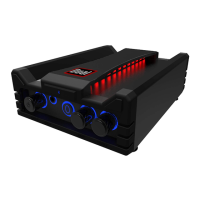
DBTMA100 - Specications
SPeCIfICATIOnS SUBJeCT TO ChAnGe WIThOUT nOTICe
TROUBLE CAUSE SOLUTION
Unit will not turn on
AC Power is OFF
Turn wall switch ON /
check breakers
AC/DC wall adapter is
unplugged
Plug AC/DC adaptor into
wall
No sound is heard
Volume level is low or
muted
Turn the DBTMA100
volume level up
Device is paused or muted
Check your Devices
playing / volume status
The audio quality is
poor
Device volume level is too
low or muted
Raise the Device volume
to a higher level
The audio quality is
poor after connection
with a Bluetooth
enabled device
The Bluetooth reception
is poor
Move the Device closer
to the audio system or
remove any obstacle
between the Device
TROUBLe ShOOTInG
DBTMA100 - Trouble Shooting
BLUeTOOTh
• BT: 4.2
• BT Range: 33Ft / 10M (Class 2)
• BT Proles: A2DP / AVRCP
AMPLIfIeR
• Frequency Response: 20~22kHz
• Channels: 2
• Bridgeable: No
• Amplier Type: Class D
• Power Input: 15VDC / 2A (up to 24VDC / 5A allowed)
• RMS Power Output: 25W x 2 / 15VDC @ 4Ω
• MAX Power Output: 50W x 2 / 24VDC @ 4Ω
• Minimum Impedance: 4~8Ω nominal
GeneRAL
• Storage Temperature: 5
o
F to 160
o
F / -15
o
C to 72
o
C
• Operation Temperature: 14
o
F to 125
o
F / -10
o
C to 52
o
C
• Weight: 1.15lbs / 2.4Kg
• Dimensions Inches WxDxH: 5.75 x 4.25 x 1.50
• Color: Black
SPeCIfICATIOnS
SUPPORT
• Call us toll-free at 1-866-382-5476
• E-mail us at cs@dualav.com


 To Next Page