Need help?
Do you have a question about the Dual DCPA723W and is the answer not in the manual?
Details connectivity options and setup for wireless network access.
Explains how to use the Android Auto interface on the receiver.
Guides users on integrating and using Apple CarPlay with the device.
Important preliminary steps and precautions before beginning installation.
Identifies the physical buttons and screen elements for device operation.
Detailed steps for using the AM/FM radio tuner, including presets and seeking.
How to connect and manage devices via USB for media playback.
Adjusting audio settings like balance, fader, EQ, and surround sound.
Customizing display settings like brightness, contrast, and wallpaper.
Accessing and configuring time, date, and other system settings.
Step-by-step guide for connecting and using Apple CarPlay wirelessly or wired.
Step-by-step guide for connecting and using Android Auto wirelessly or wired.
Instructions for pairing, connecting, and using Bluetooth for calls and audio.
Information on connecting and viewing the rear camera feed.
Details of the product warranty coverage, limitations, and claims process.
Information regarding compliance with FCC rules for radio frequency emissions.
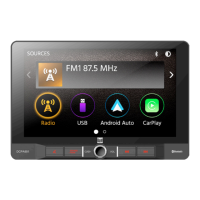
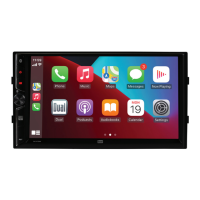
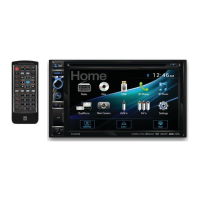
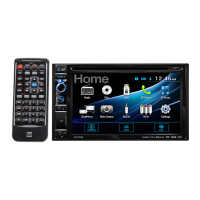
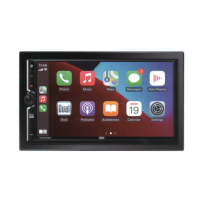
The DCPA723W is a media receiver designed for in-car entertainment and connectivity, featuring a 7-inch digital TFT display. It integrates seamlessly with both Android Auto™ and Apple CarPlay™ for enhanced smartphone functionality on the go.
The DCPA723W serves as a central hub for audio, communication, and navigation within a vehicle. Its primary function is to provide a user-friendly interface for various media sources and smartphone integrations.
The device supports AM/FM radio tuning, allowing users to access local broadcasts. It also functions as a media player for USB devices, supporting audio files. The system includes a 10-band EQ for detailed sound customization, with options for balance, fader, and time alignment settings to optimize the audio experience within the vehicle cabin. EQ presets are available for quick adjustments, and surround settings can be configured for a more immersive sound.
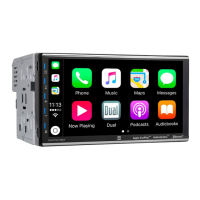
A key feature of the DCPA723W is its compatibility with Android Auto™ and Apple CarPlay™, supporting both wired and wireless connections. This allows users to access their smartphone's navigation, music, messaging, and calling features directly through the receiver's display.
The DCPA723W includes Bluetooth for hands-free calling and audio streaming. Users can pair their Bluetooth-enabled devices to make and receive calls directly from the receiver, view call history, and access their phone's keypad. Audio streaming allows playback of music from the paired device through the car's speakers, with controls for play/pause, skip track, and previous track. The device name for pairing is "DCPA723W." The system can be configured to automatically connect to the last paired device or require manual connection.
The receiver supports multiple camera inputs, including a front camera input and a rear camera input. This enhances safety and convenience by providing visual aids for parking and maneuvering.
The DCPA723W is designed for intuitive operation through its 7-inch digital TFT display and physical controls.
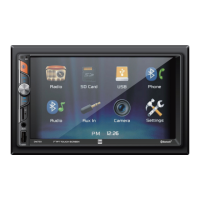
The main menu serves as the central hub for accessing all modes and settings. Icons for AM/FM Tuner, Bluetooth Phone, Bluetooth Audio, Apple CarPlay, Android Auto, USB, Camera, EQ, AV In, and Settings are clearly displayed, allowing users to tap the desired icon to enter the corresponding mode.
The display features several touch-sensitive controls:
In tuner mode, users can seek tune up or down, access local/distance settings, and save preset stations for AM/FM bands. A DX (distance) mode is available for improved reception of weaker signals. The display shows the current frequency, and a dimmer function is included to adjust screen brightness.
When a USB device is connected, the receiver displays track information, including ID3 tags, album art, and current playback time. Users can navigate through folders, repeat tracks or albums, and shuffle playback. Controls for track down, play/pause, and track up are available on the screen.
The Settings menu provides extensive customization options for the display:
The Settings menu also includes general operational settings:
The unit uses a 15-amp ATC mini-style fuse located on the power connector. When replacing a fuse, it is crucial to use the correct type and amperage to prevent damage to the unit.
Before installation, it is recommended to disconnect the negative battery terminal and consult a qualified technician. The unit should be installed in a location free from high temperatures, direct sunlight, dust, dirt, or excessive vibration to ensure optimal performance and longevity. The installation guide provides details on mounting screws and the trim ring.
A troubleshooting guide is available in the owner's manual to help users resolve minor issues. For more complex problems or service requirements, customer service is available via a toll-free number and email. Dual Electronics Corp. Inc. provides a limited two-year warranty covering defects in material and workmanship, with professional installation recommended for best performance. The warranty does not cover software, installation/removal costs, damage from misuse, improper installation, or unauthorized repair.
The device complies with FCC rules, ensuring it does not cause harmful interference and accepts any interference received. Users are advised against unauthorized modifications to the unit, as this could void their authority to operate the equipment. Troubleshooting steps are provided for radio or television interference, including reorienting antennas, increasing separation, and consulting a technician.
 General
| Tuner | AM/FM |
|---|---|
| Bluetooth | Yes |
| USB Port | Yes, Front Panel |
| Aux Input | Yes, Front Panel (3.5mm) |
| Channels | 4 |
| Impedance | 4 Ohms |
| Frequency Response | 20Hz - 20kHz |
| Inputs | Front AUX, USB |
| Outputs | RCA Pre-amp Outputs |
| Power Source | 12V DC |
| Power Supply | 12V DC (11-16V allowable) |

 To Next Page