EasyManua.ls Logo

Dual DM720 - User Manual

Dual DM720
16 pages
Print Icon
To Next Page IconTo Next Page
Loading...
INSTALLATION/OWNER’S MANUAL
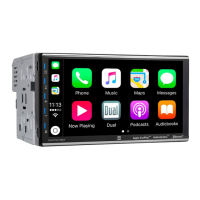
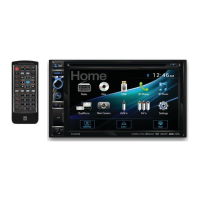
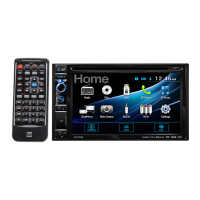
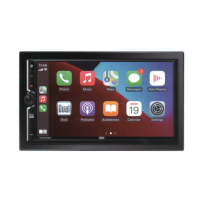
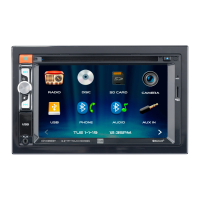
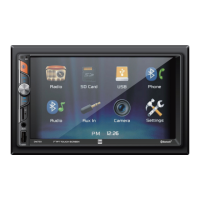
Media Receiver with Bluetooth®
featuring a 7" Touch Screen Display
DM720

Questions and Answers

  • M
    Mr. Walter Griffin MDJul 29, 2025
    How to fix a Dual DM720 that will not turn on?
    • G
      Glenn BarreraJul 29, 2025
      If your Dual Receiver isn't turning on, there are several things to check: * Ensure the yellow and red wires are properly connected and receiving the correct voltage (11~16VDC). * Verify the black wire is securely connected to ground. * Inspect the fuse(s) and replace them if they are blown.
  • W
    William AndersonAug 4, 2025
    What to do if my Dual DM720 Receiver has power but no sound?
    • R
      rodriguezsandraAug 4, 2025
      If your Dual Receiver has power but no sound, the issue likely lies with the speaker connections. Check the connections at the speakers to ensure they are properly connected. Also, make sure that none of the speaker wires are touching each other or the chassis ground. Insulate any bare speaker wires to prevent contact.
  • D
    Donna CollinsAug 11, 2025
    Why does my Dual DM720 Receiver have audio but no video?
    • A
      Anthony StarkAug 11, 2025
      If your Dual Receiver has audio but no video, it might be related to the parking brake safety circuit. Check the connections at the parking brake. Also, ensure the parking brake is applied as described.
  • L
    Leah OconnorAug 17, 2025
    Why does my Dual DM720 Receiver keep blowing fuses?
    • A
      April WilsonAug 17, 2025
      If your Dual Receiver keeps blowing fuses, the issue might be related to wiring or incorrect fuse usage. Here’s what to check: * Inspect the yellow or red wire to ensure they are not touching the chassis ground. Look for any pinched wires. * Check the speaker wires to make sure they aren't touching the chassis ground, also looking for pinched wires. * Verify that you are using fuses with the correct rating.
  • B
    Benjamin RiveraAug 22, 2025
    Why is there no video display on my Dual DM720 Receiver when in reverse?
    • A
      Amanda JonesAug 23, 2025
      If you are not getting a video display on your Dual Receiver when in reverse, check the connections at the reverse lamp to ensure the reverse circuit is properly connected. Also, make sure the vehicle is actually in reverse gear.

Summary

Safety Information

FCC Compliance

Details compliance with FCC rules and guidelines for radio frequency emissions and interference.

DM720 Installation

Preparation

Covers pre-installation steps and initial setup procedures for the DM720 unit.

Wiring Diagram - Inputs;Outputs

Details the connections for speakers, power, and other inputs/outputs for the DM720.

DM720 Operation

Control Locations

Identifies and explains the function of each button and port on the DM720's front panel.

General Operation

Covers fundamental operations like power, volume, mute, mode selection, and basic input/output functions.

Setup Menu

Explains how to configure settings like time, sound, camera, radio region, and system defaults.

Touch Screen Controls

Details the function of touch screen buttons for dimming, voice activation, audio, navigation, and settings.

AM;FM Tuner Operation

Guides users on operating the AM/FM radio, including tuning, band selection, and presets.

USB;microSD Card Operation

Explains how to play audio files from USB drives and microSD cards, covering playback controls and folder navigation.

Media Compatibility - USB;microSD Card

Lists compatible file systems, extensions, MPEG formats, bitrates, and other media specifications.

Media Compatibility

Details file types that are not compatible and specifies compatible recording formats and naming conventions.

Bluetooth Operation

Guides users on pairing devices, connecting, and using Bluetooth for phone calls and basic operations.

Bluetooth Music

Explains how to stream and control music playback via Bluetooth connection.

Rear Camera Operation

Details how to connect and use an optional rear camera, including manual and auto selection.

Navigation App Operation

Covers using navigation apps via smartphone connection and the Dual iPlug P1 app.

Voice Activation

Explains how to use Siri or Google Assistant via Bluetooth for hands-free control.

Front 3.5 mm Aux Input

Describes connecting external audio sources to the 3.5mm auxiliary input on the front panel.

Specifications

Provides detailed technical specifications for the FM/AM tuner, USB, monitor, and amplifier.

Troubleshooting

Offers solutions for common problems such as no power, no sound, blown fuses, or video issues.

Dual DM720 Specifications

General IconGeneral
Tuner TypeDigital
Power SourceAC Adapter
Audio OutputRCA
StorageUSB
Remote ControlYes

Related product manuals