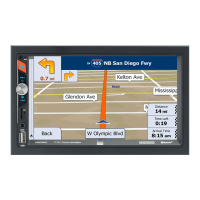
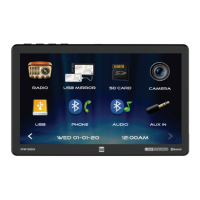
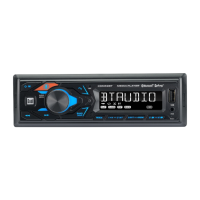
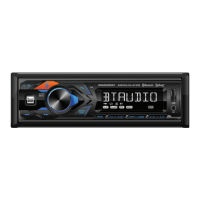
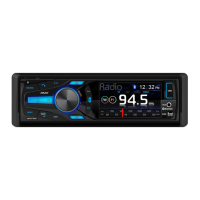
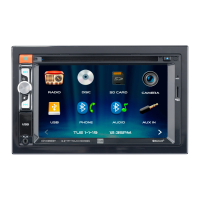
The XVM279BT is a media receiver with Bluetooth® connectivity, featuring a 7-inch touch screen display. This device is designed for in-vehicle use with 12VDC negative ground systems. It offers a range of audio and multimedia functions, along with hands-free communication capabilities.
Function Description
The XVM279BT serves as a central hub for in-car entertainment and communication. Its primary functions include:
- Radio Tuner: The unit features an AM/FM tuner, allowing users to listen to their favorite radio stations. It supports both local and distance tuning, and users can store preset stations for quick access. The tuner also offers stereo and mono tuning options.
- Multimedia Playback: The device supports playback of audio files from various sources. It includes a USB port and a microSD card slot, enabling users to play MP3 or FLAC audio files directly from a USB device or microSD card. The unit automatically begins playback when a compatible device is inserted.
- Bluetooth Connectivity: With integrated Bluetooth®, the XVM279BT allows for wireless audio streaming and hands-free calling. Users can pair their smartphone or other Bluetooth-enabled devices to play music or make/receive calls through the receiver. The device supports auto-connect for previously paired devices and features a phone keypad for dialing.
- Auxiliary Input: A 3.5mm auxiliary input on the front panel provides a convenient way to connect external audio/video devices, expanding the range of compatible media sources.
- Rear Camera Input: The unit is equipped with a rear camera input, allowing for the connection of an optional rear view camera (not included). This feature enhances safety by providing a visual aid when reversing. The camera mode can be selected manually or automatically when the vehicle is in reverse.
- Voice Activation: A dedicated voice activation button enables users to access Siri® or Google Assistant™ via their paired smartphone. This allows for voice-controlled commands and interactions while driving, promoting safer operation.
- Smart App Remote Control: The Dual iPlug P1 Smart App Remote Control, available for Apple and Android smartphones, provides an alternative way to control the receiver. Users can change modes, stations, songs, volume, and settings directly from their smartphone, even without a direct line-of-sight to the unit.
- Navigation Hot Button: A "Navi" hot button allows for quick connection to a smartphone's navigation apps via Bluetooth, enabling audio streaming of navigation directions through the car's speakers.
Usage Features
The XVM279BT is designed for intuitive operation through its 7-inch touch screen display and physical controls.
- Power On/Off: The unit can be turned on or off by momentarily pressing or pressing and holding the power button, respectively.
- Volume Control: A rotary knob allows for easy adjustment of the volume level.
- Mute Function: Momentarily pressing the MUTE button silences the audio and pressing it again restores the previous volume. Rotating the volume knob also cancels the mute function.
- Mode Selection: The MODE button cycles through all available input modes, including Radio, microSD, USB, Bluetooth Phone, Bluetooth Music, Auxiliary Input, Rear Camera, and Settings. Connected or inserted devices will appear in the mode selection string.
- Main Menu Access: A house icon in the top left corner of the screen provides quick access to the Main Menu.
- Settings Menu: The Settings menu, accessible from the Main Menu, allows users to configure various aspects of the unit, including time settings, audible beep, rear camera input, loudness, radio area, touch screen calibration, version information, and factory reset.
- Audio Settings: The Audio menu provides controls for sound effects, EQ, treble/bass, and balance/fader settings.
- Bluetooth Settings: Within the Bluetooth menu, users can enable or disable auto-connect and auto-answer features.
- Touch Screen Controls: The bottom of the touch screen features controls for dimming the display, activating voice commands, adjusting audio options, accessing navigation apps, and opening the settings menu.
- File/Track Navigation: When playing media from USB or microSD, users can repeat tracks or folders, enable random playback, and navigate through files and folders using dedicated on-screen controls. A direct search function allows for entering a specific file number.
- Phone Operation: In Bluetooth Phone mode, users can dial numbers using the on-screen keypad, view available devices, and connect or end calls.
Maintenance Features
To ensure optimal performance and longevity, the XVM279BT requires certain maintenance considerations:
- Cleaning: The monitor should be cleaned only with a dry silicone cloth or soft cloth. Avoid using stiff cloths or volatile solvents like paint thinner and alcohol, as these can scratch the screen surface or remove printing.
- Fuse Replacement: When replacing a fuse, it is crucial to use a new one with the prescribed rating (10 amp ATC mini style fuse). Using an incorrect fuse can cause malfunction or damage to the unit. Disconnect the wiring harness before replacing fuses to prevent short circuits.
- Reset Function: In case of abnormal operation or if the unit becomes inoperable, a RESET button is provided. Using the tip of a pen to press this button will reset the main processor to its default settings.
- Environmental Protection: The unit should not be installed in locations exposed to direct sunlight, excessive heat, or potential water splashing. It should also be protected from excessive shock.
- Wiring Integrity: Ensure that the unit is securely grounded to the vehicle chassis. When extending ignition, battery, or ground cables, use automotive-grade cables with an area of 0.75mm (AWG 18) or more to prevent voltage drops.
- Troubleshooting: The manual provides a troubleshooting guide to address common issues such as power problems, no sound, blown fuses, or display issues. If problems persist after attempting troubleshooting steps, users are advised to consult a DUAL dealer or contact technical assistance.
- Liquid Crystal Safety: In the event of damage to the LCD, avoid touching the liquid crystal fluid, as it can be hazardous. If contact occurs, wash the affected area with soap immediately.



 To Next Page
 General