EasyManua.ls Logo

Dual XVM1000Ui - User Manual

Dual XVM1000Ui
26 pages
Print Icon
To Next Page IconTo Next Page
Loading...
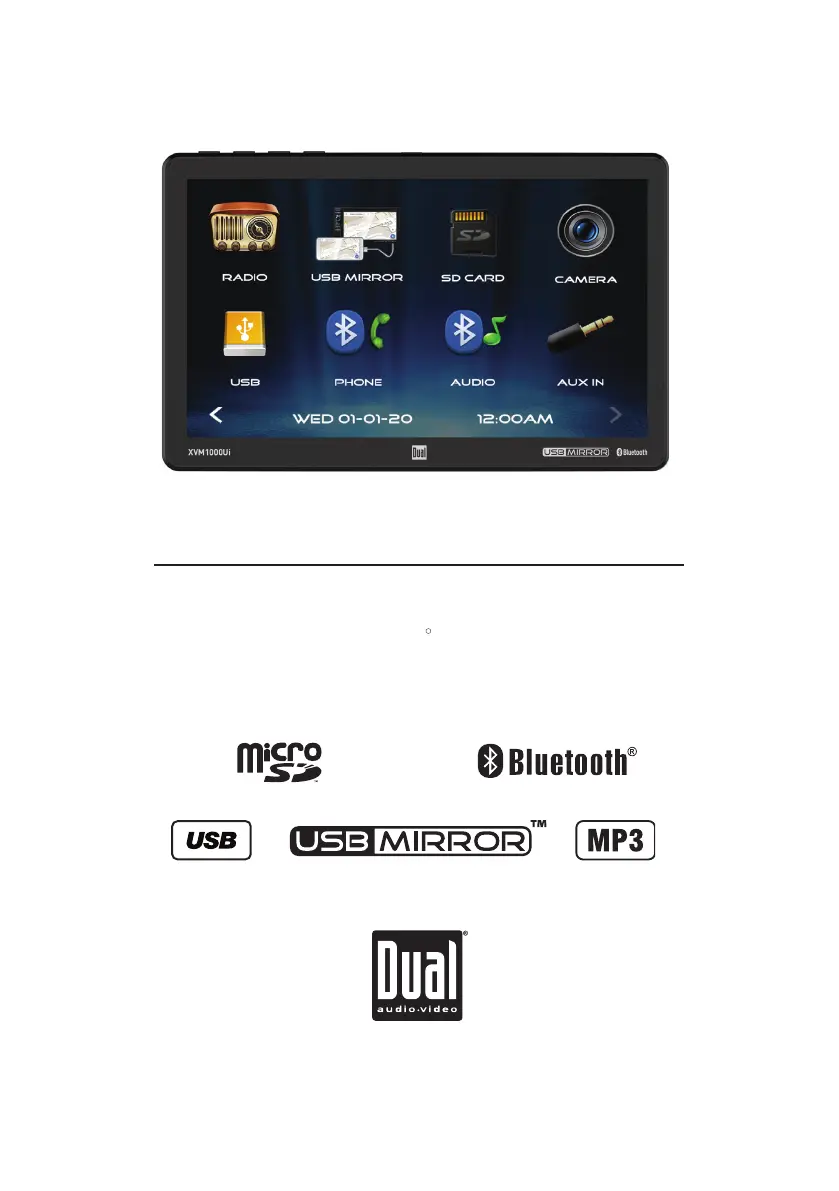
INSTALLATION/OWNER’S MANUAL
Media Receiver with Bluetooth , USBMirror and
featuring a 10.1" Touch Screen Display
XVM1000Ui
R
TM

Questions and Answers

Summary

Safety Information and Precautions

Video Playback Restriction

Video playback restricted while vehicle is moving for safety.

Safety Notice for Drivers

Warning against watching screen while driving, obey traffic rules.

Wiring Diagram and Notes

Control Locations

Unit Control Locations

Identifies microphone, buttons, and ports on the main unit.

Remote Control Functions

Lists all functions and buttons on the remote control.

General Operation

Power On;Off Operation

Instructions on how to turn the unit on and off.

Mode Selection

How to access different input modes like Radio, USB, etc.

Volume and Mute Control

How to adjust volume using front panel buttons or screen.

General Operation and Settings

Setup Menu Navigation

Accessing Setup Menu from Main Menu to configure General, Audio, Video, Bluetooth.

AM;FM Tuner Operation

Radio Operation Access

Select the Radio icon from the Main Menu to operate the tuner.

Station Tuning Controls

Tune frequency down, select band, toggle local/distance, and stereo/mono.

Preset Station Management

Store and play preset stations (18 FM, 12 AM).

AM;FM Tuner Operation (Continued)

Preset Scan Functionality

Automatically store/scan strongest stations or scan presets.

Tune Frequency Up Function

Momentarily tune up or press and hold to seek next strong station.

USB;SD Operation

Media Playback Overview

Play MP3/JPG files from USB/microSD cards.

Device Connection

Insert USB device or microSD card for playback.

Playback Navigation Controls

Tune/track down, play/pause, tune/track up.

USB;microSD Operation Details

Folder Search Functionality

Access folder directory, scroll, and select desired folder/file.

Media Compatibility - USB;microSD

File Type and Format Compatibility

Details incompatible file types, MPEG formats, and extensions.

Technical Specification Support

Covers sampling frequency, bitrate, and MP3 ID3 TAG support.

File System and Naming Conventions

File systems, directory depth, file naming, and JPG playback notes.

Media Compatibility Guidelines

Incompatible Media Formats

Lists specific media formats (MP3 PRO, WAV, WMA, etc.) that are not compatible.

Bluetooth Operation

Bluetooth Device Preparation

Ensure Bluetooth is activated, pair new devices, and connect previously paired devices.

Bluetooth Operation Controls

Settings Menu Access

Press button 8 to access the main Settings Menu.

Audio Input and Camera Operation

Troubleshooting Guide

Common Troubleshooting Issues

Covers no power, no sound, fuse blowing, no video, and remote issues.

Product Specifications

Dual XVM1000Ui Specifications

General IconGeneral
Channels4
TouchscreenYes
Apple CarplayYes
Android AutoYes
BluetoothYes
USB InputYes
SD Card ReaderYes
Backup Camera InputYes
DisplayLCD
Resolution800 x 480
AM/FM TunerYes
Video PlaybackYes
Audio PlaybackYes
Audio Formats SupportedMP3, WMA, AAC, FLAC
EqualizerYes
Power Output50W x 4
CompatibilityiPhone, Android

Related product manuals