EasyManua.ls Logo

Dual XRM69DBT - User Manual

Dual XRM69DBT
14 pages
Print Icon
To Next Page IconTo Next Page
Loading...
INSTALLATION/OWNER'S MANUAL
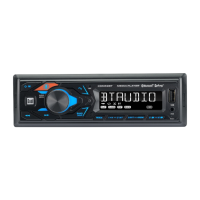
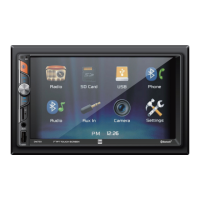
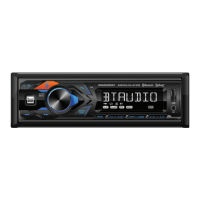
AM/FM Receiver with Bluetooth and Detachable Face
XRM69DBT

Questions and Answers

  • B
    bbakerAug 5, 2025
    What to do if my Dual XRM69DBT Receiver unit will not turn on?
    • D
      Darren ArroyoAug 5, 2025
      If your Dual Receiver unit isn't powering on, there could be a few reasons. First, check if the yellow and red wires are properly connected and have the correct voltage (11~16VDC). Next, ensure the black wire is securely connected to the ground. Finally, inspect the fuse and replace it if it's blown.
  • J
    jillianlyonsAug 11, 2025
    Why does my Dual XRM69DBT Receiver unit blow fuses?
    • M
      matthewwardAug 11, 2025
      Your Dual Receiver might be blowing fuses due to several reasons: * The yellow or red wire may be touching the chassis ground; check for any pinched wires. * Speaker wires could also be touching the chassis ground; again, check for pinched wires. * Finally, the fuse might have an incorrect rating; ensure you are using a fuse with the correct rating.
  • V
    Valerie SimpsonAug 17, 2025
    What to do if my Dual Receiver unit has power but no sound?
    • M
      Michelle Larson DVMAug 17, 2025
      If your Dual Receiver has power but isn't producing any sound, the issue might be with the speaker wires. First, check the connections at the speakers to make sure they are secure. Also, check if any of the speaker wires are touching each other or the chassis ground. If they are, insulate all bare speaker wires from each other and the chassis ground.
  • J
    James LongAug 22, 2025
    Why does 'NO FILE' appear on my Dual XRM69DBT display?
    • W
      william21Aug 23, 2025
      The 'NO FILE' message appears on your Dual Receiver display because there are no playable MP3 files found on the connected device. Check the device to ensure it contains valid MP3 files.
  • C
    Cynthia WilliamsAug 29, 2025
    Why does 'NO SUPPORT' appear on my Dual Receiver display?
    • C
      Carl ArmstrongAug 30, 2025
      The 'NO SUPPORT' message on your Dual Receiver indicates that an invalid ID3 tag version is present. The unit supports Version 1.0 to 2.0 ID3 tags.

Summary

Installation Preparation

Before You Start

Important initial steps and precautions before installing the head unit.

Mounting the Head Unit

Detailed steps for mounting the head unit in a standard DIN slot.

Wiring Diagram and Fuse Information

Wiring Connections

Diagram illustrating connections for power, ground, speakers, and antenna.

Fuse Specifications

Guidance on replacing the unit's fuse with the correct type and amperage.

Control Locations

Front Panel Controls Overview

Identification and description of all buttons, ports, and indicators on the unit's front panel.

General Operation

Unit Controls and Functions

Essential operations including faceplate, power, modes, volume, mute, reset, clock, and display.

AM;FM Tuner Operation

Tuning and Preset Management

Guide to seeking, manual tuning, band selection, storing, recalling, and auto-storing radio presets.

USB Operation

MP3 File Playback and Control

Instructions for playing MP3 files, track selection, playback control, folder access, and special modes.

Bluetooth Operation

Preparation and Pairing

Steps for preparing and pairing a Bluetooth device with the head unit.

Streaming Audio

How to stream audio wirelessly from a Bluetooth device and control playback.

Troubleshooting Bluetooth

Common issues and solutions related to Bluetooth streaming and connectivity.

Smart App Remote Control

Voice Activation

Front 3.5 mm Aux Input

Specifications

Technical Specifications Overview

Details on FM/AM tuner performance, general unit specs, and CEA-2006 power standards.

Troubleshooting

Common Issues and Solutions

Guidance on resolving common problems like no power, no sound, blown fuses, and file display errors.

Limited One Year Warranty

Warranty Coverage and Service

Information on warranty terms, coverage, exclusions, and steps for obtaining service.

FCC Compliance

Dual XRM69DBT Specifications

General IconGeneral
BluetoothYes
DisplayLCD
Impedance4 ohms
Tuner BandsAM/FM
AM Frequency Range530-1710 kHz
FM Frequency Range87.5-107.9 MHz
USB ChargingYes
SD Card ReaderYes
Detachable FaceNo
Digital RadioNo
Remote ControlYes
USB PortFront
TunerAM/FM
Weather Band Frequency Range162.400 MHz - 162.550 MHz
Auxiliary InputFront
Power Output200 Watts
Peak Power Output50 watts

Related product manuals